<?xml version="1.0" encoding="utf-8"?>
<feed xmlns="http://www.w3.org/2005/Atom">
<title>memalign.github.io</title>
<subtitle>By memalign</subtitle>
<link rel="alternate" type="text/html" href="https://memalign.github.io/index.html" />
<link rel="self" type="application/atom+xml" href="https://memalign.github.io/feed.xml" />
<id>https://memalign.github.io/feed.xml</id>
<updated>2026-03-13T00:00:00-08:00</updated>
<rights>Copyright © 2026, memalign</rights>
<icon>https://memalign.github.io/apple-touch-icon.png</icon>
<logo>https://memalign.github.io/apple-touch-icon.png</logo>
<entry>
<title>Catch Tap Toy</title>
<link rel="alternate" type="text/html" href="https://memalign.github.io/p/catch.html" />
<link rel="related" type="text/html" href="https://memalign.github.io/p/catch.html" />
<id>https://memalign.github.io/p/catch.html</id>
<published>2026-03-13T00:00:00-08:00</published>
<updated>2026-03-13T00:00:00-08:00</updated>
<author>
<name>memalign</name>
<uri>https://memalign.github.io/index.html</uri>
</author>
<content type="html" xml:base="https://memalign.github.io/p/" xml:lang="en"><![CDATA[
<div id='post'>
<div id='header'>
<h2>
<a href='https://memalign.github.io/p/catch.html'>Catch Tap Toy</a>
</h2>
</div>
<img src="/m/catch/catch.png">
<div id='postdate'>Posted on 3/13/2026<br />
Tags: <a href='/tags.html'>Programming</a>, <a href='/tags.html'>Games</a></div>
Introducing <a href="/m/catch/index.html">Catch Tap Toy</a>, the latest addition to the Tap Toy series.<br />
<br />
(See also: <a href="/m/counting/index.html">Counting Tap Toy</a>, <a href="/m/slice/index.html">Slice Tap Toy</a>, <a href="/m/fireworks/index.html">Fireworks Tap Toy</a>, <a href="/m/taptoy/index.html">Tap Toy</a>)<br />
<br />
You can play it in the browser or add it to your home screen as a progressive web app.<br />
<br />
I used royalty free game assets from <a href="https://kenney.nl/">Kenney</a>. That site is awesome thanks to its broad selection of high quality game art.<br />
<br />
I also used royalty free <a href="https://www.free-stock-music.com/fsm-team-escp-cyber-crime-story.html">music</a>. Credit:<br />
<div id='code'>Cyber Crime Story by | e s c p | https://www.escp.space<br />
https://escp-music.bandcamp.com</div>
I built this game to satisfy my nostalgia for one of the first games I ever played on a computer, Walnuts (<a href="https://archive.org/details/WarpedForWindows-Walnuts">playable on archive.org</a>), which was apparently published in 1994.<br />
<br />
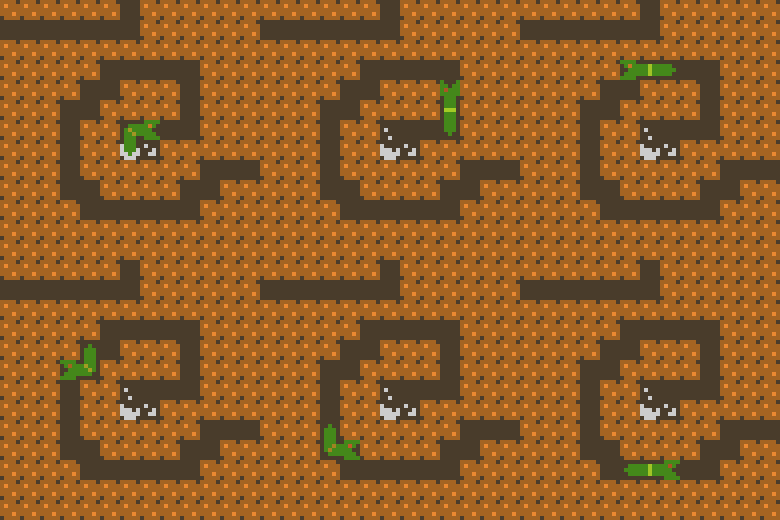
The basic gameplay is the same: catch the gems and avoid the spikes. I added a twist: worms you can catch for bonus points.<br />
<br />
I recently discovered that this gameplay dates back to <a href="https://en.wikipedia.org/wiki/Kaboom!_(video_game)">Kaboom! (1981)</a> which is itself a clone of <a href="https://en.wikipedia.org/wiki/Avalanche_(video_game)">Avalanche (1978)</a>.<br />
<br />
I built this project using Google's Gemini CLI, starting with an old implementation of the game I wrote many years ago in Objective-C.<br />
<br />
We're at an interesting phase of AI capability. It's easier than ever to make simple games like this. Is it still worth bothering to make and share something like this?<br />
<br />
I think so. I made this for myself and to share with my son. Since I showed him the game first working (I called it a "preview" of a new game I'm making), he has frequently asked to play the "preview" again. That is special.<br />
<br />
Also, the choices I make matter. They give this project meaning to myself and maybe also others. I picked the music, the art, and the special twists. Even though the game is simple, there are enough choices to make and options for each choice that nobody else would arrive at the same end result. (I even chose to keep a behavior that could be considered a bug: try playing this game on a phone-sized screen in landscape orientation for an extra amusing challenge) This whole game has been molded and curated for the player's enjoyment.<br />


<br />
So I hope you like it!<br />

</div>

]]>
</content>
</entry>

<entry>
<title>MemSky</title>
<link rel="alternate" type="text/html" href="https://memalign.github.io/p/memsky.html" />
<link rel="related" type="text/html" href="https://memalign.github.io/p/memsky.html" />
<id>https://memalign.github.io/p/memsky.html</id>
<published>2026-01-13T00:00:00-08:00</published>
<updated>2026-01-13T00:00:00-08:00</updated>
<author>
<name>memalign</name>
<uri>https://memalign.github.io/index.html</uri>
</author>
<content type="html" xml:base="https://memalign.github.io/p/" xml:lang="en"><![CDATA[
<div id='post'>
<div id='header'>
<h2>
<a href='https://memalign.github.io/p/memsky.html'>MemSky</a>
</h2>
</div>
<img src="/m/memsky/memsky.png">
<div id='postdate'>Posted on 1/13/2026<br />
Tags: <a href='/tags.html'>Programming</a>, <a href='/tags.html'>Tools</a></div>
Today, I'm sharing a web app for keeping up with your Bluesky timeline: <a href="/m/memsky/index.html">MemSky</a>.<br />
<br />
You can use it in the browser or add it to your home screen as a progressive web app.<br />
<br />
Everything is local in the web app except for the API calls to Bluesky directly to authenticate and fetch content.<br />
<br />
You can browse in two modes:<br />
<br />
1. Prioritize Unread Posts (the default) - Keep track of which posts you've already seen and start at the place in the timeline that you left off.<br />
<br />
2. Infinite scrolling timeline - Uncheck the Prioritize Unread Posts to use this more standard mode.<br />
<br />
In Settings, you can configure Muted Words to filter out any terms you don't care to see.<br />
<br />
<br />
Why I built this:<br />
<br />
I added Bluesky to my collection of news feeds over a year ago. Similar to <a href="/p/mastodon.html">Mastodon</a>, I found that the official app doesn't do the one thing I want: to read a chronological timeline of posts and reposts from accounts I follow - always keeping my spot since the last time I checked.<br />
<br />
For Mastodon, I wrote my own native app to do this in 2023. It's been great, but it's only usable by me. I don't have a developer account to publish native apps.<br />
<br />
During the recent winter break, I wondered if a Bluesky client could be built entirely as a web app. I asked ChatGPT to create a one-file web app to see what could be done quickly. It was good enough that I figured I could spend the next week building it into what I want. Why a web app? They work on all platforms and are so easy to share! And LLMs make web apps super fun to whip up regardless of the device you're developing on.<br />
<br />
<br />
Some technical details:<br />
<br />
The hardest part of this project was to load new posts above the posts you have already read. The strategy I landed on: create a snapshot of the page, block user input, load the posts, adjust the scroll offset to pin the posts shown in the snapshot to the exact same position, once scrolling stabilizes remove the snapshot and unblock user input.<br />
<br />
Automatic scrolling while pinning elements to the exact same visual position is not well supported by browser APIs. The APIs available let you find the current position of an element in the viewport, but that position needs to be corrected for any change in the viewport size. On iOS, Safari's UI chrome shrinks as a result of scrolling down, so the viewport changes because of the automatic scrolling the web app performs. This was tricky to get right.<br />

</div>

]]>
</content>
</entry>

<entry>
<title>Create Your Own Wolfer</title>
<link rel="alternate" type="text/html" href="https://memalign.github.io/p/create-wolfer.html" />
<link rel="related" type="text/html" href="https://memalign.github.io/p/create-wolfer.html" />
<id>https://memalign.github.io/p/create-wolfer.html</id>
<published>2025-11-24T00:00:00-08:00</published>
<updated>2025-11-24T00:00:00-08:00</updated>
<author>
<name>memalign</name>
<uri>https://memalign.github.io/index.html</uri>
</author>
<content type="html" xml:base="https://memalign.github.io/p/" xml:lang="en"><![CDATA[
<div id='post'>
<div id='header'>
<h2>
<a href='https://memalign.github.io/p/create-wolfer.html'>Create Your Own Wolfer</a>
</h2>
</div>
<img src="/m/wolfer/wolfer.png">
<div id='postdate'>Posted on 11/24/2025<br />
Tags: <a href='/tags.html'>Programming</a>, <a href='/tags.html'>Parenting</a>, <a href='/tags.html'>Games</a>, <a href='/tags.html'>Tools</a></div>
In my post about <a href="/p/wolfers.html">Wolfers</a>, I mentioned working on a way to generate new game variants.<br />
<br />
I'm ready to share that today. Please check out the <a href="/m/wolfer/create.html">Create Your Own Wolfer</a> page!<br />
<br />
That page is a step-by-step guide to generate your own Wolfer game with only an English description. It also provides a way to load and test your game before submitting it to be included on the <a href="/m/wolfer/index.html">official Wolfers page</a>.<br />
<br />
I had the best results generating games with ChatGPT, though I provide links to additional AI chat bot choices.<br />
<br />
Wolfers games can be educational or just plain fun. Check out this novelty Wolfer game where you have to determine whether a name is a Pokémon or a prescription medication: <a href="/m/wolfer/wolfer.html?g=pokeprescription">Wolfer: PokéPrescription</a>.<br />
<br />
Some technical details:<br />
<br />
- Like <a href="/m/pceimage/index.html">PCEImage Editor</a>, I'm using <a href="https://codemirror.net">CodeMirror</a> for in-line code editing.<br />
<br />
- For user submissions, I'm using a Google Form because it's easy, free, and my projects are just statically hosted files.<br />

</div>

]]>
</content>
</entry>

<entry>
<title>Wolfers</title>
<link rel="alternate" type="text/html" href="https://memalign.github.io/p/wolfers.html" />
<link rel="related" type="text/html" href="https://memalign.github.io/p/wolfers.html" />
<id>https://memalign.github.io/p/wolfers.html</id>
<published>2025-11-03T00:00:00-08:00</published>
<updated>2025-11-03T00:00:00-08:00</updated>
<author>
<name>memalign</name>
<uri>https://memalign.github.io/index.html</uri>
</author>
<content type="html" xml:base="https://memalign.github.io/p/" xml:lang="en"><![CDATA[
<div id='post'>
<div id='header'>
<h2>
<a href='https://memalign.github.io/p/wolfers.html'>Wolfers</a>
</h2>
</div>
<img src="/m/wolfer/wolfer.png">
<div id='postdate'>Posted on 11/3/2025<br />
Tags: <a href='/tags.html'>Programming</a>, <a href='/tags.html'>Parenting</a>, <a href='/tags.html'>Games</a>, <a href='/tags.html'>Math</a></div>
Introducing <a href="/m/wolfer/index.html">Wolfers</a>!<br />
<br />
Wolfers is a series of games, playable in your web browser, inspired by the iconic Word Munchers and Number Munchers games of the 1980s/1990s. Wolf down correct answers while avoiding the WoeBots! Take refuge in the Safe Space... if it appears in time!<br />
<br />
I've wanted to bring this style of educational game back to life for a long time.<br />
<br />
In the early 90s, my grandmother had a Macintosh with educational games. She was a teacher who specialized in teaching reading. She showed me how to play Word Munchers and I had a blast munching words with the right vowel sounds.<br />
<br />
Around 2021, I started building a version of this game while on new parent leave from work shortly after my son was born. I returned to work before it was complete and the game was left in stasis.<br />
<br />
After that, I got the itch to build many other projects, most of which I've shared here already. These are passion projects. I pursue what interests me the most at any given time, even when that leaves some other project on the backburner. Recently, teaching my son has inspired me to make several apps and this also revived my interest in Wolfers.<br />
<br />
These days, I don't have much time or energy for programming because of demanding work and life responsibilities. Yet I still have interest. I still have the itch to build. I also still have a desire to use cutting-edge tools. I decided to give Gemini CLI a try. Google currently offers a fairly generous free tier for Gemini. I ended up impressed. Even though Gemini could be slow, go off-track, and need correction, I was able to get a lot done on evenings when I was otherwise too tired to program.<br />
<br />
The project even ended up more sophisticated and polished as a result. I ended up with animations for game character movement that I would never have pursued had Gemini not made a quick almost-working initial implementation.<br />
<br />
One of my biggest challenges with hobby projects is regaining momentum after a break. I found that using a coding agent like Gemini made it much easier to start and rebuild momentum after stalls. And it also prevented some stalls entirely: on nights I otherwise wouldn't have had time to do anything, I could write a quick prompt and end up with a patch for a task on the TODO list.<br />
<br />
I found it vital to have unit test coverage. Gemini did a pretty good job adding coverage when I requested it. As test coverage became extensive, I was able to move quickly without breaking important game behaviors. It was great to enable Gemini to run unit tests using node to vet and fix new logic in a loop. Before using Gemini on this project, I had a backlog of tests I needed but didn't feel like writing. With Gemini, I had all of them written in a few evenings.<br />
<br />
I approach Gemini with a high level of scrutiny: I run Gemini as a separate Linux user, with filesystem permissions only for the project directory. I review and approve every command it runs. I review and often edit every patch before committing it. This is working well for me.<br />
<br />
Other useful tools:<br />
<br />
- As usual, I used <a href="/m/pceimage/index.html">PCEImage Editor</a> to create many graphics, including animation frames.<br />
<br />
- I used <a href="https://frankforce.com">Frank Force</a>'s tiny <a href="https://killedbyapixel.github.io/ZzFX/">ZzFX</a> library for sound effects. (<a href="/m/zzfx/index.html">backup</a>)<br />
<br />
- I am working on an LLM prompt to make it easy to create new Wolfers game variants. I hope to make a "create your own Wolfer" page where people can create a Wolfers game and submit it. I used the work-in-progress prompt to create <a href="/m/wolfer/wolfer.html?g=phonics">Phonics Wolfer</a>.<br />
&nbsp;&nbsp;- Update: <a href="/m/wolfer/create.html">Create Your Own Wolfer</a> is now live! (<a href="/p/create-wolfer.html">Details</a>)<br />
<br />
- Wolfers games look good on phones, iPads, and can also be installed as progressive web apps on your home screen. I recently found a simpler way to make PWAs thanks to this <a href="https://github.com/chr15m/minimal-pwa">minimal-pwa</a> project. I made this a bit more dynamic and self-contained in Wolfer's <a href="/m/wolfer/pwa.js">pwa.js</a> and added offline PWA support in <a href="/m/wolfer/sw.js">sw.js</a>.<br />

</div>

]]>
</content>
</entry>

<entry>
<title>Phonics Flashcards</title>
<link rel="alternate" type="text/html" href="https://memalign.github.io/p/phonics.html" />
<link rel="related" type="text/html" href="https://memalign.github.io/p/phonics.html" />
<id>https://memalign.github.io/p/phonics.html</id>
<published>2025-10-27T00:00:00-08:00</published>
<updated>2025-10-27T00:00:00-08:00</updated>
<author>
<name>memalign</name>
<uri>https://memalign.github.io/index.html</uri>
</author>
<content type="html" xml:base="https://memalign.github.io/p/" xml:lang="en"><![CDATA[
<div id='post'>
<div id='header'>
<h2>
<a href='https://memalign.github.io/p/phonics.html'>Phonics Flashcards</a>
</h2>
</div>
<img src="/m/phonics/cards-1000.png">
<div id='postdate'>Posted on 10/27/2025<br />
Tags: <a href='/tags.html'>Programming</a>, <a href='/tags.html'>Tools</a>, <a href='/tags.html'>Parenting</a></div>
Introducing <a href="/m/phonics/index.html">Phonics Flashcards</a>!<br />
<br />
My 4-year-old son is learning the basics of reading, starting with the sounds of every alphabet letter.<br />
<br />
A friend of ours recommended cardboard <a href="https://www.toddlersread.com/products/fairy-tale-abc-cards">flashcards</a> by <a href="https://www.toddlersread.com">toddlersread.com</a>.<br />
<br />
This company shared a few helpful videos on <a href="https://youtu.be/gh0HXfgV3bs">how to use phonics flashcards effectively</a> and <a href="https://youtube.com/shorts/S3K5bwo4Djk?si=BQlDWuK-k7FhULCm">what sound to learn first for each letter</a>.<br />
<br />
The cards we like best are sold out so I made this web app to use in the meantime.<br />
<br />
Key features:<br />
<br />
- Focus on just a few letters at a time. When the page loads, the five letters with the weakest recall are chosen automatically. Tap into the Letters menu to customize which letters are in rotation in the current session.<br />
<br />
- Show uppercase and lowercase letters together. These can usually be learned at the same time. If your kid needs to focus on one at a time, this can be customized in the settings panel.<br />
<br />
- A fun image is behind the reveal instead of on the front of the card. We want kids to learn the sound based on the letter alone. We don't want them to memorize the sound based on a single image.<br />
<br />
- When there's an "easy recall" streak, there's a fun confetti animation to keep kids engaged.<br />
<br />
- Flashcards are chosen and sorted using a spaced repetition algorithm (the same one used in my <a href="/m/mandarin/cards/index.html">Mandarin Flashcards</a>). That's why there are three buttons (and swipe actions) to quickly indicate whether the flashcard was not-yet-known, slow to recall, or easy to recall. Not-yet-known and slow cards are shown more frequently until recall improves.<br />
<br />
- This web app should look good on phones, iPads, and can also be installed as a PWA on your home screen.
</div>

]]>
</content>
</entry>

<entry>
<title>Mandarin Flashcards</title>
<link rel="alternate" type="text/html" href="https://memalign.github.io/p/mandarin-flashcards.html" />
<link rel="related" type="text/html" href="https://memalign.github.io/p/mandarin-flashcards.html" />
<id>https://memalign.github.io/p/mandarin-flashcards.html</id>
<published>2025-02-05T00:00:00-08:00</published>
<updated>2025-02-05T00:00:00-08:00</updated>
<author>
<name>memalign</name>
<uri>https://memalign.github.io/index.html</uri>
</author>
<content type="html" xml:base="https://memalign.github.io/p/" xml:lang="en"><![CDATA[
<div id='post'>
<div id='header'>
<h2>
<a href='https://memalign.github.io/p/mandarin-flashcards.html'>Mandarin Flashcards</a>
</h2>
</div>
<img src="/m/mandarin/cards/cards.png">
<div id='postdate'>Posted on 2/5/2025<br />
Tags: <a href='/tags.html'>Programming</a>, <a href='/tags.html'>Tools</a>, <a href='/tags.html'>Parenting</a></div>
Introducing <a href="/m/mandarin/cards/index.html">Mandarin Flashcards</a>!<br />
<br />
I'm expanding on <a href="/m/mandarin/index.html">Mandarin Communication Board</a> by using the same data to create a set of flashcards.<br />
<br />
These flashcards use spaced repetition, a memorization method where cards you don't know yet will appear frequently and cards you know well will appear less often. This technique has been popularized by the Anki flashcards app.<br />
<br />
When you review each card, you indicate whether you don't know it, you recalled it with effort, or it was easy to recall. The web app then calculates and schedules the next time it should be reviewed. Over time, well-known cards will be scheduled several days into the future.<br />
<br />
With this technique, you can spend ~10 minutes a day reviewing cards to learn hundreds of words.<br />
<br />
<br />
Some technical details:<br />
<br />
- Learn more about its companion project's development details: <a href="/p/mandarin.html">About Mandarin Communication Board</a><br />
&nbsp;&nbsp;- I reused almost everything from this project<br />
<br />
- I implemented a swipe left/up/right UI that should feel great on iPhone. I find it a lot of fun to play with the cards!<br />
<br />
- I originally tried to have ChatGPT implement the swipe UI. After several rounds of iteration, I had an 80% working implementation but it was so tangled that I started looking for another option. I found this great and simple <a href="https://codepen.io/rudtjd2548/pen/qBodXzO">codepen</a> with no dependencies which I switched to as my starting point.<br />
<br />
- Click the settings gear to see your learning statistics!<br />
<br />
- Unmute your device and turn up the volume if you don't hear anything when clicking the "Speak" button<br />
<br />
- This website can be added to your home screen as a PWA<br />

</div>

]]>
</content>
</entry>

<entry>
<title>Mandarin Communication Board</title>
<link rel="alternate" type="text/html" href="https://memalign.github.io/p/mandarin.html" />
<link rel="related" type="text/html" href="https://memalign.github.io/p/mandarin.html" />
<id>https://memalign.github.io/p/mandarin.html</id>
<published>2025-01-29T00:00:00-08:00</published>
<updated>2025-01-29T00:00:00-08:00</updated>
<author>
<name>memalign</name>
<uri>https://memalign.github.io/index.html</uri>
</author>
<content type="html" xml:base="https://memalign.github.io/p/" xml:lang="en"><![CDATA[
<div id='post'>
<div id='header'>
<h2>
<a href='https://memalign.github.io/p/mandarin.html'>Mandarin Communication Board</a>
</h2>
</div>
<img src="/m/mandarin/mcb.png">
<div id='postdate'>Posted on 1/29/2025<br />
Tags: <a href='/tags.html'>Programming</a>, <a href='/tags.html'>Tools</a>, <a href='/tags.html'>Parenting</a></div>
Happy Lunar New Year!<br />
<br />
Introducing the <a href="/m/mandarin/index.html">Mandarin Communication Board</a>, a tool for learning and communicating in Mandarin Chinese.<br />
<br />
My son recently started showing interest in learning Mandarin thanks to some <a href="https://www.baobaolearnschinese.com/">singing books</a> sent by a friend of ours.<br />
<br />
I made this tool to help us expand our vocabulary and enable us to communicate about every day stuff.<br />
<br />
My favorite part as I dabble in Mandarin is that there is no verb conjugation! Grammar tends to be fairly simple, too, which means that you can start saying intelligible sentences quickly by picking up common words.<br />
<br />
The toughest part so far is hearing and producing words with the right tones. To my untrained American ears, I often can't tell the difference between words that differ only in their tone. It's been helpful to see the words written in pinyin and spoken aloud using this communication board.<br />
<br />
<br />
Some technical details:<br />
<br />
- I'm using the built-in SpeechSynthesis browser API, which produces audio that's good enough with the voices in Safari. I'm considering using higher quality TTS, like <a href="https://cloud.google.com/text-to-speech">Google's</a>, which appears to have a generous free tier.<br />
<br />
- I used ChatGPT to do much of the hard work, including producing a lot of the vocabulary list. ChatGPT also contributed many of the word-to-emoji pairings. I had to remove many that were too abstract or a bad fit, though.<br />
<br />
- For some words, I used iOS's new Genmoji feature to create images. I'm happy with the results!<br />
<br />
- For other words, I used the wonderful and free images provided by <a href="https://arasaac.org">ARASAAC</a>. I found this organization by searching for "AAC images". AAC stands for "Augmentative and Alternative Communication".<br />
<br />
- For a few words, I used <a href="https://unsplash.com">Unsplash</a><br />
<br />
- There are ~20 words and phrases with no images and I don't think I will find good ones for them<br />
<br />
- I want to look into adding the full set of HSK1 and HSK2 vocabulary<br />
<br />
- I am targeting Apple devices so it's likely that TTS or the full set of emoji may not show up on other operating systems<br />
<br />
- This website can be added to your home screen as a PWA. I'm considering hooking it up to launch when I press the action button on my iPhone for quick reference.<br />
<br />
- As a follow-on project, I might use this dataset to create flash cards to use with spaced repetition. Update: check out the <a href="/p/mandarin-flashcards.html">flashcards project</a>!<br />

</div>

]]>
</content>
</entry>

<entry>
<title>Counting Tap Toy</title>
<link rel="alternate" type="text/html" href="https://memalign.github.io/p/counting.html" />
<link rel="related" type="text/html" href="https://memalign.github.io/p/counting.html" />
<id>https://memalign.github.io/p/counting.html</id>
<published>2025-01-01T00:00:00-08:00</published>
<updated>2025-01-01T00:00:00-08:00</updated>
<author>
<name>memalign</name>
<uri>https://memalign.github.io/index.html</uri>
</author>
<content type="html" xml:base="https://memalign.github.io/p/" xml:lang="en"><![CDATA[
<div id='post'>
<div id='header'>
<h2>
<a href='https://memalign.github.io/p/counting.html'>Counting Tap Toy</a>
</h2>
</div>
<img src="/m/counting/counting.png">
<div id='postdate'>Posted on 1/1/2025<br />
Tags: <a href='/tags.html'>Programming</a>, <a href='/tags.html'>Art</a>, <a href='/tags.html'>Games</a>, <a href='/tags.html'>Parenting</a></div>
Introducing <a href="/m/counting/index.html">Counting Tap Toy</a>, the latest addition to the Tap Toy series.<br />
<br />
(See also: <a href="/m/slice/index.html">Slice Tap Toy</a>, <a href="/m/fireworks/index.html">Fireworks Tap Toy</a>, <a href="/m/taptoy/index.html">Tap Toy</a>)<br />
<br />
In Counting Tap Toy, you can tap to count various fish and aquatic creatures. The count is displayed and announced.<br />
<br />
I built this game for my 3-year-old son. He's pretty good at counting with one exception: he always skips "14". My hope is that seeing and hearing the numbers will reinforce 14's existence and teach the pattern of the teens and beyond.<br />
<br />
<br />
Some technical details:<br />
<br />
- I whipped this game up in my spare hours during winter break after shipping <a href="/m/spacetrader/index.html">Space Trader</a><br />
<br />
- The count is announced using the <a href="https://developer.mozilla.org/en-US/docs/Web/API/SpeechSynthesis">SpeechSynthesis API</a><br />
<br />
- Unlike the prior Tap Toys which use Matter.js, I picked <a href="https://github.com/KilledByAPixel/LittleJS">LittleJS</a> by <a href="https://frankforce.com">Frank Force</a>. I've admired Frank's work for a long time and I was dissatisfied with Matter.js's inconsistent behavior on devices with different screen refresh rates. I wasn't able to fix that to my satisfaction in Slice Tap Toy -- frame drops are still sometimes noticeable.<br />
<br />
- I'm generally pleased with LittleJS in this project. The example projects gave much of what I needed and the engine provides a lot of cool stuff, including systems for creating sound effects and particle effects.<br />
<br />
- I needed to hack in a few behavior changes which were tricky to achieve: a full-screen canvas, simultaneous mouse and touch support, direct callbacks for handling user input (since the SpeechSynthesis API seems to ignore calls without that direct tie to input), support for links overlaid on top of the game canvas. Fortunately, the code is straightforward and easy to modify.<br />
<br />
- One quirk: image tiles had a weird "bleeding" glitch where I would sometimes see a sliver of the other side of the tile wrapping around. I saw that LittleJS has a hack to solve this (tileFixBleedScale), but that causes other visual glitchiness (to me, it made the tiles look like they were under water, slight stretching and shrinking as the game object moves around). I picked a different solution: having at least a few pixels of padding baked into the image assets.<br />
<br />
- As usual, I used <a href="/m/pceimage/index.html">PCEImage Editor</a> to create many graphics. I created the PCEImage format and tools so I could simply store and edit graphics as ASCII art. See them <a href="/m/counting/Images.js">here</a>.<br />
&nbsp;&nbsp;- I got the <a href="https://rapidpunches.itch.io/megamarinepack">image assets</a> from someone who posted them with a permissive license on itch.io. Then I used PCEImage Editor to import and convert them.<br />
<br />
- Music came from <a href="https://www.chosic.com/free-music/classical/">chosic.com</a>. <a href="/m/counting/songs/README.txt">Credits</a> for the songs I used.<br />

</div>

]]>
</content>
</entry>

<entry>
<title>Space Trader</title>
<link rel="alternate" type="text/html" href="https://memalign.github.io/p/spacetrader.html" />
<link rel="related" type="text/html" href="https://memalign.github.io/p/spacetrader.html" />
<id>https://memalign.github.io/p/spacetrader.html</id>
<published>2024-12-24T00:00:00-08:00</published>
<updated>2024-12-24T00:00:00-08:00</updated>
<author>
<name>memalign</name>
<uri>https://memalign.github.io/index.html</uri>
</author>
<content type="html" xml:base="https://memalign.github.io/p/" xml:lang="en"><![CDATA[
<div id='post'>
<div id='header'>
<h2>
<a href='https://memalign.github.io/p/spacetrader.html'>Space Trader</a>
</h2>
</div>
<img src="/m/spacetrader/spacetrader-1000.png">
<div id='postdate'>Posted on 12/24/2024<br />
Tags: <a href='/tags.html'>Programming</a>, <a href='/tags.html'>Games</a></div>
Introducing my latest game, playable right in your web browser: <a href="/m/spacetrader/index.html">Space Trader</a><br />
<br />
In Space Trader, you can trade goods, hunt bounties, amass a fortune, buy a moon and retire.<br />
<br />
Space Trader can be saved to your home screen as a PWA (Progressive Web App).<br />
<br />
<br />
Space Trader started as a game written by Pieter Spronck for Palm OS, released in 2002. <a href="https://en.wikipedia.org/wiki/Space_Trader_(Palm_OS)">Wikipedia page</a>. <a href="https://www.spronck.net/spacetrader/index.html">Official website</a> (<a href="/m/spacetrader-official-site-mirror/index.html">mirror</a>).<br />
<br />
You can play the <a href="https://archive.org/details/palm3_SpaceTrader">original</a> on archive.org.<br />
<br />
As one of my favorites, this game holds a special place in my heart. I played a ton in middle school and high school. This is the second port of the game I've made.<br />
<br />
Like SFCave (recreated as <a href="/m/cr/index.html">CaveRibbon</a>), I decided to recreate Space Trader as a web app to feed my nostalgia and give the game new life. I hope this version of Space Trader can survive long into the future thanks to the universal availability of web browsers and their devotion to compatibility.<br />
<br />
<br />
Some technical details:<br />
<br />
- As usual, I used <a href="/m/pceimage/index.html">PCEImage Editor</a> to create many graphics. I created the PCEImage format and tools so I could simply store and edit graphics as ASCII art. See them <a href="/m/spacetrader/Images.js">here</a>.<br />
<br />
- To aid debugging and unit testing, I use a deterministic random number generator called <a href="/m/spacetrader/GameRand.js">GameRand</a>. In debug mode, I can capture the random seed and log of every action taken in the game. Then I can replay that to reproduce a bug or create a test.<br />
&nbsp;&nbsp;- I've written many unit / integration tests for Space Trader. See them <a href="/m/spacetrader/UnitTests.js">here</a>.<br />
&nbsp;&nbsp;- Learn more about GameRand in the <a href="/p/caveribbon.html">post</a> for CaveRibbon.<br />
&nbsp;&nbsp;- A major downside to this technique for testing is that tests become invalid if a bug fix (or a new feature) changes the amount of random numbers consumed. I ended up remaking many tests one or two times. This added a few days of extra work to the project.<br />
&nbsp;&nbsp;- You can play the game with cheats and access the replay log on a special version of the game: <a href="/m/spacetrader/cheats.html">cheats.html</a>.<br />
<br />
- I translated an existing implementation of this game to vanilla JavaScript using ChatGPT. I could translate ~300 lines at a time. I audited every line produced. This worked pretty well and saved me a huge amount of time compared to manually translating the code. This was a somewhat zen activity for me because it was mechanical; tedious but rewarding to see how quickly I could progress through the whole codebase. This was the kind of programming I could do after an exhausting day at work. Major differences/difficulties:<br />
&nbsp;&nbsp;- The original code relies on integer math, but JavaScript uses float math. I needed to ensure all uses of numbers yielded an expected result. I ended up adding exhaustive runtime asserts and writing automated stress tests to catch problems.<br />
&nbsp;&nbsp;- ChatGPT would sometimes produce inconsistent translations, especially for enum names. These could lurk, waiting to cause a crash at runtime. I hunted these with stress tests, manual tests, nearly exhaustive code coverage, and replayable game logs (which I turned into tests).<br />
&nbsp;&nbsp;- Similarly, ChatGPT would inconsistently translate properties and their setters/getters. I left many awkward translations in place to save myself time, even though it makes the code worse.<br />
&nbsp;&nbsp;- The UI needed to be tailored to the web. I ended up writing almost all new code for the UI.<br />
&nbsp;&nbsp;- The original code had no tests. I wrote all new tests and a quick-and-dirty system for measuring code coverage. I even discovered several longstanding bugs in the original code.<br />
<br />
- Before translating the whole codebase, I investigated using emscripten to reuse as much of the original C code as possible. I decided I wouldn't be satisfied with the result. There wasn't separation of UI and business logic that would have let me easily build new UI tailored to web. There were a lot of Palm OS platform-specific functions that would need to be replaced. I didn't want to struggle to change the existing code where it became necessary.<br />

</div>

]]>
</content>
</entry>

<entry>
<title>MemPlayer</title>
<link rel="alternate" type="text/html" href="https://memalign.github.io/p/memplayer.html" />
<link rel="related" type="text/html" href="https://memalign.github.io/p/memplayer.html" />
<id>https://memalign.github.io/p/memplayer.html</id>
<published>2024-07-25T00:00:00-08:00</published>
<updated>2024-07-25T00:00:00-08:00</updated>
<author>
<name>memalign</name>
<uri>https://memalign.github.io/index.html</uri>
</author>
<content type="html" xml:base="https://memalign.github.io/p/" xml:lang="en"><![CDATA[
<div id='post'>
<div id='header'>
<h2>
<a href='https://memalign.github.io/p/memplayer.html'>MemPlayer</a>
</h2>
</div>
<img src="/m/memplayer/memplayer.png">
<div id='postdate'>Posted on 7/25/2024<br />
Tags: <a href='/tags.html'>Programming</a>, <a href='/tags.html'>Tools</a></div>
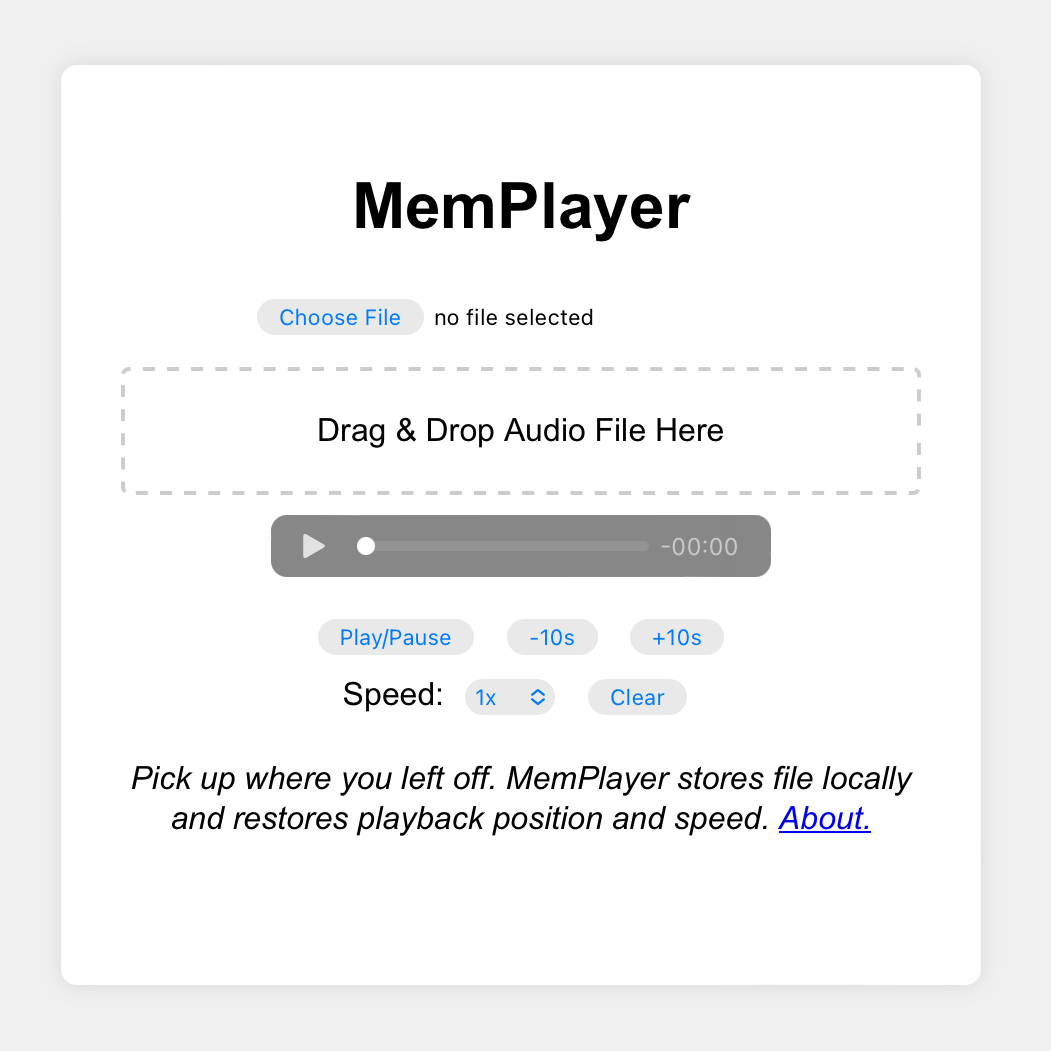
I recently whipped up a simple audio player dedicated to listening to long audio files across multiple listening sessions.<br />
<br />
It's called MemPlayer and you can try it <a href="/m/memplayer/index.html">here</a>.<br />
<br />
<br />
The problem MemPlayer solves:<br />
<br />
I listen to most audiobooks in the excellent Libby app. It nails the core use case: remembers playback position, gives easy controls for jumping back/forward, and gives granular control over playback speed.<br />
<br />
Sometimes, though, I have a book (or other long audio recording) as a single standalone audio file. I still need all of those features for easy listening across multiple days.<br />
<br />
Instead of finding an existing app with exactly what I need, I experimented to see how quickly I could whip up a simple utility app using ChatGPT. I found the low overhead of web development plus ChatGPT to be a killer combination.<br />
<br />
I started with this prompt:<br />
<div id='code'>Generate HTML, JavaScript, and CSS for a simple web app with these requirements:<br />
- The user can browse their local disk to select an audio file<br />
- Alternatively, the user can drag and drop an audio file onto the web app<br />
- The web app allows the user to play the audio file, change playback speed, and skip forward and back by 10 seconds<br />
- The web app stores the file in local storage and restores it when the page is refreshed<br />
- The web app stores the current playback position and restores it when the page is refreshed. This way the user can load the page and resume what they were listening to.<br />
- There is a clear button which causes the web app to forget the current audio file and playback position</div>
This produced code for index.html, scripts.js, and styles.css that gave me 90% of what I needed. The UI was good, but the web app did not work perfectly.<br />
<br />
I steered it with a few specific suggestions in subsequent prompts, mainly to use IndexedDB to store the audio file because its original choice, localStorage, can't handle big files. I also needed to fix a bug in restoring playback position. I then made some minor style and user experience tweaks, added PWA metadata and icons, and was done!<br />
<br />
Overall, I was able to whip this up in about an hour, with some of the fixes and tweaks done on the go.<br />
<br />
I think there's a lot of potential to make custom tiny tool web apps with low effort this way. And one of the best parts of the web is that nearly everyone can use these tools without any setup across their phones, tablets, computers, etc. And they will hopefully continue working for decades to come without any developer intervention.<br />

</div>

]]>
</content>
</entry>

<entry>
<title>Slice Tap Toy</title>
<link rel="alternate" type="text/html" href="https://memalign.github.io/p/slice.html" />
<link rel="related" type="text/html" href="https://memalign.github.io/p/slice.html" />
<id>https://memalign.github.io/p/slice.html</id>
<published>2024-05-13T00:00:00-08:00</published>
<updated>2024-05-13T00:00:00-08:00</updated>
<author>
<name>memalign</name>
<uri>https://memalign.github.io/index.html</uri>
</author>
<content type="html" xml:base="https://memalign.github.io/p/" xml:lang="en"><![CDATA[
<div id='post'>
<div id='header'>
<h2>
<a href='https://memalign.github.io/p/slice.html'>Slice Tap Toy</a>
</h2>
</div>
<img src="/m/slice/slice.jpg">
<div id='postdate'>Posted on 5/13/2024<br />
Tags: <a href='/tags.html'>Programming</a>, <a href='/tags.html'>Games</a></div>
Introducing my latest project, playable right in your web browser: <a href="/m/slice/index.html">Slice Tap Toy</a><br />
<br />
Slice Tap Toy can also be saved to your home screen as a PWA (Progressive Web App).<br />
<br />
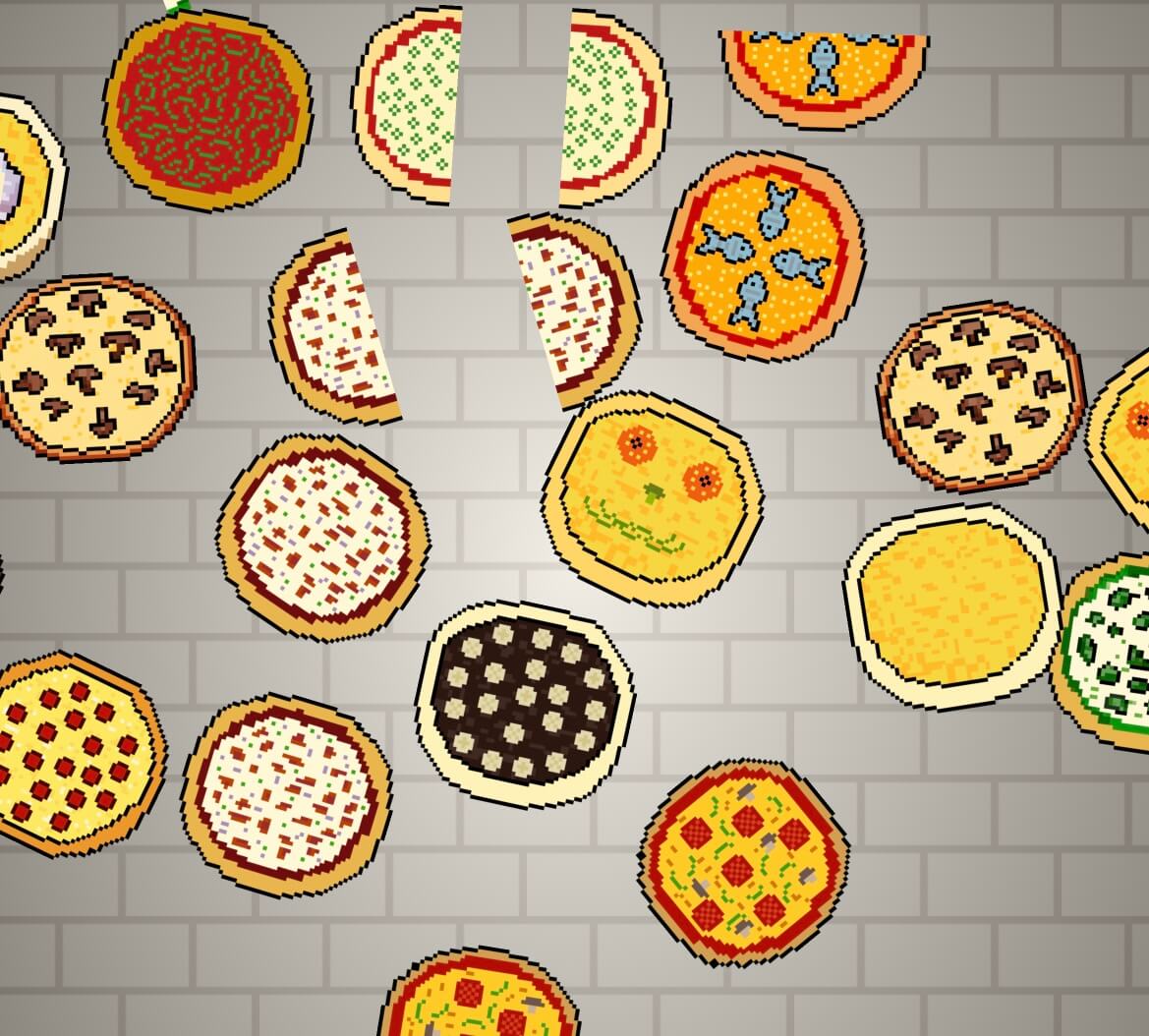
This project is my spin on the touch screen swipe-to-slice concept. Every pizza can be sliced multiple times, down to tiny slivers. Can you unlock the whole menu?<br />
<br />
Swiping across a touch screen to slice objects is a delightful and fun mechanic. You might remember some of the best early games for iPhone: Fruit Ninja and Cut The Rope.<br />
<br />
Unfortunately, these formerly wonderful games are no longer delightful, now with constant interruptions and ads. Go try them and see for yourself. These games have been ruined.<br />
<br />
Slice Tap Toy is a simple passion project so it can be light, fun, and pristine.<br />
<br />
Development details:<br />
<br />
I was inspired to make Slice Tap Toy when I came across <a href="https://js13kgames.com/entries/samurai-sam">Samurai Sam</a>, an entry to the 2023 JS13KGames competition. This got me thinking about slicing games.<br />
<br />
I decided to do some quick prototyping by hacking on <a href="/m/taptoy/index.html">Tap Toy</a>'s source code. I vetted that I could track slices from touch and mouse input, draw the slices, and detect collisions without much work. Like the original Tap Toy, I use <a href="/m/pceimage/index.html">PCEImage</a> for the art.<br />
<br />
Like <a href="/m/cr/index.html">CaveRibbon</a> (<a href="/p/caveribbon.html">project details</a>), I used LLMs to help. I could do some things faster, I was able to get the website to look how I wanted without becoming an expert on CSS, and (new to this project) I was able to get artistic inspiration for the art. I asked DALL-E to generate pizza pixel art. What I got were grotesque abominations that, to this day, have eroded some of my enjoyment of pizza. I stared at flesh colored cheese and glitchy toppings and turned them into my own cleaner pixel art pizzas. I'll spare you the examples.<br />

</div>

]]>
</content>
</entry>

<entry>
<title>CaveRibbon</title>
<link rel="alternate" type="text/html" href="https://memalign.github.io/p/caveribbon.html" />
<link rel="related" type="text/html" href="https://memalign.github.io/p/caveribbon.html" />
<id>https://memalign.github.io/p/caveribbon.html</id>
<published>2024-02-19T00:00:00-08:00</published>
<updated>2024-02-19T00:00:00-08:00</updated>
<author>
<name>memalign</name>
<uri>https://memalign.github.io/index.html</uri>
</author>
<content type="html" xml:base="https://memalign.github.io/p/" xml:lang="en"><![CDATA[
<div id='post'>
<div id='header'>
<h2>
<a href='https://memalign.github.io/p/caveribbon.html'>CaveRibbon</a>
</h2>
</div>
<img src="/m/cr/CaveRibbon-gameplay.png">
<div id='postdate'>Posted on 2/19/2024<br />
Tags: <a href='/tags.html'>Programming</a>, <a href='/tags.html'>Games</a></div>
Introducing my latest game, playable right in your web browser: <a href="/m/cr/index.html">CaveRibbon</a><br />
<br />
CaveRibbon is a one-button game where you control a ribbon gliding through a shrinking cavern. Avoid the walls and obstacles as long as you can. Compete with yourself and your friends by sharing a replay. Submit your high scores to get into the hall of fame!<br />
<br />
CaveRibbon can be saved to your home screen as a PWA (Progressive Web App).<br />
<br />
<br />
This game is a tribute to <a href="http://www.sunflat.net">Sunflat</a>'s SFCave for Palm OS. You can play the <a href="https://archive.org/details/palm3_sfcave">original</a> on archive.org.<br />
<br />
In fact, it was archive.org that stirred up my nostalgia <a href="https://www.theverge.com/2022/11/25/23478396/internet-archive-palm-pilot-emulation-games-apps-dope-wars">over a year ago</a> by publishing a <a href="https://archive.org/details/softwarelibrary_palm">collection of 565 Palm OS apps</a>, all usable on the web thanks to a Palm OS emulator.<br />
<br />
When I was in middle school, I would play SFCave on a Palm m130 at night when I was supposed to go to bed. My dad and I had an ongoing competition to see who could get the highest score.<br />
<br />
This was my inspiration to add the replay and share features which let you replay the exact same round, with your previous playthrough visible as a head-to-head competitor.<br />
<br />
<br />
Some technical details:<br />
<br />
- I used <a href="/m/pceimage/index.html">PCEImage Editor</a> to create the pixel font and many graphics. I created the PCEImage format and tools so I could simply store and edit graphics as ASCII art. See them <a href="/m/cr/Images.js">here</a>.<br />
<br />
- This game is entirely static files. There's no server-side backend. To create replay URLs, I need to serialize the entire game state into the URL itself. This proved to be challenging because there are URL size limits in browsers and messaging apps. In my first approach, I wrote a bunch of code to serialize all of the wall, obstacle, and player positions. This proved to be too much data. I came up with a few tricks to significantly shrink the data:<br />
<br />
&nbsp;&nbsp;- I compress player positions lossily and then interpolate them as part of deserialization. I keep only positions at the top of a peak, bottom of a valley, and when the user is close to an obstacle. I only have to keep ~4% of the original data.<br />
<br />
&nbsp;&nbsp;- I use a deterministic random number generator called <a href="/m/cr/GameRand.js">GameRand</a>. As long as I reuse the random number generator's seed and don't change the code to use random numbers differently I will get the exact same wall and obstacle positions in a replay.<br />
<br />
&nbsp;&nbsp;&nbsp;&nbsp;- I first came across GameRand in <a href="https://phoboslab.org/">phoboslab</a>'s game <a href="https://phoboslab.org/underrun/">underrun</a> (<a href="https://github.com/phoboslab/underrun/blob/master/source/random.js">source</a>).<br />
<br />
&nbsp;&nbsp;&nbsp;&nbsp;- I searched for the constant 0x49616E42 to find the origins of this function. This led me down a rabbit hole: a <a href="https://stackoverflow.com/questions/1046714/what-is-a-good-random-number-generator-for-a-game">StackOverflow post</a> which links to a <a href="https://web.archive.org/web/20091209122817/http://ianbullard.squarespace.com/journal/2009/4/28/why-you-should-never-use-rand.html">blog post</a> (now only available on archive.org) which links to this <a href="http://www.flipcode.com/archives/07-15-2002.shtml">post from 2002</a> introducing a faster rand function by Stephan Schaem, who appears to be the original author.<br />
<br />
&nbsp;&nbsp;- I couldn't just serialize the replay as JSON. That's not nearly compact enough (every digit is stored as a character!). Instead, I packed raw bytes into a buffer and serialized that into Base64. I did some tweaks to squeeze some additional efficiency (such as replacing characters that need to be percent-encoded in URLs).<br />
<br />
&nbsp;&nbsp;- Replay URLs for scores of 700 or higher get a nice image preview (Open Graph image) that includes the score. I generated all of these files statically using PCEImage and a script.<br />
<br />
- This is the first project where I've made use of an LLM to help. I used ChatGPT and it had great positive impact:<br />
<br />
&nbsp;&nbsp;- It helped me do some things faster, such as writing boilerplate or example code that I would have had to write myself while wading through documentation.<br />
<br />
&nbsp;&nbsp;- It helped me do some things I wasn't willing to do myself. I don't have time to learn the right way to get specific UI behaviors using HTML and CSS. I would have compromised the UI design to fit within my current skills. With ChatGPT's help, I was able to get exactly what I wanted much faster than having to learn how to do this on my own.<br />
<br />
&nbsp;&nbsp;- In general, I'm energized to work on more projects with these tools. I found the accuracy to be far above what I expected. It's more than good enough for a non-mission-critical side project.<br />
<br />
- I'm trying out some design ideas from <a href="https://worrydream.com/">Bret Victor</a>'s <a href="https://worrydream.com/MagicInk/">Magic Ink paper</a> (<a href="/m/MagicInk.pdf">backup</a>). My favorite insights:<br />
<br />
&nbsp;&nbsp;- Most software design should focus on information graphic design, not interaction design<br />
<br />
&nbsp;&nbsp;- The case study of Amazon's book listings drives that point home<br />
<br />
&nbsp;&nbsp;- Try using sentences to describe settings rather than have a list of toggles (illustrated with his BART widget). I use this concept for sound effects settings in CaveRibbon.<br />
<br />
&nbsp;&nbsp;- Instead of requiring interaction, make decisions for the user based on context. I use this idea in CaveRibbon by fading out the rest of the UI during gameplay instead of having a "full screen" button.<br />
<br />
<br />
See also:<br />
<br />
- Sunflat's latest games for <a href="http://www.sunflat.net/iphone/">iOS</a> and <a href="http://www.sunflat.net/android/">Android</a><br />

</div>

]]>
</content>
</entry>

<entry>
<title>Octogram</title>
<link rel="alternate" type="text/html" href="https://memalign.github.io/p/octogram.html" />
<link rel="related" type="text/html" href="https://memalign.github.io/p/octogram.html" />
<id>https://memalign.github.io/p/octogram.html</id>
<published>2023-12-23T00:00:00-08:00</published>
<updated>2023-12-23T00:00:00-08:00</updated>
<author>
<name>memalign</name>
<uri>https://memalign.github.io/index.html</uri>
</author>
<content type="html" xml:base="https://memalign.github.io/p/" xml:lang="en"><![CDATA[
<div id='post'>
<div id='header'>
<h2>
<a href='https://memalign.github.io/p/octogram.html'>Octogram</a>
</h2>
</div>
<img src="/m/octogram/octogram.png">
<div id='postdate'>Posted on 12/23/2023<br />
Tags: <a href='/tags.html'>Games</a></div>
In an <a href="https://news.ycombinator.com/item?id=38732804">HN post</a> about a very cool <a href="/p/puzzlescript.html">PuzzleScript</a> game called <a href="https://jacklance.github.io/PuzzleScript/play.html?p=cfdcc6e23f1fb3e9de2fd42fafaf4d4c">Enigmash</a>, I learned sad news.<br />
<br />
Jack Lance, the author of the game, died earlier this year.<br />
<br />
I went to his website, <a href="https://jacklance.github.io">jacklance.github.io</a>, and saw that it had been updated to refer to him in the past tense.<br />
<br />
Seeing that the site is hosted on GitHub, I looked at the <a href="https://github.com/JackLance/jacklance.github.io/commit/92fc694347c53c7c87d8d5086aefde10a9a422de">recent updates</a>. I discovered two things:<br />
<br />
- He made this update himself, to show up a few days later<br />
<br />
- He published one last game, Octogram, but unfortunately made a typo in the URL to the game<br />
&nbsp;&nbsp;- Update 12/30/23: I <a href="https://github.com/JackLance/jacklance.github.io/commit/92fc694347c53c7c87d8d5086aefde10a9a422de#commitcomment-135624323">commented</a> on the git commit and one of Jack's siblings saw it. They pushed a fix and now the link on Jack's website is working!<br />
<br />
Here's a working link to Jack Lance's last game: <a href="https://jacklance.github.io/octogram.html">Octogram</a>.<br />
<br />
It's a super tricky puzzle game with fun wordplay. Give the <a href="https://github.com/JackLance/jacklance.github.io/blob/master/octogram.html">source code</a> a peek if you get stuck -- but beware this will spoil all of the answers!<br />
<br />
<br />
More resources:<br />
<br />
- Jack's <a href="https://jacklance.github.io/games.html">games</a><br />
- <a href="https://puzzleswiki.miraheze.org/wiki/Jack_Lance">Jack Lance</a> on Puzzle Wiki<br />
- A <a href="https://joelthefox.github.io/2023-05-04-Jack-Lance/">blog post</a> about Jack's work<br />
- Another <a href="https://www.puzzlesforprogress.net/post/the-puzzling-xlnc-of-jack-lance-1997-2023">blog post</a> about Jack's work<br />
- <a href="/m/octogram/jacklance.github.io.zip">Backup</a> of jacklance.github.io<br />
&nbsp;&nbsp;- Due to some technical details of PuzzleScript, none of his PuzzleScript games are in this repo. Instead, they are stored as GitHub gists. I've grabbed a separate <a href="https://github.com/memalign/memalign.github.io/tree/master/m/octogram">backup</a> of every gist linked to by his games page for posterity.<br />
- A YouTube <a href="https://www.youtube.com/watch?v=v_xdEIPZ2Po">video</a> where Jonathan Blow mentions Jack's death. "...he was 25... he was already one of the best game designers in the world and was on track to be even better"<br />
- <a href="https://www.douglassfh.com/obituary/zachary-polansky">Obituary</a> under his real name<br />
<br />

</div>

]]>
</content>
</entry>

<entry>
<title>Mastodon API</title>
<link rel="alternate" type="text/html" href="https://memalign.github.io/p/mastodon.html" />
<link rel="related" type="text/html" href="https://memalign.github.io/p/mastodon.html" />
<id>https://memalign.github.io/p/mastodon.html</id>
<published>2023-11-27T00:00:00-08:00</published>
<updated>2023-11-27T00:00:00-08:00</updated>
<author>
<name>memalign</name>
<uri>https://memalign.github.io/index.html</uri>
</author>
<content type="html" xml:base="https://memalign.github.io/p/" xml:lang="en"><![CDATA[
<div id='post'>
<div id='header'>
<h2>
<a href='https://memalign.github.io/p/mastodon.html'>Mastodon API</a>
</h2>
</div>
<img src="/m/mastodon-wordmark-black-text.svg">
<div id='postdate'>Posted on 11/27/2023<br />
Tags: <a href='/tags.html'>Programming</a></div>
In the same vein as <a href="/p/freshrss.html">FreshRSS</a>, another open source project with a cool API is Mastodon.<br />
<br />
Many users I followed on Twitter (now X) have migrated to Mastodon. I found that the Mastodon apps I tried didn't perfect the one thing I want: to read a chronological timeline of posts and reblogs from the accounts I follow - always keeping my spot since the last time I checked.<br />
<br />
I had already written my own Twitter client for this, which I've been using for many years, and just finished adapting that for Mastodon.<br />
<br />
The Mastodon API made this really easy! I can tell that a lot of care went into making this core use case straightforward. Thank you Mastodon developers!<br />
<br />
Here's the short list of requests needed to make a simple Mastodon timeline viewer app:<br />
<br />
<div id='code'>Below, I&#039;m using https://mstdn.party but you should substitute the Mastodon server you use.<br />
<br />
1. Register your app.<br />
- Docs: <a href="https://docs.joinmastodon.org/methods/apps/#create">https://docs.joinmastodon.org/methods/apps/#create</a><br />
- Replace YOURAPPNAME and YOURWEBSITE below. YOURWEBSITE should be a full url starting with &quot;https://&quot;<br />
<br />
curl -X POST -F &#039;client_name=YOURAPPNAME&#039; -F &#039;redirect_uris=urn:ietf:wg:oauth:2.0:oob&#039; -F &#039;website=YOURWEBSITE&#039; https://mstdn.party/api/v1/apps<br />
<br />
The response is JSON and includes important fields you will need in later steps: client_id and client_secret. I&#039;ll refer to these as YOURCLIENTID and YOURCLIENTSECRET below.<br />
<br />
<br />
2. Give your app permission to read your account information. Open this URL in your browser and authorize it. You&#039;ll be shown an authorization code which I&#039;ll refer to as YOURAUTHCODE below.<br />
- Docs: <a href="https://docs.joinmastodon.org/methods/oauth/#authorize">https://docs.joinmastodon.org/methods/oauth/#authorize</a><br />
<br />
https://mstdn.party/oauth/authorize?response_type=code&amp;client_id=YOURCLIENTID&amp;redirect_uri=urn:ietf:wg:oauth:2.0:oob<br />
<br />
<br />
3. Get an access token for your app to use to request your account&#039;s timeline (and make any other helpful API requests).<br />
- Docs: <a href="https://docs.joinmastodon.org/methods/oauth/#token">https://docs.joinmastodon.org/methods/oauth/#token</a><br />
<br />
curl -X POST \<br />
&nbsp;&nbsp;&nbsp;&nbsp;&nbsp;&nbsp;&nbsp;-F &#039;client_id=YOURCLIENTID&#039; \<br />
&nbsp;&nbsp;&nbsp;&nbsp;&nbsp;&nbsp;&nbsp;-F &#039;client_secret=YOURCLIENTSECRET&#039; \<br />
&nbsp;&nbsp;&nbsp;&nbsp;&nbsp;&nbsp;&nbsp;-F &#039;redirect_uri=urn:ietf:wg:oauth:2.0:oob&#039; \<br />
&nbsp;&nbsp;&nbsp;&nbsp;&nbsp;&nbsp;&nbsp;-F &#039;grant_type=authorization_code&#039; \<br />
&nbsp;&nbsp;&nbsp;&nbsp;&nbsp;&nbsp;&nbsp;-F &#039;code=YOURAUTHCODE&#039; \<br />
&nbsp;&nbsp;&nbsp;&nbsp;&nbsp;&nbsp;&nbsp;-F &#039;scope=read&#039; \<br />
&nbsp;&nbsp;&nbsp;&nbsp;&nbsp;&nbsp;&nbsp;https://mstdn.party/oauth/token<br />
<br />
The response is JSON and includes the access_token. I&#039;ll refer to that as YOURACCESSTOKEN below.<br />
<br />
<br />
4. Now your app can load your timeline.<br />
- Docs: <a href="https://docs.joinmastodon.org/methods/timelines/#home">https://docs.joinmastodon.org/methods/timelines/#home</a><br />
<br />
curl &#039;https://mstdn.party/api/v1/timelines/home&#039; -H &#039;Authorization: Bearer YOURACCESSTOKEN&#039;<br />
<br />
The result is JSON with everything you need to display the timeline in full. I love that it&#039;s all included in a single API request! This even includes account information (display name, username, the image URL for the poster&#039;s avatar, and more) for the people you follow and the people whose posts they have reblogged.<br />
<br />
One helpful argument to include is &quot;limit&quot;. I like to request the max number of posts supported by the API, 40.<br />
<br />
curl &#039;https://mstdn.party/api/v1/timelines/home?limit=40&#039; -H &#039;Authorization: Bearer YOURACCESSTOKEN&#039;<br />
<br />
When refreshing my app, I want to request all posts that are new since the last time I refreshed. I accomplish this by using the max_id argument.<br />
<br />
I start by requesting the most recent 40 posts:<br />
<br />
curl &#039;https://mstdn.party/api/v1/timelines/home?limit=40&#039; -H &#039;Authorization: Bearer YOURACCESSTOKEN&#039;<br />
<br />
I check if this includes the last post my app is aware of. If not, I request farther back by including &quot;max_id=&quot; the id of the oldest post in the response I just got. Example:<br />
<br />
curl &#039;https://mstdn.party/api/v1/timelines/home?limit=40&amp;max_id=123456789&#039; -H &#039;Authorization: Bearer YOURACCESSTOKEN&#039;<br />
<br />
I continue loading back like this until any of these conditions are true:<br />
- I find posts that my app already knows about<br />
- I get no posts in response<br />
- I get posts older than 1 month (I don&#039;t want to accidentally load back too far)<br />
- I&#039;ve made more than 5 requests (I don&#039;t want to create excess traffic)</div>
And that's it! My app only needs to use a single API to refresh my timeline. I did steps 1 through 3 manually and hard-coded the access token into my app, using it to perform step 4 every time I want to refresh. This is ok because this app is just for me so I don't need a more dynamic authentication flow.<br />

</div>

]]>
</content>
</entry>

<entry>
<title>AirDesk</title>
<link rel="alternate" type="text/html" href="https://memalign.github.io/p/airdesk.html" />
<link rel="related" type="text/html" href="https://memalign.github.io/p/airdesk.html" />
<id>https://memalign.github.io/p/airdesk.html</id>
<published>2023-11-26T00:00:00-08:00</published>
<updated>2023-11-26T00:00:00-08:00</updated>
<author>
<name>memalign</name>
<uri>https://memalign.github.io/index.html</uri>
</author>
<content type="html" xml:base="https://memalign.github.io/p/" xml:lang="en"><![CDATA[
<div id='post'>
<div id='header'>
<h2>
<a href='https://memalign.github.io/p/airdesk.html'>AirDesk</a>
</h2>
</div>
<img src="/m/airdesk.jpg">
<div id='postdate'>Posted on 11/26/2023<br />
Tags: <a href='/tags.html'>Parenting</a>, <a href='/tags.html'>Tools</a>, <a href='/tags.html'>Leisure</a></div>
There's not enough time in the day for everything I want and need to do. Parenting, work, exercise, hobbies, sleep, etc.<br />
<br />
I've found that even optimizing a few minutes here and there can add up to make life easier and more enjoyable. I still use tools for consuming <a href="/p/tts-download-into-brain.html">text</a> and <a href="/p/speed-up-av.html">audio/video</a> faster.<br />
<br />
Here's one of the biggest new optimizations I was able to make this year.<br />
<br />
I had a bunch of work time and a bunch of hobby time I wanted to spend in front of a keyboard. This is thoughtful writing or programming time that couldn't be stolen a few minutes at a time while waiting in line, walking between meetings, etc.<br />
<br />
I also had a bunch of underutilized time on a stationary exercise bike. I mostly spent that time reading news feeds or watching TV/movies. I enjoyed that a lot, but it wasn't the right balance of time spent doing that when I had other things I wanted to prioritize.<br />
<br />
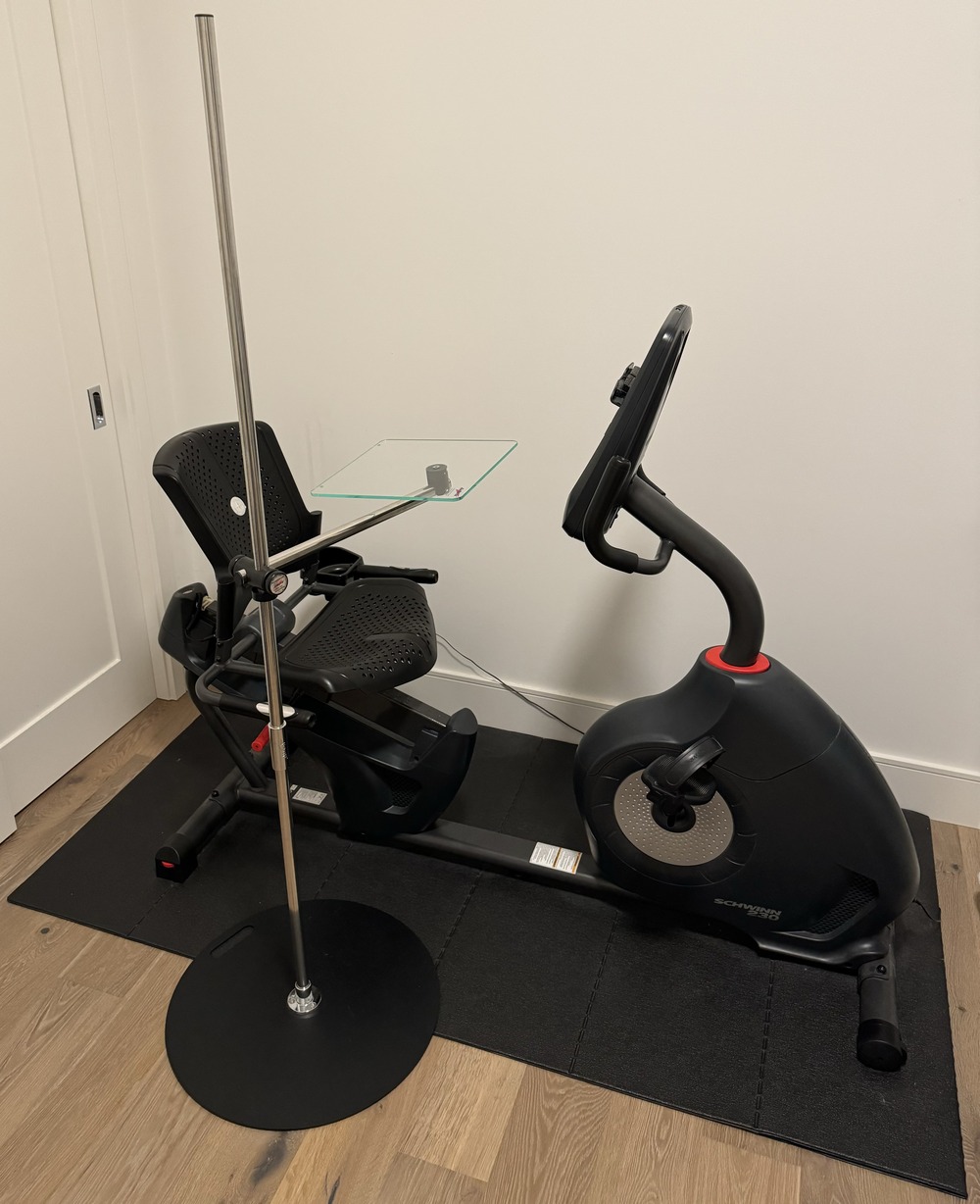
I searched for a product that would let me use a laptop or iPad + keyboard case while exercising on the stationary bike.<br />
<br />
I came across <a href="https://airdesks.com">airdesks.com</a> and bought their <a href="https://airdesks.com/products/laptop/laptop-desk/">laptop desk</a>. I got the 64" tall, "Average Size Laptop", No AirShelves config. It's been awesome. I use it on the bike every day and occasionally as a standing desk.<br />
<br />
Right now, I'm writing this post while exercising on the bike while my son is napping -- something I couldn't have squeezed in without this desk!<br />

</div>

]]>
</content>
</entry>

<entry>
<title>FreshRSS</title>
<link rel="alternate" type="text/html" href="https://memalign.github.io/p/freshrss.html" />
<link rel="related" type="text/html" href="https://memalign.github.io/p/freshrss.html" />
<id>https://memalign.github.io/p/freshrss.html</id>
<published>2023-11-19T00:00:00-08:00</published>
<updated>2023-11-19T00:00:00-08:00</updated>
<author>
<name>memalign</name>
<uri>https://memalign.github.io/index.html</uri>
</author>
<content type="html" xml:base="https://memalign.github.io/p/" xml:lang="en"><![CDATA[
<div id='post'>
<div id='header'>
<h2>
<a href='https://memalign.github.io/p/freshrss.html'>FreshRSS</a>
</h2>
</div>
<img src="/m/FreshRSS-logo.png">
<div id='postdate'>Posted on 11/19/2023<br />
Tags: <a href='/tags.html'>Programming</a>, <a href='/tags.html'>RSS</a></div>
This year has been rocky for free APIs I've enjoyed adopting in personal projects. Twitter (now X) killed 3rd party clients, Reddit made similarly killer API pricing changes, and now Feedly has started charging too.<br />
<br />
Fortunately, Feedly's API pricing is very reasonable right now: $8/mo or $72/year!<br />
<br />
Feedly provides a great service, as I <a href="/p/feedly.html">wrote</a> in March 2020. It's worth paying for at this price.<br />
<br />
I've depended on Feedly ever since Google Reader shut down in 2013. I seamlessly migrated and never had problems for 10 years of use. Feedly is a great way to keep up to date with RSS feeds and there are several great RSS reader apps that support it. Feedly is very reliable and "just works".<br />
<br />
But this is an era of paid subscription overload. Even though the price is reasonable, I sought out alternatives that wouldn't carry the risk of incremental price increases over the coming years.<br />
<br />
And I found one that, for the past few weeks, has proven to be good enough to replace Feedly for me: <a href="https://www.freshrss.org">FreshRSS</a> (<a href="https://github.com/FreshRSS/FreshRSS">GitHub</a>).<br />
<br />
It's a free and open source project but using it came with the cost of time. I spent the past few weeks writing a bunch of code, finding a reliable host, and cross-checking with Feedly to ensure I'm getting good results.<br />
<br />
Here are some notes on adopting FreshRSS in a personal project. The complexity and uncertainty are the downsides of using this instead of Feedly. The benefits include its price (free), that it is open source, and the option to self-host.<br />
<br />
- Export existing feeds from Feedly as an OPML file. <a href="https://docs.feedly.com/article/52-how-can-i-export-my-sources-and-feeds-through-opml">Instructions</a>.<br />
<br />
- Find a FreshRSS host or host it yourself. Here's a list of <a href="https://freshrss.org/cloud-providers.html">official hosts</a>. I tried one, but found it to be unreliable -- it seemed to purge my history after ~1 week. I switched to a different one and have had better results.<br />
<br />
- Once logged into the FreshRSS host, update some settings:<br />
&nbsp;&nbsp;- Profile: create an Authentication token. This will be used to automate updating all feeds. Create an API password. This will be used when you adopt the API to load feed information, news entries, and mark them as read. Take note of the API URL (example: https://host.tld/p/api/).<br />
&nbsp;&nbsp;- Archiving: change settings to keep longer history. I think this helps avoid old articles reappearing as unread in your feeds. These settings do not appear to be honored by all hosts.<br />
<br />
- Import OPML file into FreshRSS: In the web UI, click the folder icon, then Subscription Management, then the folder icon (again), then Import / Export. Then you can pick a file to upload to import.<br />
<br />
- To reliably refresh all feeds from the source, I've found it necessary to set up a cron job on a server I own to force FreshRSS to refresh. I'm running this every 4 minutes, but FreshRSS will only honor it every ~15-20 minutes. Use your username and the authentication token configured in FreshRSS settings. Make sure to URL encode them (space will need to be replaced by +, special characters will need to be %-encoded).<br />
<div id='code'>*/4 * * * * /usr/bin/sh /path/to/updateFreshRSS.sh</div>
updateFreshRSS.sh:<br />
<div id='code'>/usr/bin/curl &#039;https://host.tld/p/i/?c=feed&amp;a=actualize&amp;ajax=1&amp;force=1&amp;user=YOURUSERNAME&amp;token=AUTHENTICATIONTOKENSETABOVE&#039;</div>
&nbsp;&nbsp;- Most RSS feeds keep enough history that you won't miss entries even if you refresh infrequently. For me, one feed in particular lost entries in FreshRSS compared to Feedly: the unofficial Hacker News front page feed from <a href="https://hnrss.github.io/">hnrss.org</a>. Because this feed seems to provide a current snapshot rather than full history, FreshRSS's less frequent refreshes ended up missing entries that Feedly would catch. My frequent cron job plus changing the feed url from https://hnrss.org/frontpage to https://hnrss.org/frontpage?count=100 worked well enough to nearly match Feedly's results (and any discrepancies were actually desirable, like missing posts that were quickly flagged to death).<br />
<br />
- Now, you're ready to adopt the API. FreshRSS's API is identical to Google Reader's! The official documentation even links to old web pages that detail the Google Reader API. I found a few docs helpful:<br />
&nbsp;&nbsp;- The <a href="http://freshrss.github.io/FreshRSS/en/developers/06_GoogleReader_API.html">official documentation</a><br />
&nbsp;&nbsp;- The server-side <a href="https://github.com/FreshRSS/FreshRSS/blob/edge/p/api/greader.php">code</a> that implements the API<br />
&nbsp;&nbsp;- This <a href="https://web.archive.org/web/20130710044440/http://undoc.in/api.html">old archived webpage</a> that details the Google Reader API<br />
<br />
Some important requests:<br />
<br />
<div id='code'>Authenticate:<br />
curl &#039;https://host.tld/p/api/greader.php/accounts/ClientLogin?Email=YOURUSERNAME&amp;Passwd=YOURAPIPASSWORD&#039;<br />
<br />
This gives a response that looks like:<br />
SID=YOURUSERNAME/123456123456123456abcdefabcdef1234561234<br />
LSID=null<br />
Auth=YOURUSERNAME/123456123456123456abcdefabcdef1234561234<br />
<br />
Save the string that comes after &quot;Auth=&quot;. I&#039;ll call that YOURAUTH below.<br />
<br />
Get a &quot;write token&quot; that will allow you to mark entries as read:<br />
curl -H &quot;Authorization:GoogleLogin auth=YOURAUTH&quot; &#039;https://host.tld/p/api/greader.php/reader/api/0/token&#039;<br />
<br />
The response is a string. Use the string as WRITETOKEN below.<br />
<br />
Get all news entries in JSON form:<br />
curl -H &quot;Authorization:GoogleLogin auth=YOURAUTH&quot; &#039;https://host.tld/p/api/greader.php/reader/api/0/stream/contents/reading-list&#039;<br />
<br />
Get all unread news entries in JSON form:<br />
curl -H &quot;Authorization:GoogleLogin auth=YOURAUTH&quot; &#039;https://host.tld/p/api/greader.php/reader/api/0/stream/contents/reading-list?xt=user/-/state/com.google/read&#039;<br />
<br />
Mark an entry (or multiple entries) as read using their entry IDs. In this example, I&#039;ve put ENTRYID1, ENTRYID2, and ENTRYID3 as example placeholders:<br />
curl -H &quot;Authorization:GoogleLogin auth=YOURAUTH&quot; &#039;https://host.tld/p/api/greader.php/reader/api/0/edit-tag&#039; -X POST -d &#039;T=WRITETOKEN&amp;a=user/-/state/com.google/read&amp;i=ENTRYID1&amp;i=ENTRYID2&amp;i=ENTRYID3&#039;<br />
<br />
Get your subscription list, which gives you an icon image URL for each feed:<br />
curl -H &quot;Authorization:GoogleLogin auth=YOURAUTH&quot; &#039;https://host.tld/p/api/greader.php/reader/api/0/subscription/list?output=json&#039;</div>

</div>

]]>
</content>
</entry>

<entry>
<title>Fireworks Tap Toy</title>
<link rel="alternate" type="text/html" href="https://memalign.github.io/p/fireworks.html" />
<link rel="related" type="text/html" href="https://memalign.github.io/p/fireworks.html" />
<id>https://memalign.github.io/p/fireworks.html</id>
<published>2023-09-17T00:00:00-08:00</published>
<updated>2023-09-17T00:00:00-08:00</updated>
<author>
<name>memalign</name>
<uri>https://memalign.github.io/index.html</uri>
</author>
<content type="html" xml:base="https://memalign.github.io/p/" xml:lang="en"><![CDATA[
<div id='post'>
<div id='header'>
<h2>
<a href='https://memalign.github.io/p/fireworks.html'>Fireworks Tap Toy</a>
</h2>
</div>
<img src="/m/fireworks/fireworks.png">
<div id='postdate'>Posted on 9/17/2023<br />
Tags: <a href='/tags.html'>Programming</a>, <a href='/tags.html'>Art</a>, <a href='/tags.html'>Games</a></div>
Introducing my latest project: <a href="/m/fireworks/index.html">Fireworks Tap Toy</a><br />
<br />
On this year's Fourth of July, my toddler son discovered a love of fireworks. With Fireworks Tap Toy, I'm trying to bring some of that magic to the touch screen.<br />
<br />
Tap, click, type, or go into "auto launch" mode.<br />
<br />
This project is a remix of a few other projects:<br />
<br />
- <a href="/m/taptoy/index.html">Tap Toy</a>, which has its own <a href="/p/taptoy.html">story</a><br />
&nbsp;&nbsp;- I copied and modified index.html and progressive web app pieces<br />
&nbsp;&nbsp;- I copied over touch, mouse, and keyboard support<br />
&nbsp;&nbsp;- I copied over sound effects and music utilities<br />
<br />
- An old <a href="https://codepen.io/whqet/pen/abooRX">codepen</a> (<a href="/m/fireworks/codepen.html">backup</a>) someone created to teach others how to animate fireworks using JavaScript canvas<br />
&nbsp;&nbsp;- I chose this over fireworks JavaScript frameworks people have shared because it's so much simpler. I don't like the hassle of dependencies. I don't want to install some tool or import an opaque blob. I just want to write some (ideally self-contained, vanilla) code for fun. Here's the <a href="https://github.com/crashmax-dev/fireworks-js/">top hit</a> for 'fireworks javascript' which I looked into and chose not to use. Where even is the code??<br />
<br />
<br />
Some tips:<br />
<br />
- You can add Fireworks Tap Toy to your home screen on iOS or Android. If you do that, it'll behave more like a normal app. (I did the extra bit of work to make this a "progressive web app")<br />
<br />
- If you give this to a kid, you can use <a href="https://support.apple.com/en-us/HT202612">Guided Access</a> to prevent them from leaving the app<br />

</div>

]]>
</content>
</entry>

<entry>
<title>Remember Forgotten Names</title>
<link rel="alternate" type="text/html" href="https://memalign.github.io/p/remember.html" />
<link rel="related" type="text/html" href="https://memalign.github.io/p/remember.html" />
<id>https://memalign.github.io/p/remember.html</id>
<published>2023-05-21T00:00:00-08:00</published>
<updated>2023-05-21T00:00:00-08:00</updated>
<author>
<name>memalign</name>
<uri>https://memalign.github.io/index.html</uri>
</author>
<content type="html" xml:base="https://memalign.github.io/p/" xml:lang="en"><![CDATA[
<div id='post'>
<div id='header'>
<h2>
<a href='https://memalign.github.io/p/remember.html'>Remember Forgotten Names</a>
</h2>
</div>
<img src="/m/space-alphabet.jpg">
<div id='postdate'>Posted on 5/21/2023<br />
Tags: <a href='/tags.html'>Brain Hacking</a></div>
I use this trick when I can't remember a name I used to know. It works for names of actors, teachers, friends of friends, etc.<br />
<br />
The trick:<br />
<br />
First, try to remember as much as you can about the person. Imagine their face, appearance, and other biographical information.<br />
<br />
Then go through the alphabet saying a name for each letter. Try to pick names that are as plausible as possible for the person you're trying to remember.<br />
<br />
Example:<br />
<br />
What was my old roommate's girlfriend's name?<br />
<br />
She was from Connecticut, they dated for a few years, she had long dark hair, she was allergic to dogs, she worked as an accountant, ...<br />
<br />
A... Ashley<br />
B... Blaire<br />
C... Chelsea<br />
D... Daphne<br />
E... Eliza<br />
F... Frances<br />
G... Genevieve<br />
H... Hillary<br />
I... Irene<br />
J... Jessica<br />
K... Katherine<br />
L... Laura<br />
M... Monica<br />
N... Nancy<br />
O... Olivia<br />
P... Penny<br />
Q... Queenie<br />
R... Rachel<br />
S... Stephanie! That's it!<br />
<br />
I can almost feel the old dusty neural pathways light up when it finally clicks!
</div>

]]>
</content>
</entry>

<entry>
<title>Emscripten on Raspberry Pi 400</title>
<link rel="alternate" type="text/html" href="https://memalign.github.io/p/pi-emscripten.html" />
<link rel="related" type="text/html" href="https://memalign.github.io/p/pi-emscripten.html" />
<id>https://memalign.github.io/p/pi-emscripten.html</id>
<published>2023-01-15T00:00:00-08:00</published>
<updated>2023-01-15T00:00:00-08:00</updated>
<author>
<name>memalign</name>
<uri>https://memalign.github.io/index.html</uri>
</author>
<content type="html" xml:base="https://memalign.github.io/p/" xml:lang="en"><![CDATA[
<div id='post'>
<div id='header'>
<h2>
<a href='https://memalign.github.io/p/pi-emscripten.html'>Emscripten on Raspberry Pi 400</a>
</h2>
</div>
<img src="/m/raspberry-pi-logo.png">
<div id='postdate'>Posted on 1/15/2023<br />
Tags: <a href='/tags.html'>Programming</a>, <a href='/tags.html'>Raspberry Pi</a></div>
I recently completed a harrowing journey to install Emscripten on a Raspberry Pi 400. There were many hiccups along the way that brought back bad memories from the ~8 years that I used Linux (4 on Gentoo, 4 on Debian) as my daily driver OS.<br />
<br />
If you're running a well-trodden configuration, things work pretty smoothly. If you're running anything else, you'll spend hours, days, or even years with systems that aren't working 100%.<br />
<br />
For Emscripten, Raspberry Pi 400 is not a well-trodden configuration.<br />
<br />
Emscripten provides official binaries for many configurations and I bet the <a href="https://emscripten.org/docs/getting_started/downloads.html#sdk-download-and-install">official tutorial</a> goes really quickly and smoothly if you are running an x64 CPU.<br />
<br />
They even provide binaries if you're running an arm64 CPU, just install using this command (see <a href="https://github.com/emscripten-core/emsdk/issues/547">this ticket</a> for more info):<br />
<div id='code'>./emsdk install latest-arm64-linux</div>
But if you are running a 32-bit Intel-based (x86) or ARM CPU, then you will need to build from source.<br />
<br />
Raspberry Pi 400 is a 32-bit ARM CPU so I found myself needing to build from source.<br />
<br />
And, at least on my machine, the default commands did not work.<br />
<br />
(I also tried to get Emscripten installed in the iSH iOS app, which emulates an x86 CPU. The emsdk script spent hours cloning the LLVM repository and then started building from source but iSH consistently crashed early in the build process. I gave up. It's possible this will work in the future.)<br />
<br />
Here are the steps I followed, what failed, and how I got it working:<br />
<br />
My initial configuration: Raspberry Pi 400 running the Buster (Debian 10) version of Raspbian that came with the SD card. I had installed some packages for other purposes so it's possible I won't mention some packages vital to making these steps work.<br />
<br />
I needed to install one package:<br />
<div id='code'>sudo apt-get install cmake</div>
I think that the resources emscripten pulls plus the intermediate build products can end up taking tens of gigs of storage (I only checked once during build and it was 22GB). I didn't have that much free space on the Raspberry Pi's SD card so I used a USB-C external drive. My external drive is formatted exfat.<br />
<br />
The exfat filesystem doesn't support symlinks and building will fail hours into the process because of that:<br />
<div id='code'>[ 50%] Linking CXX shared library ../../lib/libLTO.so<br />
CMake Error: failed to create symbolic link &#039;../../lib/libLTO.so&#039;: operation not permitted<br />
CMake Error: cmake_symlink_library: System Error: Operation not permitted<br />
make[2]: *** [tools/lto/CMakeFiles/LTO.dir/build.make:168: lib/libLTO.so.16git] Error 1<br />
make[2]: *** Deleting file &#039;lib/libLTO.so.16git&#039;<br />
make[1]: *** [CMakeFiles/Makefile2:17719: tools/lto/CMakeFiles/LTO.dir/all] Error 2<br />
make: *** [Makefile:152: all] Error 2<br />
Build failed due to exception!</div>
Instead of reformatting my external drive, I created a very large disk image on it which I formatted as ext4:<br />
<div id='code'># 200GB image - I think this is overkill but I wasn&#039;t willing to fail because of insufficient disk space<br />
# Some guides suggest using the fallocate command to create a disk image but I found that command does not work when writing to an exfat drive<br />
dd if=/dev/zero of=image.iso bs=1G count=200<br />
<br />
# Format the image ext4<br />
mkfs.ext4 -j image.iso</div>
Then I mounted the disk image and gave the pi user full ownership:<br />
<div id='code'>cd /media/<br />
sudo mkdir emscripten-disk<br />
sudo mount /path/to/image.iso emscripten-disk<br />
cd emscripten-disk<br />
sudo chown -R pi:pi .</div>
Within that directory, I ran this:<br />
<div id='code'>git clone https://github.com/emscripten-core/emsdk.git<br />
cd emsdk<br />
./emsdk install sdk-upstream-main-32bit -j1</div>
The "-j1" argument forces the build to use only one CPU. When I originally attempted to install without that argument, the build failed with very little feedback. Just this generic error, no specific compiler errors:<br />
<div id='code'>Error 2<br />
Build failed due to exception!</div>
I think this is caused by the machine running out of memory (or maybe some other kind of compiler crash).<br />
<br />
Of course, building with only one CPU makes this whole process take much longer. It took ~16 hours for everything to build.<br />
<br />
When the build completes, run this:<br />
<div id='code'>./emsdk activate sdk-upstream-main-32bit</div>
Pay attention to the output of that command because it tells you how to add the right directories to PATH for emcc to be found.<br />
<br />
After all that, following the <a href="https://emscripten.org/docs/getting_started/Tutorial.html#tutorial">official tutorial</a>, I created hello_world.c and tested the compiler:<br />
<div id='code'>emcc hello_world.c<br />
node a.out.js</div>
And I got this error:<br />
<div id='code'>/path/to/a.out.js:144<br />
&nbsp;&nbsp;&nbsp;&nbsp;&nbsp;&nbsp;throw ex;<br />
&nbsp;&nbsp;&nbsp;&nbsp;&nbsp;&nbsp;&nbsp;&nbsp;&nbsp;&nbsp;&nbsp;&nbsp;^<br />
ReferenceError: globalThis is not defined</div>
This is because Buster's version of nodejs is 10.24.0, a version before globalThis is supported.<br />
<br />
This command did produce hello.html which worked as expected in my browser:<br />
<div id='code'>emcc hello_world.c -o hello.html</div>
To get node working, I needed to update my Raspberry Pi to Bullseye (Debian 11). I followed <a href="https://raspberrytips.com/update-raspberry-pi-latest-version/">this guide</a>.<br />
<br />
This was an arduous process of running apt-get update, apt-get upgrade, rebooting, manually editing /etc/apt/sources.list, apt-get update, apt-get upgrade, rebooting, apt-get update, apt-get upgrade, apt-get install nodejs, babysitting all of these commands because some of them require user input, losing SSH access as a result of some updates (make sure to run these commands inside screen or tmux!), physically accessing the device to restart sshd, etc.<br />
<br />
Finally at the end of it, this command worked:<br />
<div id='code'>node a.out.js<br />
(output) Hello, world!</div>
Hopefully these steps work for you!<br />
<br />
<br />
<h3>Other Useful Info</h3><br />
If at any point you need to clean build, you can do this:<br />
<div id='code'>rm -rf llvm/git/build_main_32</div>
I had to do this once when figuring out the workaround for the exfat symlink issue. If you change the directory emsdk is running in between attempts, the build scripts will not let you pick up where you left off.<br />
<br />
<br />
Here's what got me up to the compiling phase in the iSH app on iPad:<br />
<br />
apk add cmake<br />
apk add make<br />
apk add clang<br />
apk add binutils<br />
apk add libc-dev<br />
apk add gcc<br />
apk add libstdc++6<br />
apk add g++<br />
git clone https://github.com/emscripten-core/emsdk.git<br />
cd emsdk<br />
./emsdk install sdk-upstream-master-32bit<br />
(note that this will take HOURS to clone LLVM)<br />
Progress compiling got to 2% and then iSH crashes.<br />
<br />
(I filed an <a href="https://github.com/ish-app/ish/issues/2016">issue</a>.)
</div>

]]>
</content>
</entry>

<entry>
<title>Simplify Picking a Restaurant</title>
<link rel="alternate" type="text/html" href="https://memalign.github.io/p/simplify-picking-restaurant.html" />
<link rel="related" type="text/html" href="https://memalign.github.io/p/simplify-picking-restaurant.html" />
<id>https://memalign.github.io/p/simplify-picking-restaurant.html</id>
<published>2022-11-22T00:00:00-08:00</published>
<updated>2022-11-22T00:00:00-08:00</updated>
<author>
<name>memalign</name>
<uri>https://memalign.github.io/index.html</uri>
</author>
<content type="html" xml:base="https://memalign.github.io/p/" xml:lang="en"><![CDATA[
<div id='post'>
<div id='header'>
<h2>
<a href='https://memalign.github.io/p/simplify-picking-restaurant.html'>Simplify Picking a Restaurant</a>
</h2>
</div>
<img src="/m/food-sheet.png">
<div id='postdate'>Posted on 11/22/2022<br />
Tags: <a href='/tags.html'>Food</a>, <a href='/tags.html'>Parenting</a>, <a href='/tags.html'>Tools</a></div>
With a toddler at home, we've come to rely on DoorDash as a quick way for the adults to eat tasty food.<br />
<br />
We're lucky to live in an area densely packed with restaurants. Despite the wealth of options, we often struggle to choose when dinnertime arrives.<br />
<br />
My spouse and I will end up naming restaurants, taking turns rejecting options one-by-one. On some days, nothing sounds good. On some days, we're exhausted from a night of interrupted sleep and lack the energy to pick. Often both.<br />
<br />
I got the idea to make picking a restaurant more mechanical on the hard days.<br />
<br />
At first, I considered building a web app with a database and a nice UI for listing restaurants and saving our history. I spend most of my non-work hours taking care of the baby, exercising, or doing chores so even a simple side-project takes months and comes at the cost of precious sleep hours. I needed a lower-effort way to test the idea.<br />
<br />
I realized I could make this tool in a shared spreadsheet. I used Numbers on iPhone/iPad and shared the sheet with my spouse using iCloud. Google Sheets could've worked too. Spreadsheets are a great low-effort way to solve problems without writing code. I bet a lot of software engineers underutilize spreadsheets.<br />
<br />
Here's how it works:<br />
- Add a row for every restaurant<br />
- Have a column for the last time we ate there<br />
- Have a column for each person with an estimate of how often they are willing to eat at each particular restaurant<br />
- Have a column to note any restaurants someone is actively in the mood to eat at<br />
- The sheet calculates a recommendation for each row:<br />
&nbsp;&nbsp;&nbsp;&nbsp;- Too soon: neither person is ready to eat there again<br />
&nbsp;&nbsp;&nbsp;&nbsp;- Let's eat (green): both people are ready OR someone is in the mood<br />
&nbsp;&nbsp;&nbsp;&nbsp;- Maybe eat (yellow): one person is ready<br />
- At dinnertime, peruse the green and yellow rows to pick efficiently<br />
<br />
Grab my <a href="/m/Food-Example.numbers">example sheet</a> to create your own.
</div>

]]>
</content>
</entry>

<entry>
<title>Trippy Art</title>
<link rel="alternate" type="text/html" href="https://memalign.github.io/p/trippy-art.html" />
<link rel="related" type="text/html" href="https://memalign.github.io/p/trippy-art.html" />
<id>https://memalign.github.io/p/trippy-art.html</id>
<published>2022-11-20T00:00:00-08:00</published>
<updated>2022-11-20T00:00:00-08:00</updated>
<author>
<name>memalign</name>
<uri>https://memalign.github.io/index.html</uri>
</author>
<content type="html" xml:base="https://memalign.github.io/p/" xml:lang="en"><![CDATA[
<div id='post'>
<div id='header'>
<h2>
<a href='https://memalign.github.io/p/trippy-art.html'>Trippy Art</a>
</h2>
</div>
<img src="/m/trippyart/doorway.png">
<div id='postdate'>Posted on 11/20/2022<br />
Tags: <a href='/tags.html'>Art</a></div>
Here's a collection of trippy art from various corners of the internet. Some is generated with the help of neural networks. Some is human-made.<br />
<br />
<h4><a href="https://memalign.github.io/p/trippy-art.html">View the collection</a></h4>
</div>

]]>
</content>
</entry>

<entry>
<title>Tap Toy</title>
<link rel="alternate" type="text/html" href="https://memalign.github.io/p/taptoy.html" />
<link rel="related" type="text/html" href="https://memalign.github.io/p/taptoy.html" />
<id>https://memalign.github.io/p/taptoy.html</id>
<published>2022-05-30T00:00:00-08:00</published>
<updated>2022-05-30T00:00:00-08:00</updated>
<author>
<name>memalign</name>
<uri>https://memalign.github.io/index.html</uri>
</author>
<content type="html" xml:base="https://memalign.github.io/p/" xml:lang="en"><![CDATA[
<div id='post'>
<div id='header'>
<h2>
<a href='https://memalign.github.io/p/taptoy.html'>Tap Toy</a>
</h2>
</div>
<img src="/m/taptoy/taptoy.jpg">
<div id='postdate'>Posted on 5/30/2022<br />
Tags: <a href='/tags.html'>Programming</a>, <a href='/tags.html'>Art</a>, <a href='/tags.html'>Games</a></div>
Introducing my latest project: <a href="/m/taptoy/index.html">Tap Toy</a><br />
<br />
Tap Toy is a fun little web app for relaxation. Tap the screen to launch some characters which then bounce off each other. Turn on sound for satisfying sound effects and relaxing public-domain background music. In some ways, I think this toy brings the catharsis of popping bubble wrap to your touch screen.<br />
<br />
I got the idea for this project after watching my then-9-month-old's fascination with my iPhone and iPad. Note that the CDC guidelines recommend "no screen time for children younger than 2 years" (<a href="https://www.cdc.gov/obesity/downloads/15_256312-A_May_LicensingDocument_Final_508_508tagged.pdf">source</a>, <a href="/m/cdc_screentime.pdf">backup</a>) but these kids will still find a way to grab your device for a fleeting moment before you take it back.<br />
<br />
I wondered if I could make an app to soothe and distract our baby if we ever became truly desperate for a moment of peace. (Fortunately, we still haven't reached this point yet!)<br />
<br />
I modeled some of the behavior after <a href="https://www.amazon.com/Baby-Einstein-Along-Tunes-Musical/dp/B000YDDF6O">Baby Einstein Take Along Tunes</a>, one of the more pleasant sound-making toys we have:<br />
<br />
<img src="/m/babyeinsteintunes.jpg"><br />
The result, as my wife described it, is "crack". She was having a bad day when Tap Toy was first ready to play with and she ended up zoning out, addicted, tapping it for 30 minutes while some of her stress melted away.<br />
<br />
As is usual for me, this side-project is a remix of a few other projects:<br />
<br />
- <a href="http://magickeyboard.io">MagicKeyboard.io</a> (<a href="/m/magickeyboard/index.html">backup</a>, <a href="https://github.com/feross/magickeyboard.io">source</a>) by <a href="http://feross.org">Feross Aboukhadijeh</a><br />
&nbsp;&nbsp;&nbsp;&nbsp;- Which in turn is inspired by a <a href="https://www.reddit.com/r/gifs/comments/3t5ssx/magic_keyboard/">reddit post</a> about this <a href="https://momentfactory.com/lab/keyboard-magic">art project</a> by Moment Factory<br />
&nbsp;&nbsp;&nbsp;&nbsp;- In fact, I kept the keyboard triggers to launch sprites from the right location along the bottom of the screen<br />
&nbsp;&nbsp;&nbsp;&nbsp;- I fixed the sound effect code and added background music<br />
&nbsp;&nbsp;&nbsp;&nbsp;- I also added real multi-touch and mouse support<br />
<br />
- <a href="/p/pceimage.html">PCEImage</a> (note that the Koffing, Pikachu in Tap Toy show up in <a href="/m/pceimage/index.html">PCEImage Editor</a>'s list of examples)<br />
<br />
Some tips:<br />
<br />
- You can add this web page to your home screen on iOS or Android. If you do that, it'll behave more like a normal app. (I did the extra bit of work to make this a "progressive web app")<br />
<br />
- If you give this to a kid, you can use <a href="https://support.apple.com/en-us/HT202612">Guided Access</a> to prevent them from leaving the app<br />
<br />
An idea to take this further:<br />
<br />
- Holiday-themed Tap Toys: Halloween, Thanksgiving, Christmas, Chanukah, New Year's Eve, etc<br />

</div>

]]>
</content>
</entry>

<entry>
<title>PCEImage Editor</title>
<link rel="alternate" type="text/html" href="https://memalign.github.io/p/pceimage-editor.html" />
<link rel="related" type="text/html" href="https://memalign.github.io/p/pceimage-editor.html" />
<id>https://memalign.github.io/p/pceimage-editor.html</id>
<published>2022-02-13T00:00:00-08:00</published>
<updated>2022-02-13T00:00:00-08:00</updated>
<author>
<name>memalign</name>
<uri>https://memalign.github.io/index.html</uri>
</author>
<content type="html" xml:base="https://memalign.github.io/p/" xml:lang="en"><![CDATA[
<div id='post'>
<div id='header'>
<h2>
<a href='https://memalign.github.io/p/pceimage-editor.html'>PCEImage Editor</a>
</h2>
</div>
<img src="/m/pceimage/koffing-code.png">
<div id='postdate'>Posted on 2/13/2022<br />
Tags: <a href='/tags.html'>Programming</a>, <a href='/tags.html'>Art</a>, <a href='/tags.html'>Tools</a></div>
After defining the <a href="/p/pceimage.html">PCEImage specification</a>, I wanted to create a great code editor that can color each character in the image.<br />
<br />
<a href="/m/pceimage/index.html">Try out the editor in your browser</a> or read on for more details.<br />
<br />
I was inspired by the <a href="https://www.puzzlescript.net/editor.html?hack=6994394">PuzzleScript editor</a> (mentioned in my <a href="/p/puzzlescript.html">post about PuzzleScript</a>), especially how sprites are defined and styled. Whereas PuzzleScript sprites use <a href="https://en.wikipedia.org/wiki/Indexed_color">indexed color</a>, PCEImage can use almost any ASCII character as a pixel so I couldn't just reuse the same editor.<br />
<br />
I could reuse the same foundations, though! PuzzleScript's editor is built using <a href="https://codemirror.net/">CodeMirror</a>, an open-source text editor implemented in JavaScript for the browser.<br />
<br />
CodeMirror is super customizable and I was able to add the coloring support I needed by writing a <a href="/m/pceimage/editor/parser.js">parser</a> and making some changes to <a href="/m/pceimage/editor/codemirror.js">codemirror.js</a>.<br />
<br />
I also added support to the editor to automatically generate PNGs and, to add a little fun, wobbling GIFs.<br />
<br />
<img src="/m/pceimage/koffing.gif"><br />
For the wobble effect, I was inspired by <a href="https://www.lexaloffle.com/bbs/?tid=40058">Wobblepaint</a> (mentioned in my <a href="/p/pico8.html">PICO-8 post</a>) and did my best to try to capture the same organic and charming wobble <a href="https://www.lexaloffle.com/bbs/?uid=1">zep</a> invented.<br />
<br />
I also included some "Color Utilites" on the editor page: a simple color picker, a button to invoke your system color picker, and some example palettes (including PICO-8's). Check out <a href="https://lospec.com/palette-list">Lospec's Palette List</a> for even more ideas.<br />
<br />
If you create any cool PCEImages, I hope you'll consider <a href="https://github.com/memalign/memalign.github.io/edit/master/m/pceimage/Images.js">submitting a pull request</a> to add your example! I'll find some way to credit the submitters on the page if I get any!<br />

</div>

]]>
</content>
</entry>

<entry>
<title>PCEImage</title>
<link rel="alternate" type="text/html" href="https://memalign.github.io/p/pceimage.html" />
<link rel="related" type="text/html" href="https://memalign.github.io/p/pceimage.html" />
<id>https://memalign.github.io/p/pceimage.html</id>
<published>2022-02-13T00:00:00-08:00</published>
<updated>2022-02-13T00:00:00-08:00</updated>
<author>
<name>memalign</name>
<uri>https://memalign.github.io/index.html</uri>
</author>
<content type="html" xml:base="https://memalign.github.io/p/" xml:lang="en"><![CDATA[
<div id='post'>
<div id='header'>
<h2>
<a href='https://memalign.github.io/p/pceimage.html'>PCEImage</a>
</h2>
</div>
<img src="/m/pceimage/koffing.gif">
<div id='postdate'>Posted on 2/13/2022<br />
Tags: <a href='/tags.html'>Programming</a>, <a href='/tags.html'>Art</a></div>
I recently needed to make pixel art for a game and wanted to define the images in code rather than having separate image asset files.<br />
<br />
Defining the images in code comes with some benefits:<br />
- I don't need separate versions of the images for different resolutions. I can easily scale them up automatically.<br />
- I can easily slice the <a href="https://en.wikipedia.org/wiki/Sprite_(computer_graphics)">sprites</a> to animate them programmatically<br />
- I can make minor tweaks with a text editor (my tool of choice! I am much more at home in a text editor than image editing software)<br />
- I get useful diffs when changing images in <a href="/p/source-control.html">source control</a><br />
<br />
To achieve this, I created a simple format I'm calling "PCEImage" (which is short for "Pixel-Character Encoded Image"). Here's what it looks like:<br />
<br />
<div id='code'>.:#00000000<br />
@:#444444<br />
#:#5555FF<br />
<br />
.......<br />
.@.@...<br />
.@.@...<br />
.@.@...<br />
.@@@.#.<br />
.@.@...<br />
.@.@.#.<br />
.@.@.#.<br />
.@.@.#.<br />
.......</div>
Here's that image as a PNG (drawn with scale 10):<br />
<img src="/m/pceimage/hi.png">A neat benefit of this encoding is that the images are also ASCII art -- it's easy to see what a PCEImage looks like even without coloring. In fact, this format is a combination of ASCII art and <a href="https://en.wikipedia.org/wiki/Indexed_color">indexed color</a>.<br />
<br />
<br />
<h3>PCEImage Format Specification</h3><br />
The first section of a PCEImage defines what color each character represents. Each line in this section looks like: CHARACTER:HEXCOLOR<br />
Then there's one blank line.<br />
Then the second section is the image itself. Every character in this section (except for the newline at the end of each line) represents a pixel in the image. Every line in this section should be the same length (the width of the image).<br />
There should not be a newline character after the last pixel character on the last line.<br />
<br />
<br />
<h3>PCEImage Reference Implementation</h3><br />
I wrote a reference implementation of this specification in JavaScript <a href="/m/pceimage/PCEImage.js">here</a>.<br />
<br />
I had a little fun and also added a wobble mode (similar to <a href="https://www.lexaloffle.com/bbs/?tid=40058">Wobblepaint</a>, mentioned in my <a href="/p/pico8.html">PICO-8 post</a>).<br />
<br />
See it in action in my <a href="/m/pceimage/index.html">PCEImage Editor</a>.<br />
<br />
Read more about the editor <a href="/p/pceimage-editor.html">here</a>.<br />
<br />
Related: <a href="https://en.wikipedia.org/wiki/X_PixMap">The X PixMap (XPM) format</a>.<br />

</div>

]]>
</content>
</entry>

<entry>
<title>My Beatles Picks</title>
<link rel="alternate" type="text/html" href="https://memalign.github.io/p/beatles.html" />
<link rel="related" type="text/html" href="https://memalign.github.io/p/beatles.html" />
<id>https://memalign.github.io/p/beatles.html</id>
<published>2022-02-10T00:00:00-08:00</published>
<updated>2022-02-10T00:00:00-08:00</updated>
<author>
<name>memalign</name>
<uri>https://memalign.github.io/index.html</uri>
</author>
<content type="html" xml:base="https://memalign.github.io/p/" xml:lang="en"><![CDATA[
<div id='post'>
<div id='header'>
<h2>
<a href='https://memalign.github.io/p/beatles.html'>My Beatles Picks</a>
</h2>
</div>
<img src="/m/applerecords.jpg">
<div id='postdate'>Posted on 2/10/2022<br />
Tags: <a href='/tags.html'>Music</a></div>
I've had the Beatles on my mind recently thanks to the buzz around Peter Jackson's "<a href="https://en.wikipedia.org/wiki/The_Beatles:_Get_Back">The Beatles: Get Back</a>" documentary.<br />
<br />
I grew up long after the Beatles had broken up and I had never listened to a full Beatles album despite liking a lot of their songs. I decided to listen to every album in order, looking up interesting details about the albums and songs on Wikipedia along the way. (I wish there were more <a href="https://en.wikipedia.org/wiki/Pop-Up_Video">pop-up videos</a>!)<br />
<br />
I now have a lot more appreciation for the Beatles members as people, how hard-working they were, and how their music evolved.<br />
<br />
Here are my Beatles picks (in no particular order). Many of these songs are so popular that I already knew them; others I heard for the first time during this listen-through. I left off some songs (Hey Jude, Lucy in the Sky With Diamonds, and many more) that are objectively good but that I don't like enough to consider "my picks". Some of these songs are funny (such as Norwegian Wood, Michelle, Girl (how a pained John Lennon sucks in air through his teeth), Getting Better), some are just fun, and others are among the most beautiful songs I've ever heard.<br />
<br />
- In My Life<br />
- Here Comes the Sun<br />
- Something<br />
- All My Loving<br />
- Love Me Do<br />
- Please Please Me<br />
- I'm So Tired<br />
- Dear Prudence<br />
- While My Guitar Gently Weeps<br />
- You Never Give Me Your Money<br />
- And I Love Her<br />
- Eight Days a Week<br />
- Help!<br />
- The Night Before<br />
- Yesterday<br />
- You've Got to Hide Your Love Away<br />
- Drive My Car<br />
- Norwegian Wood<br />
- The Word<br />
- Michelle<br />
- Girl<br />
- Eleanor Rigby<br />
- Sgt. Pepper's Lonely Hearts Club Band<br />
- With a Little Help From My Friends<br />
- Lucy In the Sky with Diamonds<br />
- Getting Better<br />
- Fixing a Hole<br />
- Lovely Rita<br />
- I Am the Walrus<br />
- Strawberry Fields Forever<br />
- Penny Lane<br />
- The Continuing Story of Bungalow Bill<br />
- Sexy Sadie<br />
- I Want You (She's So Heavy)<br />
- Because<br />
- Across the Universe<br />
- A Day In The Life (the version from "The Beatles / 1967-1970"; the original has creepy audio at the end that's not pleasant in a playlist)<br />
<br />
Post-Beatles honorable mentions:<br />
<br />
- John Lennon - How Do You Sleep?<br />
- John Lennon - Jealous Guy<br />
- Paul McCartney - Maybe I'm Amazed<br />
- Paul McCartney & Michael Jackson - Say Say Say<br />
- Paul McCartney & Wings - Live and Let Die<br />
- Paul McCartney & Kanye West - Only One<br />
- Rihanna & Kanye West & Paul McCartney - FourFiveSeconds<br />
- George Harrison - My Sweet Lord<br />
- George Harrison - Got My Mind Set On You<br />
- George Harrison - Marwa Blues<br />
- Traveling Wilburys - Handle with Care<br />
<br />
I also watched the movies <a href="https://en.wikipedia.org/wiki/Yesterday_(2019_film)">Yesterday</a> and <a href="https://en.wikipedia.org/wiki/Across_the_Universe_(film)">Across the Universe</a> and enjoyed them more than I could've if I hadn't heard these albums and learned some of the history beforehand.<br />

</div>

]]>
</content>
</entry>

<entry>
<title>SoundsJustLike</title>
<link rel="alternate" type="text/html" href="https://memalign.github.io/p/soundsjustlike.html" />
<link rel="related" type="text/html" href="https://memalign.github.io/p/soundsjustlike.html" />
<id>https://memalign.github.io/p/soundsjustlike.html</id>
<published>2021-12-26T00:00:00-08:00</published>
<updated>2021-12-26T00:00:00-08:00</updated>
<author>
<name>memalign</name>
<uri>https://memalign.github.io/index.html</uri>
</author>
<content type="html" xml:base="https://memalign.github.io/p/" xml:lang="en"><![CDATA[
<div id='post'>
<div id='header'>
<h2>
<a href='https://memalign.github.io/p/soundsjustlike.html'>SoundsJustLike</a>
</h2>
</div>
<img src="/m/appleheadphones.png">
<div id='postdate'>Posted on 12/26/2021<br />
Tags: <a href='/tags.html'>Music</a></div>
I still enjoy <a href="/p/similar-songs.html">finding songs that sound similar</a>.<br />
<br />
I recently listened to <a href="https://www.youtube.com/watch?v=wQA59IkCF5I">Dear Prudence</a> by The Beatles and could've sworn I had heard the chord progression somewhere before. I searched online and found that I probably heard it in <a href="https://www.youtube.com/watch?v=eAfyFTzZDMM">Beautiful</a> by Christina Aguilera. The website that gave me this connection is <a href="https://www.soundsjustlike.com/">SoundsJustLike.com</a>.<br />
<br />
SoundsJustLike.com is pretty cool with a long list of user-submitted song connections. Unfortunately, it's hard to search for a specific song. To make it easier, I created <a href="/m/similarsongs.html">this one-page snapshot</a> of all the songs users have submitted.<br />
<br />
There are a lot of great songs on there to explore!<br />

</div>

]]>
</content>
</entry>

<entry>
<title>PuzzleScript</title>
<link rel="alternate" type="text/html" href="https://memalign.github.io/p/puzzlescript.html" />
<link rel="related" type="text/html" href="https://memalign.github.io/p/puzzlescript.html" />
<id>https://memalign.github.io/p/puzzlescript.html</id>
<published>2021-12-24T00:00:00-08:00</published>
<updated>2021-12-24T00:00:00-08:00</updated>
<author>
<name>memalign</name>
<uri>https://memalign.github.io/index.html</uri>
</author>
<content type="html" xml:base="https://memalign.github.io/p/" xml:lang="en"><![CDATA[
<div id='post'>
<div id='header'>
<h2>
<a href='https://memalign.github.io/p/puzzlescript.html'>PuzzleScript</a>
</h2>
</div>
<img src="/m/puzzlescript/atlasshrank/atlasshrank.gif">
<div id='postdate'>Posted on 12/24/2021<br />
Tags: <a href='/tags.html'>Games</a>, <a href='/tags.html'>Programming</a></div>
<a href="https://www.puzzlescript.net/">PuzzleScript</a> is a way to make tile-based games that run on the web. It was <a href="https://www.puzzlescript.net/Documentation/about.html">created</a> by <a href="https://www.increpare.com/">increpare</a>.<br />
<br />
An interesting tidbit from the <a href="https://www.puzzlescript.net/Documentation/credits.html">credits</a> page: PuzzleScript's creator is/was flatmates with <a href="https://terrycavanaghgames.com/">Terry Cavanagh</a>, who made a bunch of popular and creative games: <a href="http://thelettervsixtim.es/">VVVVVV</a>, <a href="http://superhexagon.com/">Super Hexagon</a>, and (my favorite) <a href="https://apps.apple.com/us/app/dont-look-back/id568668228">Don't Look Back</a>.<br />
<br />
The PuzzleScript games I've seen usually have <a href="https://en.wikipedia.org/wiki/Sokoban">Sokoban</a> elements: pushing/moving crates to solve puzzles. The wrong moves can make a level unbeatable so another core element of PuzzleScript games is unlimited undo by pressing 'z'. Explore the <a href="https://www.puzzlescript.net/Gallery/index.html">gallery</a> and check out increpare's <a href="https://www.increpare.com/">portfolio of games</a>.<br />
<br />
<h3>Notable Games</h3><br />
<br />
<a href="https://www.puzzlescript.net/play.html?p=d210a5248fa713153950"><img src="/m/puzzlescript/sokoboros/sokoboros.gif"></a><br />
<h4><a href="https://www.puzzlescript.net/play.html?p=d210a5248fa713153950">Sokoboros</a></h4> (<a href="/m/puzzlescript/sokoboros/index.html">backup</a>)<br />
I enjoyed this game the most. Sokoboros combines elements of Sokoban and <a href="https://en.wikipedia.org/wiki/Snake_(video_game_genre)">Snake</a>. The game's name is a clever pun that combines "Sokoban" and "<a href="https://en.wikipedia.org/wiki/Ouroboros">Ouroboros</a>"!<br />
<br />
<br />
<a href="https://www.puzzlescript.net/play.html?p=6994394"><img src="/m/puzzlescript/atlasshrank/atlasshrank.gif"></a><br />
<h4><a href="https://www.puzzlescript.net/play.html?p=6994394">Atlas Shrank</a></h4> (<a href="/m/puzzlescript/atlasshrank/index.html">backup</a>)<br />
I enjoyed this game where you play as the Greek Titan <a href="https://en.wikipedia.org/wiki/Atlas_(mythology)">Atlas</a> who has been shrunken down and needs to escape a series increasingly complex of rooms.<br />
<br />
<br />
<a href="https://www.puzzlescript.net/play.html?p=6880313"><img src="/m/puzzlescript/legendofzokoban/legendofzokoban.gif"></a><br />
<h4><a href="https://www.puzzlescript.net/play.html?p=6880313">Legend of Zokoban</a></h4> (<a href="/m/puzzlescript/legendofzokoban/index.html">backup</a>)<br />
This <a href="https://pixelverse.org/files/06c9d85eae32d864c4788e40a1882614-10.html">Zelda-inspired</a> game is made by <a href="https://pixelverse.org/">Joshua Minor</a>. Joshua's <a href="http://twitter.com/jminor">twitter</a> feed has led me to many interesting projects and ideas, including PuzzleScript and <a href="/p/pico8.html">PICO-8</a>! If not for him, these posts wouldn't exist. According to <a href="https://www.linkedin.com/in/joshua-minor-972851">LinkedIn</a>, Joshua's been an engineer at Pixar for 21 years at the time of writing. How cool!<br />
<br />
<br />
<a href="https://www.puzzlescript.net/play.html?p=11358856"><img src="/m/puzzlescript/collapse/collapse.gif"></a><br />
<h4><a href="https://www.puzzlescript.net/play.html?p=11358856">Collapse</a></h4> (<a href="/m/puzzlescript/collapse/index.html">backup</a>)<br />
Terry Cavanagh made this game. I'm reminded slightly of <a href="https://apps.apple.com/us/app/dont-look-back/id568668228">Don't Look Back</a>: the main character is navigating a hellish and dangerous world to retrieve something beautiful.<br />
<br />
<br />
<a href="https://www.puzzlescript.net/play.html?p=6846450"><img src="/m/puzzlescript/loveandpieces/loveandpieces.gif"></a><br />
<h4><a href="https://www.puzzlescript.net/play.html?p=6846450">Love and Pieces</a></h4> (<a href="/m/puzzlescript/loveandpieces/index.html">backup</a>)<br />
Love and Pieces is made by Lexaloffle / Zep, the creator of <a href="/p/pico8.html">PICO-8</a>!<br />
<br />
<br />
<h3>Some Technical Details</h3><br />
<br />
PuzzleScript <a href="https://github.com/increpare/PuzzleScript">source code</a> (<a href="/m/puzzlescript/puzzlescript.zip">backup</a>) reveals some cool details:<br />
- PuzzleScript has its own web-based <a href="https://www.puzzlescript.net/editor.html?hack=6994394">code editor</a>. I particularly like how it displays colors for the sprite pixels defined in text.<br />
- Instead of hosting its own database of games, it integrates with GitHub's gist API. Every game is just stored in a gist in a user's GitHub account. For example, Atlas Shrank's gist is <a href="https://api.github.com/gists/6994394">here</a>. This is an interesting and clever way to avoid hosting your own server.<br />
&nbsp;&nbsp;- The code to post a new gist can be found in the shareClick function <a href="https://github.com/increpare/PuzzleScript/blob/master/src/js/toolbar.js">here</a>.<br />
&nbsp;&nbsp;- The code to load a gist can be found in the getData function <a href="https://github.com/increpare/PuzzleScript/blob/master/src/play.html">here</a>.<br />
&nbsp;&nbsp;- play.html loads whatever gist id is appended to the url (which looks like: <a href="https://www.puzzlescript.net/play.html?p=6994394">https://www.puzzlescript.net/play.html?p=6994394</a>)<br />
&nbsp;&nbsp;- I think there's a risk loading content this way: it could look like the website owner published content when really it was published by someone else. The content could be offensive or harmful. To mitigate this, if I use this technique in a project I will probably show a disclaimer on the website that this content is from an external user with a direct link to that user's gist.
</div>

]]>
</content>
</entry>

<entry>
<title>Wheat Chex</title>
<link rel="alternate" type="text/html" href="https://memalign.github.io/p/wheat-chex.html" />
<link rel="related" type="text/html" href="https://memalign.github.io/p/wheat-chex.html" />
<id>https://memalign.github.io/p/wheat-chex.html</id>
<published>2021-12-19T00:00:00-08:00</published>
<updated>2021-12-19T00:00:00-08:00</updated>
<author>
<name>memalign</name>
<uri>https://memalign.github.io/index.html</uri>
</author>
<content type="html" xml:base="https://memalign.github.io/p/" xml:lang="en"><![CDATA[
<div id='post'>
<div id='header'>
<h2>
<a href='https://memalign.github.io/p/wheat-chex.html'>Wheat Chex</a>
</h2>
</div>
<img src="/m/wheat-chex.jpg">
<div id='postdate'>Posted on 12/19/2021<br />
Tags: <a href='/tags.html'>Food</a></div>
The Chex cereal pieces in official store-bought Chex Mix are not the same as the pieces you get in cereal boxes!<br />
<br />
Just take a look at the photo above. The Wheat Chex on the left is from a bag of Chex Mix. The Wheat Chex on the right is from a cereal box.<br />
<br />
Notice how the cereal box one is flatter, denser, has little rectangular holes instead of little square ones.<br />
<br />
The taste and texture of the Chex are different too. The one from the Chex Mix tastes better and has a more pleasant crunch.<br />
<br />
One may be optimized for delicious dry snackiness while the other is optimized for being eaten in milk.<br />
<br />
It's interesting to know we can't replicate store-bought Chex Mix at home because the Chex we can buy make for an inferior snack!
</div>

]]>
</content>
</entry>

<entry>
<title>PICO-8</title>
<link rel="alternate" type="text/html" href="https://memalign.github.io/p/pico8.html" />
<link rel="related" type="text/html" href="https://memalign.github.io/p/pico8.html" />
<id>https://memalign.github.io/p/pico8.html</id>
<published>2021-12-12T00:00:00-08:00</published>
<updated>2021-12-12T00:00:00-08:00</updated>
<author>
<name>memalign</name>
<uri>https://memalign.github.io/index.html</uri>
</author>
<content type="html" xml:base="https://memalign.github.io/p/" xml:lang="en"><![CDATA[
<div id='post'>
<div id='header'>
<h2>
<a href='https://memalign.github.io/p/pico8.html'>PICO-8</a>
</h2>
</div>
<img src="/m/pico8/celeste/celesterevenge1.gif">
<div id='postdate'>Posted on 12/12/2021<br />
Tags: <a href='/tags.html'>Games</a></div>
<a href="https://www.lexaloffle.com/pico-8.php">PICO-8</a> is a way to make "retro"-style games and then play them anywhere, including on the web.<br />
<br />
PICO-8 initially caught my eye with a few beautiful pixelated games and graphics. Just look at the delightful screen capture of <a href="https://www.lexaloffle.com/bbs/?tid=2145">Celeste</a> above.<br />
<br />
Here's what I love about this platform:<br />
<br />
- Thanks to web technologies, these games can be played anywhere. They work great on touchscreens on iOS and Android. They work great with keyboard and mouse.<br />
<br />
- I love the aesthetic of these games: the low resolution, the 16-color palette. It's inspiring to see how expressive people have been despite (and thanks to) these limitations.<br />
<br />
- Another limitation is code size. This usually means the games are bite-sized and can be played and beaten in a sitting.<br />
<br />
- These limitations are chosen on purpose and are part of the magic. From the <a href="https://www.lexaloffle.com/info.php">about</a> page for PICO-8's website: "Lexaloffle is the home of computer games and fantasy consoles made by <a href="https://www.lexaloffle.com/bbs/?uid=1">Joseph White</a>, whose principle mission is to seek out and explore mathematically cute sets of rules that somehow give rise to thematically cute game worlds."<br />
<br />
- My taste in games is trapped in the past, probably the SNES era. Even though SNES was slightly before my time, I've had a blast playing those games. In comparison, games that push the limits of today's hardware are impressive but they are too complex for me. What truly brings me joy are simple "retro"-style games.<br />
<br />
- PICO-8 introduced me to the concept of a game "<a href="https://en.wikipedia.org/wiki/Video_game_remake#Demakes">demake</a>". When creating a demake, people boil a game down to its essence. They create a game with the same feel or personality as the original game but smaller and much simpler, usually with simpler graphics. My favorite right now is <a href="https://www.lexaloffle.com/bbs/?tid=29590">Picopolis</a>, a demake of Sim City.<br />
<br />
- PICO-8 games are distributed as PNG "virtual cartridges" with the code embedded in the cartridge image itself. The images look like the physical game cartridges of the 1980s and 90s. How delightful! You can see examples below.<br />
<br />
- The creator of PICO-8, <a href="https://www.lexaloffle.com/bbs/?uid=1">Joseph White</a> aka "zep" (<a href="https://twitter.com/lexaloffle">twitter</a>), is a prolific software developer. He came up with the idea for PICO-8 and then built all of the development tools for editing code, music, sound effects, graphics, etc. In addition to creating PICO-8, he also built the BBS website where users post, comment on, and collaborate on games. The community is very creative and positive. He's made his own games such as <a href="https://www.lexaloffle.com/bbs/?tid=40058">Wobblepaint</a>. He has other projects too, which you can learn about on <a href="https://www.lexaloffle.com/">lexaloffle.com</a>.<br />
<br />
Learn more about PICO-8:<br />
<br />
- <a href="https://en.wikipedia.org/wiki/PICO-8">PICO-8</a> on Wikipedia<br />
- Official <a href="https://www.lexaloffle.com/pico-8.php?page=faq">FAQ</a><br />
- <a href="https://www.lexaloffle.com/bbs/?cat=7&carts_tab=1&#sub=2&mode=carts&orderby=featured">Featured cartridges</a><br />
- <a href="https://www.lexaloffle.com/bbs/?cat=7#sub=2">Cartridge BBS</a><br />
<br />
Here are some of my favorite games so far:<br />
<br />
<h3>Demakes and Remakes</h3><br />
<br />
<a href="https://www.lexaloffle.com/bbs/?tid=29590"><img src="/m/pico8/picopolis/42427.p8.png"></a><br />
<h4><a href="https://www.lexaloffle.com/bbs/?tid=29590">Picopolis</a></h4> (<a href="/m/pico8/picopolis/index.html">backup</a>)<br />
Demake of Sim City. Usually Sim City has no win condition and I like how the author gave us some way to declare victory: by building a $10 million "Victory Monument". Playing this scratched the itch I had to play classic Sim City. Picopolis is made by <a href="https://en.wikipedia.org/wiki/Jens_Bergensten">Jens Bergensten</a> (aka Jeb) who's best known for significant contributions to Minecraft.<br />
<br />
<br />
<a href="https://www.lexaloffle.com/bbs/?pid=mb_advent2019"><img src="/m/pico8/snowfight/mb_advent2019-2.p8.png"></a><br />
<h4><a href="https://www.lexaloffle.com/bbs/?pid=mb_advent2019">Snowfight</a></h4> (<a href="/m/pico8/snowfight/index.html">backup</a>)<br />
This is a remake of an old Flash game winter holidays greeting card. Even the same winning strategy works as it did on the original game. Major nostalgic fun :)<br />
&nbsp;&nbsp;&nbsp;&nbsp;&nbsp;&nbsp;<br />
<br />
<a href="https://www.lexaloffle.com/bbs/?pid=97365"><img src="/m/pico8/sonic16x16/8JwsJq.gif"></a><br />
<h4><a href="https://www.lexaloffle.com/bbs/?pid=97365">Sonic16x16</a></h4> (<a href="/m/pico8/sonic16x16/index.html">backup</a>)<br />
I love this! Great example of a demake. Sonic is only 2 pixels and yet anyone who's played a side-scrolling Sonic game will recognize the feel of the game, the music, and the iconic <a href="https://en.wikipedia.org/wiki/Green_Hill_Zone">Green Hill Zone</a>.<br />
<br />
<br />
<a href="https://www.lexaloffle.com/bbs/?pid=98070"><img src="/m/pico8/rtype/rtype-2.p8.png"></a><br />
<h4><a href="https://www.lexaloffle.com/bbs/?pid=98070">R-Type</a></h4> (<a href="/m/pico8/rtype/index.html">backup</a>)<br />
Intensely challenging remake of the classic side-scrolling shoot'em up game. Fortunately there's a cheat mode! <br />
&nbsp;&nbsp;<br />
<br />
<a href="https://www.lexaloffle.com/bbs/?pid=11437"><img src="/m/pico8/picoman/22937.p8.png"></a><br />
<h4><a href="https://www.lexaloffle.com/bbs/?pid=11437">Pico-Man</a></h4> (<a href="/m/pico8/picoman/index.html">backup</a>)<br />
A clone of Pac-Man. Thoroughly enjoyable just like the original. One user commented, "more proof that games just look cuter on the PICO :3".<br />
<br />
<br />
<a href="https://pahammond.itch.io/phoenix"><img src="/m/pico8/phoenix/phoenix08-0.p8.png"></a><br />
<h4><a href="https://pahammond.itch.io/phoenix">Phoenix</a></h4> (<a href="/m/pico8/phoenix/index.html">backup</a>)<br />
My introduction to Phoenix-style games was in <a href="/p/draw-shapes.html">MirageOS on a TI calculator</a>. It turns out Phoenix was originally an arcade game and this is a more faithful remake.<br />
<br />
<br />
<a href="https://pahammond.itch.io/lode-runner"><img src="/m/pico8/loderunner/loderunner08-1.p8.png"></a><br />
<h4><a href="https://pahammond.itch.io/lode-runner">Lode Runner</a></h4> (<a href="/m/pico8/loderunner/index.html">backup</a>)<br />
A clone of Lode Runner. Classic :)<br />
<br />
<br />
<a href="https://freds72.itch.io/poom"><img src="/m/pico8/poom/poom.png"></a><br />
<h4><a href="https://freds72.itch.io/poom">Poom</a></h4> (<a href="/m/pico8/poom/index.html">backup</a>)<br />
A port of Doom. No platform is complete without one of these! This port really pushes the limits of PICO-8 and works around some of the limitations by splitting its code across several cartridges and then seamlessly jumping between them.<br />
<br />
<br />
<a href="https://www.lexaloffle.com/bbs/?tid=43692"><img src="/m/pico8/picones/picones_0_0_1-0.p8.png"></a><br />
<h4><a href="https://www.lexaloffle.com/bbs/?tid=43692">Picones</a></h4> (<a href="/m/pico8/picones/index.html">backup</a>)<br />
This is a work-in-progress demake of Lumines. The mechanics aren't perfect and the iconic and addictive music and sound effects are missing but this still satisfied my craving for some Lumines action! That's particularly helpful because Lumines is one of those games that has been released several times as a new iOS app only to be abandoned and broken a few years later.<br />
<br />
<br />
<a href="https://twitter.com/johanpeitz/status/1438898759484780547?s=20"><video muted loop autoplay playsinline disablepictureinpicture="" src="/m/pico8/pico8_metroid.mp4" type="video/mp4"></video></a><br />
<h4>Teaser: <a href="https://twitter.com/johanpeitz/status/1438898759484780547?s=20">Metroid</a></h4><br />
This demake isn't available to play (yet?) but it looks SO GOOD!<br />
<br />
<br />
<h3>Platformer/Metroidvania</h3><br />
<br />
<a href="https://www.lexaloffle.com/bbs/?pid=81448"><img src="/m/pico8/meascastle/meas_castle-12.p8.png"></a><br />
<h4><a href="https://www.lexaloffle.com/bbs/?pid=81448">Mea's Castle</a></h4> (<a href="/m/pico8/meascastle/index.html">backup</a>)<br />
Really fun Metroid-style game. I played through in one sitting and had a blast :) There were some jumps that were tricky (and frustrating) using the touch controls which might be easier with a keyboard.<br />
<br />
<br />
<a href="https://www.lexaloffle.com/bbs/?tid=38333"><img src="/m/pico8/spellouttahere/witchescape3-5.p8.png"></a><br />
<h4><a href="https://www.lexaloffle.com/bbs/?tid=38333">Get Me the Spell Outta Here!!</a></h4> (<a href="/m/pico8/spellouttahere/index.html">backup</a>)<br />
Another fun Metroid-style game. You're a witch who uses a growing repertoire of spells to navigate a castle.<br />
<br />
<br />
<a href="https://www.lexaloffle.com/bbs/?tid=2145"><img src="/m/pico8/celeste/15133.p8.png"></a><br />
<h4><a href="https://www.lexaloffle.com/bbs/?tid=2145">Celeste</a></h4> (<a href="/m/pico8/celeste/index.html">backup</a>)<br />
Hardcore platformer that was made in four days as part of a game jam. Very impressive! It was ultimately fleshed out into a <a href="https://en.wikipedia.org/wiki/Celeste_(video_game)">full commercially successful game</a>.<br />
<br />
<br />
<a href="https://www.lexaloffle.com/bbs/?pid=86783"><img src="/m/pico8/celeste2/celeste_classic_2-5.p8.png"></a><br />
<h4><a href="https://www.lexaloffle.com/bbs/?pid=86783">Celeste 2</a></h4> (<a href="/m/pico8/celeste2/index.html">backup</a>)<br />
A follow-up game with slightly different mechanics. Also tricky and fun like the original.<br />
<br />
<br />
<a href="https://www.lexaloffle.com/bbs/?pid=48475"><img src="/m/pico8/metrocubevania/cubevania12-0.p8.png"></a><br />
<h4><a href="https://www.lexaloffle.com/bbs/?pid=48475">MetroCUBEvania</a></h4> (<a href="/m/pico8/metrocubevania/index.html">backup</a>)<br />
Play as a bouncing cube gaining new abilities as the game progresses.<br />
<br />
<br />
<a href="https://www.lexaloffle.com/bbs/?tid=34088"><img src="/m/pico8/blocksforlife/blocks_for_life-0.p8.png"></a><br />
<h4><a href="https://www.lexaloffle.com/bbs/?tid=34088">Blocks For Life</a></h4> (<a href="/m/pico8/blocksforlife/index.html">backup</a>)<br />
Made by zep, the creator of PICO-8!<br />
<br />
<br />
<h3>Fast platformer</h3><br />
<br />
<a href="https://www.lexaloffle.com/bbs/?tid=40717"><img src="/m/pico8/sprintagift/eyn_sprintagift-2.p8.png"></a><br />
<h4><a href="https://www.lexaloffle.com/bbs/?tid=40717">Sprint'a'Gift</a></h4> (<a href="/m/pico8/sprintagift/index.html">backup</a>)<br />
Endless runner. Made for the 2020 PICO-8 Advent Calendar.<br />
<br />
<br />
<a href="https://www.lexaloffle.com/bbs/?tid=3421"><img src="/m/pico8/mistigri/21603.p8.png"></a><br />
<h4><a href="https://www.lexaloffle.com/bbs/?tid=3421">Mistigri</a></h4> (<a href="/m/pico8/mistigri/index.html">backup</a>)<br />
Super polished graphics with many different enemies. Fun to play but hard to beat!<br />
<br />
<br />
<a href="https://eggnog.itch.io/u-dead"><img src="/m/pico8/udead/udead.gif"></a><br />
<h4><a href="https://eggnog.itch.io/u-dead">U Dead</a></h4> (<a href="/m/pico8/udead/index.html">backup</a>)<br />
Not technically a platformer but requires precise reaction time. Reminds me of Flappy Bird. The first game like this I ever played was <a href="http://www.sunflat.net">SFCave</a> in black and white on PalmOS (made in <a href="http://www.sunflat.net/android/app/sfcave/?lang=en">1998</a>!).<br />
<br />
<br />
<h3>RPG</h3><br />
<br />
<a href="https://www.lexaloffle.com/bbs/?pid=88259"><img src="/m/pico8/lostnight/the_lost_night-5.p8.png"></a><br />
<h4><a href="https://www.lexaloffle.com/bbs/?pid=88259">The Lost Night</a></h4> (<a href="/m/pico8/lostnight/index.html">backup</a>)<br />
Fairly complete RPG! I like the world and the quests. I don't like how many times I had to play the mini-game. I almost gave up when I was just about to beat the game because I found the mini-game so tedious. It reminded me of how many Zubat you have to fight in Pokémon caves. Grind through and you'll beat the game.<br />
<br />
<br />
<h3>Turn-based</h3><br />
<br />
<a href="https://www.lexaloffle.com/bbs/?tid=38236"><img src="/m/pico8/virush/virush-3.p8.png"></a><br />
<h4><a href="https://www.lexaloffle.com/bbs/?tid=38236">Virush</a></h4> (<a href="/m/pico8/virush/index.html">backup</a>)<br />
With some tower-defense mechanics too. Fun!<br />
<br />
<br />
<h3>Dungeon Crawler</h3><br />
<br />
<a href="https://www.lexaloffle.com/bbs/?tid=29788"><img src="/m/pico8/fourtoparty/43288.p8.png"></a><br />
<h4><a href="https://www.lexaloffle.com/bbs/?tid=29788">It Takes Four to Party</a></h4> (<a href="/m/pico8/fourtoparty/index.html">backup</a>)<br />
Another game made by Jens Bergensten. This one has a similar feel to the dungeons in classic <a href="https://en.wikipedia.org/wiki/The_Legend_of_Zelda:_Link%27s_Awakening">Zelda</a> games with <a href="https://en.wikipedia.org/wiki/Roguelike">roguelike</a> flavor.<br />
<br />
<br />
<h3>3D</h3><br />
<br />
<a href="https://www.lexaloffle.com/bbs/?pid=mot_grandprix-3"><img src="/m/pico8/motgrandprix/mot_grandprix-8.p8.png"></a><br />
<h4><a href="https://www.lexaloffle.com/bbs/?pid=mot_grandprix-3">Mot's Grand Prix</a></h4> (<a href="/m/pico8/motgrandprix/index.html">backup</a>)<br />
Beautiful in low-res 3D. Amazing this is possible in PICO-8!<br />
<br />
<br />
<a href="https://www.lexaloffle.com/bbs/?tid=43833"><img src="/m/pico8/trialofthesorcerer/mot_sorcerer-9.p8.png"></a><br />
<h4><a href="https://www.lexaloffle.com/bbs/?tid=43833">Trial of the Sorcerer</a></h4> (<a href="/m/pico8/trialofthesorcerer/index.html">backup</a>)<br />
3D dungeon crawler. Reminiscent of the old Windows 95 3D Maze screensaver (recreated by someone in JavaScript <a href="https://ibid-11962.github.io/Windows-95-3D-Maze-Screensaver/maze.html">here</a> (<a href="/m/Windows3DMaze/maze.html">backup</a>)). I remember watching this on the PCs in <a href="https://en.wikipedia.org/wiki/CompUSA">CompUSA</a>.<br />
<br />
&nbsp;&nbsp;<br />
<h3>App</h3><br />
<br />
<a href="https://www.lexaloffle.com/bbs/?tid=40058"><img src="/m/pico8/wobblepaint/wobblekirb.gif"></a><br />
<h4><a href="https://www.lexaloffle.com/bbs/?tid=40058">Wobblepaint</a></h4> (<a href="/m/pico8/wobblepaint/index.html">backup</a>)<br />
This is a charming drawing app. The wobble effect adds a lot of personality to the drawings. Another cartridge made by zep -- he has a knack for coming up with charming ideas! Some <a href="https://news.ycombinator.com/item?id=24927001">interesting discussion</a>.<br />
<br />
<br />
<a href="https://johanpeitz.itch.io/picocad"><video muted loop autoplay playsinline disablepictureinpicture="" src="/m/pico8/picoCAD_gastly.mp4" type="video/mp4"></video></a><br />
<h4><a href="https://johanpeitz.itch.io/picocad">picoCAD</a></h4><br />
3D modeling! This cartridge is available on itch.io as "name your own price" so I didn't grab a backup. Really impressive work and I love the aesthetic. The Gastly above was posted by an artist <a href="https://twitter.com/RadioFlower/status/1437838558463598592">here<a href=".<br />
<br />
<br />
">.<br />
<br />
<br />
<h3>Simple</h3><br />
<br />
<a href="https://www.lexaloffle.com/bbs/?pid=11111"><img src="/m/pico8/froggleoid/11253.p8.png"></a><br />
<h4><a href="https://www.lexaloffle.com/bbs/?pid=11111">Froggleoid</a></h4> (<a href="/m/pico8/froggleoid/index.html">backup</a>)<br />
A cute little mini-game by zep. Supports multiple players!<br />
<br />
<br />
<a href="https://soundole.itch.io/spoider-boi"><img src="/m/pico8/spoiderboi/spoiderboi.png"></a><br />
<h4><a href="https://soundole.itch.io/spoider-boi">Spoiderboi</a></h4> (<a href="/m/pico8/spoiderboi/index.html">backup</a>)<br />
A one-button Spider-Man-inspired game. I like the feel of the game!<br />
<br />
<br />
<a href="https://joeschmoeish.itch.io/falling-balls"><img src="/m/pico8/fallingballs/fallingballs.png"></a><br />
<h4><a href="https://joeschmoeish.itch.io/falling-balls">Falling Balls</a></h4> (<a href="/m/pico8/fallingballs/index.html">backup</a>)<br />
I find this concept really funny!<br />
<br />
&nbsp;&nbsp;&nbsp;<br />
<a href="https://www.lexaloffle.com/bbs/?tid=35349"><img src="/m/pico8/dungeonguy/dungeonguy-1.p8.png"></a><br />
<h4><a href="https://www.lexaloffle.com/bbs/?tid=35349">Dungeon Guy</a></h4> (<a href="/m/pico8/dungeonguy/index.html">backup</a>)<br />
A work-in-progress with a similar feel to Lode Runner. It's really cool that these levels are procedurally generated.
</div>

]]>
</content>
</entry>

<entry>
<title>Fussy Baby Checklist</title>
<link rel="alternate" type="text/html" href="https://memalign.github.io/p/fussy-checklist.html" />
<link rel="related" type="text/html" href="https://memalign.github.io/p/fussy-checklist.html" />
<id>https://memalign.github.io/p/fussy-checklist.html</id>
<published>2021-11-14T00:00:00-08:00</published>
<updated>2021-11-14T00:00:00-08:00</updated>
<author>
<name>memalign</name>
<uri>https://memalign.github.io/index.html</uri>
</author>
<content type="html" xml:base="https://memalign.github.io/p/" xml:lang="en"><![CDATA[
<div id='post'>
<div id='header'>
<h2>
<a href='https://memalign.github.io/p/fussy-checklist.html'>Fussy Baby Checklist</a>
</h2>
</div>
<img src="/m/webmd-baby-cry.jpg">
<div id='postdate'>Posted on 11/14/2021<br />
Tags: <a href='/tags.html'>Parenting</a></div>
Do you have a fussy infant?<br />
<br />
Here's my checklist for trying to resolve fussiness:<br />
<br />
- Does the baby need a diaper change? Check for diaper rash - make sure to slather on extra diaper paste if you see redness/bumps. I saw one website say you should spread it on as if "icing a cake". Our first few diaper rashes were caused by the diaper being too small - check whether the next size up is a better fit!<br />
<br />
- Does the baby want a pacifier?<br />
<br />
- Is the baby hungry? Try offering a bottle even if they recently ate. They might be going through a growth spurt.<br />
<br />
- Does the baby need to burp? Try holding them upright and patting their back.<br />
<br />
- They might be uncomfortable. Try holding the baby in different positions.<br />
<br />
- The baby might be overstimulated after a long and interesting day. Try darkening the room and make it quiet. Try putting them down for sleep. Try putting them in a bouncer. Try putting them on your chest for a rest.<br />
<br />
- If you're feeling overwhelmed or desperate, tag your partner in for help!<br />
<br />
- Echoing advice from our pediatrician: If your baby won't stop crying no matter what you try and you're at your wit's end, call your pediatrician. Your baby could be telling you something more serious. WebMD has some <a href="https://www.webmd.com/parenting/baby/why-baby-cries#1">additional advice</a>.
</div>

]]>
</content>
</entry>

<entry>
<title>Fall Asleep</title>
<link rel="alternate" type="text/html" href="https://memalign.github.io/p/zen-sleep.html" />
<link rel="related" type="text/html" href="https://memalign.github.io/p/zen-sleep.html" />
<id>https://memalign.github.io/p/zen-sleep.html</id>
<published>2021-11-13T00:00:00-08:00</published>
<updated>2021-11-13T00:00:00-08:00</updated>
<author>
<name>memalign</name>
<uri>https://memalign.github.io/index.html</uri>
</author>
<content type="html" xml:base="https://memalign.github.io/p/" xml:lang="en"><![CDATA[
<div id='post'>
<div id='header'>
<h2>
<a href='https://memalign.github.io/p/zen-sleep.html'>Fall Asleep</a>
</h2>
</div>
<img src="/m/japan-men-bridge.jpg">
<div id='postdate'>Posted on 11/13/2021<br />
Tags: <a href='/tags.html'>Brain Hacking</a></div>
I've always had a hard time <a href="/p/emoji-conway.html">falling asleep</a>. Closing my eyes invites a whirlwind of thoughts. I can't stop thinking so I can't fall asleep.<br />
<br />
Then I found a way to clear my head and fall asleep quickly. It's been working for months now!<br />
<br />
Here's what I do:<br />
<br />
As I shower and brush my teeth before bed, I spend that ~30 minutes clearing my head. When I notice a thought, I think "ah" and let the thought go, let it dissipate and fade. This isn't the time for thinking and problem solving, it's the time to empty my mind so I can fall asleep.<br />
<br />
I repeat this for every thought that creeps in. I've found it also helps to focus on my immediate senses to keep my head emptier: the sound of the toothbrush, the soap/water/friction on my hands. I'm grounded in the present. I'm not thinking about these sounds and feelings; I'm just experiencing them without commentary.<br />
<br />
Sometimes this helps me notice a feeling of muscle tightness. Maybe I'm furrowing my brow or frowning. Maybe I have tightness in my shoulders. I release the tension and physically relax.<br />
<br />
I continue this meditation as I slide into bed until I fall asleep. And I continue it if I wake up in the middle of the night.<br />
<br />
<img src="/m/horizontalseparator.png"><br />
I don't know if this technique is real "meditation" in the Zen Buddhism sense but I was inspired to try it after, months ago, stumbling upon <a href="https://nkanaev.com/zen101/en/">101 Zen Stories</a> (<a href="https://en.wikipedia.org/wiki/101_Zen_Stories">Wikipedia</a>). (Warning: these are old and may contain antiquated or even racist terms)<br />
<br />
I don't understand them even though they are simple. I tried to search for answers about one of the more famous stories: <a href="https://nkanaev.com/zen101/en/021/">The Sound of One Hand</a> (<a href="/m/sound-of-one-hand.html">mirror</a>).<br />
<br />
I found a <a href="https://www.quora.com/What-is-the-meaning-behind-What-is-the-sound-of-one-hand-clapping">Quora thread</a> with some discussion. No answer was perfectly satisfying but two similar posts stood out:<br />
<br />
Khiêm Bảo Thiện:<br />
<blockquote>However, when one asks you about one hand clapping - which is extraordinary, uncommon, unseen, not understandable - your mind starts to set on a quest for answer, which raises a lot of noises, like you throw a big rock into a tranquil lake. ... So, using this koan and similar, for certain situations, helps the learner realize his/her mind's activities.</blockquote>
Chris Peters:<br />
<blockquote>The idea behind this phrase is not literal, but is meant to "blend" your mind Matrix-style and hopefully trick you into observing your mind as it kinda freaks out.</blockquote>
Is the key to enlightenment learning to notice your thoughts and then clear your head? Who knows. I certainly feel lighter when my head is clear, my muscles are relaxed, and I float off to sleep.<br />

</div>

]]>
</content>
</entry>

<entry>
<title>Shape Your Destiny</title>
<link rel="alternate" type="text/html" href="https://memalign.github.io/p/shape-your-destiny.html" />
<link rel="related" type="text/html" href="https://memalign.github.io/p/shape-your-destiny.html" />
<id>https://memalign.github.io/p/shape-your-destiny.html</id>
<published>2021-10-03T00:00:00-08:00</published>
<updated>2021-10-03T00:00:00-08:00</updated>
<author>
<name>memalign</name>
<uri>https://memalign.github.io/index.html</uri>
</author>
<content type="html" xml:base="https://memalign.github.io/p/" xml:lang="en"><![CDATA[
<div id='post'>
<div id='header'>
<h2>
<a href='https://memalign.github.io/p/shape-your-destiny.html'>Shape Your Destiny</a>
</h2>
</div>
<img src="/m/brain.jpg">
<div id='postdate'>Posted on 10/3/2021<br />
Tags: <a href='/tags.html'>Writing</a>, <a href='/tags.html'>Brain Hacking</a></div>
A friend of ours shared the eulogy he gave for his dad. In it, he quoted a lesson his father taught him as a kid:<br />
<blockquote>Watch your thoughts, they become words;<br />
watch your words, they become actions;<br />
watch your actions, they become habits;<br />
watch your habits, they become character;<br />
watch your character, for it becomes your destiny.</blockquote>
(This quote and ones with a similar sentiment are often attributed to many different sources. Ultimately, the original is by Frank Outlaw based on <a href="https://quoteinvestigator.com/2013/01/10/watch-your-thoughts/">Quote Investigator</a>'s research.)<br />
<br />
I don't think I was taught to watch my thoughts as a kid. At least not in a way that was effective for me.<br />
<br />
I was taught that particular actions are bad and why they are bad.<br />
<br />
I was taught that jealousy, intolerance, hate, etc are bad.<br />
<br />
But I didn't realize that the way I choose to think about things can have a big impact on long-term happiness and fulfillment in life. On friendships and relationships too.<br />
<br />
I realized in adulthood that being happy is a choice much of the time. A choice made every day. Focusing on the positive (and even helping to amplify it) can do a lot to diminish the negative: disappointment, annoyance, frustration, misfortune.<br />
<br />
Of course, really bad things happen sometimes and you can't just ignore them. It wouldn't be healthy to try to force yourself to be happy when you're truly hurting. But for all the small bad things, with practice it's possible to decide how much energy to spend thinking about them -- and whether to think about them at all. Sometimes negativity can be self-fulfilling: expecting to have a bad time can lead to having a bad time.<br />
<br />
This is similar to what I'm trying to say in <a href="/p/day-and-night.html">Day and Night</a>. Thinking envious thoughts leads to envious actions. Comparing yourself to others leads to unempathetic behaviors. And envious actions, unempathetic behaviors lead to a lonely life.<br />
<br />
On the other hand, looking for the good and trying to be truly empathetic can lead to happiness, more positivity, and supportive friendships.
</div>

]]>
</content>
</entry>

<entry>
<title>Tim's Vermeer</title>
<link rel="alternate" type="text/html" href="https://memalign.github.io/p/tims-vermeer.html" />
<link rel="related" type="text/html" href="https://memalign.github.io/p/tims-vermeer.html" />
<id>https://memalign.github.io/p/tims-vermeer.html</id>
<published>2021-09-25T00:00:00-08:00</published>
<updated>2021-09-25T00:00:00-08:00</updated>
<author>
<name>memalign</name>
<uri>https://memalign.github.io/index.html</uri>
</author>
<content type="html" xml:base="https://memalign.github.io/p/" xml:lang="en"><![CDATA[
<div id='post'>
<div id='header'>
<h2>
<a href='https://memalign.github.io/p/tims-vermeer.html'>Tim's Vermeer</a>
</h2>
</div>
<img src="/m/tim-final-painting-closeup.jpg">
<div id='postdate'>Posted on 9/25/2021<br />
Tags: <a href='/tags.html'>Art</a>, <a href='/tags.html'>Leisure</a></div>
I recently saw <a href="https://arstechnica.com/science/2021/09/restored-vermeer-painting-finally-reveals-hidden-cupid-in-background/">news</a> that a painting from the 1650s had been restored to unhide a painting-within-a-painting in the background.<br />
<br />
Here's what the "after" and "before" look like:<br />
<br />
<img src="/m/vermeer-after-and-before.jpg"><br />
It's fascinating that modern technology can both find the hidden painted-over image and confirm that it was painted over by someone other than the artist.<br />
<br />
I showed my wife who asked "Is that a Vermeer?" which then sent me down another <a href="/p/rabbit-hole.html">rabbit hole</a>.<br />
<br />
I asked "Whoah how could you tell?" and she said that all Vermeer paintings look exactly like this due to similar composition and photo-realistic lighting.<br />
<br />
I found that I was already familiar with one of Vermeer's paintings, <a href="https://en.wikipedia.org/wiki/Girl_with_a_Pearl_Earring">Girl with a Pearl Earring</a>, possibly due to its use as an example image in computer vision.<br />
<br />
<img src="/m/912px-1665_Girl_with_a_Pearl_Earring.jpg"><br />
Then I stumbled upon <a href="https://en.wikipedia.org/wiki/Tim%27s_Vermeer">Tim's Vermeer</a>, a documentary made by Penn and Teller about an inventor (and successful company founder) named Tim Jenison who had a side-project (bordering on obsession) to understand how Vermeer captured such realistic lighting in paintings and then do so himself.<br />
<br />
He ultimately figured out a combination of two mirrors that enable you to color match what's painted exactly to the real scene. It turns the process of painting a brilliant masterpiece into something mechanical, essentially a manual photograph machine with a person holding a paintbrush in the middle.<br />
<br />
He starts out copying an old black-and-white photograph this way:<br />
<br />
<img src="/m/tim-photograph.jpg"><br />
The results are phenomenal! Tim says this was the first painting he's ever made and it was a wholly mechanical process of copying the color he saw in the mirror.<br />
<br />
After that successful proof of concept, Tim sets out to completely recreate one of Vermeer's most detailed paintings.<br />
<br />
Check out the full documentary (it's only 80 minutes long and you can <a href="/p/speed-up-av.html">watch it faster than 1x</a>) to see how he first replicates the physical space and then reproduces the painting. The painting itself takes 130 days.<br />
<br />
Here are some snapshots of the mirror setup and the final painting:<br />
<br />
<img src="/m/tim-mirror-setup.jpg"><br />
<img src="/m/tim-final-painting-closeup.jpg"><br />
<img src="/m/tim-with-painting.jpg"><br />
By the end of the documentary, I'm convinced that Vermeer used a setup like Tim's. Here's why:<br />
<br />
- At one point, Tim realizes that the mirrors cause slight visual distortion in the form of curving of straight lines. He looks at the original Vermeer and discovers the same distortion!<br />
- The lighting in Vermeer paintings goes beyond what the human visual system can detect across the size of the rooms in the paintings<br />
- The fine detail in the rug in the painting is not perceivable from the artist's distance without the magnifying help of the mirrors<br />
- And several more visual quirks of Vermeer's paintings shown in the documentary<br />
<br />
But don't take my word for it - check it out yourself!<br />

</div>

]]>
</content>
</entry>

<entry>
<title>Day and Night</title>
<link rel="alternate" type="text/html" href="https://memalign.github.io/p/day-and-night.html" />
<link rel="related" type="text/html" href="https://memalign.github.io/p/day-and-night.html" />
<id>https://memalign.github.io/p/day-and-night.html</id>
<published>2021-09-18T00:00:00-08:00</published>
<updated>2021-09-18T00:00:00-08:00</updated>
<author>
<name>memalign</name>
<uri>https://memalign.github.io/index.html</uri>
</author>
<content type="html" xml:base="https://memalign.github.io/p/" xml:lang="en"><![CDATA[
<div id='post'>
<div id='header'>
<h2>
<a href='https://memalign.github.io/p/day-and-night.html'>Day and Night</a>
</h2>
</div>
<img src="/m/FullMoon2010.jpg">
<div id='postdate'>Posted on 9/18/2021<br />
Tags: <a href='/tags.html'>Writing</a>, <a href='/tags.html'>Poetry</a></div>
Saul made a friend or two<br />
A friend was successful, Saul celebrated<br />
A friend had misfortune, Saul felt their pain and supported them with kindness<br />
Saul had success, the friends celebrated<br />
Saul had misfortune, they came to the rescue<br />
Sometimes they didn't see each other but could always pick up where they left off<br />
Friendships were sometimes superficial and sometimes deep<br />
They looked past the worst in each other and focused on the best<br />
Consciously managing impulses, starving envy, amplifying empathy<br />
Their warmth welcomed others and their circle grew<br />
<br />
Luna had some friends<br />
A friend had professional success, but Luna could have done that job better<br />
A friend had a relationship, but their partner wasn't very intelligent or funny or interesting or attractive or...<br />
A friend tried to stay in touch, but it was just superficial. Why are they even bothering?<br />
A friend was happy to catch up and chat, but they were never the one to initiate. Forget them.<br />
Luna and a friend had an argument. Luna was still upset later and said some hurtful things, as hurtful as possible. Later, with regret, Luna asked, "Why can't we pick back up where we left off? Can't you see I need you? Can't you see I need compassion?"<br />
But no one was left to respond
</div>

]]>
</content>
</entry>

<entry>
<title>Lights Off</title>
<link rel="alternate" type="text/html" href="https://memalign.github.io/p/lights-off.html" />
<link rel="related" type="text/html" href="https://memalign.github.io/p/lights-off.html" />
<id>https://memalign.github.io/p/lights-off.html</id>
<published>2021-08-14T00:00:00-08:00</published>
<updated>2021-08-14T00:00:00-08:00</updated>
<author>
<name>memalign</name>
<uri>https://memalign.github.io/index.html</uri>
</author>
<content type="html" xml:base="https://memalign.github.io/p/" xml:lang="en"><![CDATA[
<div id='post'>
<div id='header'>
<h2>
<a href='https://memalign.github.io/p/lights-off.html'>Lights Off</a>
</h2>
</div>
<img src="/m/lightsoff.jpg">
<div id='postdate'>Posted on 8/14/2021<br />
Tags: <a href='/tags.html'>Games</a>, <a href='/tags.html'>Programming</a></div>
Tap or click and take a trip down memory lane with the historic Lights Off. Exactly fourteen years ago today Wired got the scoop: <a href="https://www.wired.com/2007/08/lights-off-first-iphone-native-game-arrives/">Lights Off: First iPhone Native Game Arrives</a>.<br />
<br />
And today I'm sharing a new implementation that everyone can play in their web browser:<br />
<br />
<a href="/m/lightsoff/index.html">Play here!</a><br />
<br />
<br />
Lights Off's story begins with Tiger Electronics who launched their game <a href="https://en.wikipedia.org/wiki/Lights_Out_(game)">Lights Out</a> in 1995. Then in 2007 Lucas Newman and Adam Betts cloned the game for the iPhone's touch screen. Notably, they built the game before there was an official iPhone SDK or App Store. It was only available to jailbreakers!<br />
<br />
A year later, <a href="https://twitter.com/chockenberry">Craig Hockenberry</a> wrote a <a href="https://furbo.org/2008/09/19/lights-off/">post</a> to commemorate the milestone and share the <a href="https://github.com/chockenberry/LightsOffTouch/">source code</a> (<a href="/m/lightsoff-orig.zip">my backup</a>).<br />
<br />
Since then the app was rebuilt and modernized by <a href="https://twitter.com/stroughtonsmith">Steve Troughton-Smith</a> as possibly the <a href="https://twitter.com/bennettk/status/880175781057445888?s=20">oldest</a> <a href="https://twitter.com/gruber/status/880462796286291968?s=20">still-actively-maintained app</a> on the App Store. You can find his version <a href="https://apps.apple.com/us/app/lights-off/id292025150">here</a>.<br />
<br />
For more history on the App Store and its first killer apps, check out <a href="https://techcrunch.com/2018/03/06/the-day-that-changed-your-phone-forever/">this article</a> (also written by Craig Hockenberry - <a href="https://blog.iconfactory.com/2018/03/a-lot-can-happen-in-a-decade/">mirror</a> on the iconfactory website).<br />
<br />
<br />
In the process of building the web version, I wrote <a href="/m/lightsoff/unitTests.html">tests</a> (<a href="/m/lightsoff/UnitTests.js">source code</a>) to ensure every level is solvable. To my surprise almost half of the original levels <a href="https://github.com/chockenberry/LightsOffTouch/issues/1">cannot be solved</a>! How cruel! This was probably a mistake in how the levels were generated - maybe by flipping certain lights on without checking that the overall puzzle was valid.<br />
<br />
To replace the bad levels, I generated my own levels of increasing difficulty by ramping up the minimum number of taps required to solve each puzzle. My algorithm can be found in the unit tests code in the "test_generateLevels" method. This could even be hooked into the game itself for an "endless" mode.<br />
<br />
If ever you can't figure out how to solve a level in the fewest taps, there's a guaranteed method to win called "light chasing" or "chase the lights":<br />
- Start on the top row<br />
- For every lit button in the row, turn it off by tapping the button in the row right below it<br />
- Repeat until you get to the bottom row<br />
- At this point, the bottom row will have one of seven patterns. Based on the pattern, tap the specific circled cells on the top row and repeat these steps. By the time you reach the bottom row again, every light will be off!<br />
<div id='code'>⬛⬛⬛⬛⬛      ⬛⭕️⬛⬛⬛<br />
⬛⬛⬛⬛⬛      ⬛⬛⬛⬛⬛<br />
⬛⬛⬛⬛⬛  =&gt;  ⬛⬛⬛⬛⬛<br />
⬛⬛⬛⬛⬛      ⬛⬛⬛⬛⬛<br />
🟡🟡🟡⬛⬛      🟡🟡🟡⬛⬛<br />
<br />
<br />
⬛⬛⬛⬛⬛      ⬛⬛⬛⭕️⬛<br />
⬛⬛⬛⬛⬛      ⬛⬛⬛⬛⬛<br />
⬛⬛⬛⬛⬛  =&gt;  ⬛⬛⬛⬛⬛<br />
⬛⬛⬛⬛⬛      ⬛⬛⬛⬛⬛<br />
⬛⬛🟡🟡🟡      ⬛⬛🟡🟡🟡<br />
<br />
<br />
⬛⬛⬛⬛⬛      ⬛⬛⭕️⬛⬛<br />
⬛⬛⬛⬛⬛      ⬛⬛⬛⬛⬛<br />
⬛⬛⬛⬛⬛  =&gt;  ⬛⬛⬛⬛⬛<br />
⬛⬛⬛⬛⬛      ⬛⬛⬛⬛⬛<br />
🟡🟡⬛🟡🟡      🟡🟡⬛🟡🟡<br />
<br />
<br />
⬛⬛⬛⬛⬛      ⬛⬛⬛⬛⭕️<br />
⬛⬛⬛⬛⬛      ⬛⬛⬛⬛⬛<br />
⬛⬛⬛⬛⬛  =&gt;  ⬛⬛⬛⬛⬛<br />
⬛⬛⬛⬛⬛      ⬛⬛⬛⬛⬛<br />
🟡⬛🟡🟡⬛      🟡⬛🟡🟡⬛<br />
<br />
<br />
⬛⬛⬛⬛⬛      ⭕️⬛⬛⬛⬛<br />
⬛⬛⬛⬛⬛      ⬛⬛⬛⬛⬛<br />
⬛⬛⬛⬛⬛  =&gt;  ⬛⬛⬛⬛⬛<br />
⬛⬛⬛⬛⬛      ⬛⬛⬛⬛⬛<br />
⬛🟡🟡⬛🟡      ⬛🟡🟡⬛🟡<br />
<br />
<br />
⬛⬛⬛⬛⬛      ⭕️⭕️⬛⬛⬛<br />
⬛⬛⬛⬛⬛      ⬛⬛⬛⬛⬛<br />
⬛⬛⬛⬛⬛  =&gt;  ⬛⬛⬛⬛⬛<br />
⬛⬛⬛⬛⬛      ⬛⬛⬛⬛⬛<br />
🟡⬛⬛⬛🟡      🟡⬛⬛⬛🟡<br />
<br />
<br />
⬛⬛⬛⬛⬛      ⭕️⬛⬛⭕️⬛<br />
⬛⬛⬛⬛⬛      ⬛⬛⬛⬛⬛<br />
⬛⬛⬛⬛⬛  =&gt;  ⬛⬛⬛⬛⬛<br />
⬛⬛⬛⬛⬛      ⬛⬛⬛⬛⬛<br />
⬛🟡⬛🟡⬛      ⬛🟡⬛🟡⬛</div>
While every level can be beaten mechanically like this, it's still more fun (and often faster) to find the fewest taps needed! That's the real challenge.<br />
<br />
Have fun! :)<br />

</div>

]]>
</content>
</entry>

<entry>
<title>Batman Curve</title>
<link rel="alternate" type="text/html" href="https://memalign.github.io/p/batman-curve.html" />
<link rel="related" type="text/html" href="https://memalign.github.io/p/batman-curve.html" />
<id>https://memalign.github.io/p/batman-curve.html</id>
<published>2021-08-07T00:00:00-08:00</published>
<updated>2021-08-07T00:00:00-08:00</updated>
<author>
<name>memalign</name>
<uri>https://memalign.github.io/index.html</uri>
</author>
<content type="html" xml:base="https://memalign.github.io/p/" xml:lang="en"><![CDATA[
<div id='post'>
<div id='header'>
<h2>
<a href='https://memalign.github.io/p/batman-curve.html'>Batman Curve</a>
</h2>
</div>
<img src="/m/batman-curve.jpg">
<div id='postdate'>Posted on 8/7/2021<br />
Tags: <a href='/tags.html'>Math</a></div>
With <a href="/m/formulagraph/index.html">FormulaGraph</a> now available, it's easier than ever to explore more <a href="/p/shape-catalog.html">math shapes</a>.<br />
<br />
An interesting one is the "Batman Curve".<br />
<br />
A professor named J. Matthew Register created this formula to make math fun. Here's what he says about the history in a <a href="https://www.quora.com/Who-wrote-the-Batman-equation">post on Quora</a>:<br />
"I wrote it many, many years ago. I was teaching at a few art schools throughout the greater Sacramento area, and I used it to engage my students in the topic of graphing. One of my coolest students (Mr. Wilkinson aka i_luv_ur_mom) <a href="https://www.reddit.com/r/pics/comments/j2qjc/do_you_like_batman_do_you_like_math_my_math/">posted it to Reddit</a> back in 2011 and it went viral. I'm a full time professor over at American River College, doing every thing I can to make math as enjoyable as possible."<br />
<br />
There's a nice breakdown of how the formula's separate pieces come together to make the full shape on <a href="https://math.stackexchange.com/questions/54506/is-this-batman-equation-for-real">Math StackExchange</a>.<br />
<br />
While the 6-formula version graphs ok (<a href="/m/formulagraph/index.html?f1(x,t)=(abs(x/2)-((3*sqrt(33)-7)/112)*(x%5E2)-3+sqrt(1-(abs(abs(x)-2)-1)%5E2)-y)=0&v1=true&f2(x,t)=(9*sqrt(abs((abs(x)-1)*(abs(x)-0.75))/((1-abs(x))*(abs(x)-0.75)))-8*abs(x)-y)=0&v2=true&f3(x,t)=(3*abs(x)+0.75*sqrt(abs((abs(x)-0.75)*(abs(x)-0.5))/((0.75-abs(x))*(abs(x)-0.5)))-y)=0&v3=true&f4(x,t)=%20%20(2.25*sqrt(abs((x-0.5)*(x+0.5))/((0.5-x)*(0.5+x)))-y)=0&v4=true&f5(x,t)=%20%20(6*sqrt(10)/7+(1.5-0.5*abs(x))*sqrt(abs(abs(x)-1)/(abs(x)-1))-6*sqrt(10)/14*sqrt(4-(abs(x)-1)%5E2)-y)=0&v5=true&f6(x,t)=(((x/7)%5E2)*sqrt((abs(abs(x)-3))/(abs(x)-3))+((y/3)%5E2)*sqrt((abs(y+3*sqrt(33)/7))/(y+3*sqrt(33)/7))-1)=0&v6=true&grid=true&coords=0,0,12&paused=true">see here</a> or <a href="https://www.desmos.com/calculator/dnzfajfpym">on Desmos</a>), I noticed that the original single formula version does not work in FormulaGraph or Desmos (it forms a <a href="/m/formulagraph/index.html?f1(x,t)=(abs(x/2)-((3*sqrt(33)-7)/112)*(x%5E2)-3+sqrt(1-(abs(abs(x)-2)-1)%5E2)-y)*%20(9*sqrt(abs((abs(x)-1)*(abs(x)-0.75))/((1-abs(x))*(abs(x)-0.75)))-8*abs(x)-y)*%20(3*abs(x)+0.75*sqrt(abs((abs(x)-0.75)*(abs(x)-0.5))/((0.75-abs(x))*(abs(x)-0.5)))-y)*%20(2.25*sqrt(abs((x-0.5)*(x+0.5))/((0.5-x)*(0.5+x)))-y)*%20(6*sqrt(10)/7+(1.5-0.5*abs(x))*sqrt(abs(abs(x)-1)/(abs(x)-1))-6*sqrt(10)/14*sqrt(4-(abs(x)-1)%5E2)-y)*%20(((x/7)%5E2)*sqrt((abs(abs(x)-3))/(abs(x)-3))+((y/3)%5E2)*sqrt((abs(y+3*sqrt(33)/7))/(y+3*sqrt(33)/7))-1)=0&v1=true&f2(x,t)=&v2=true&f3(x,t)=&v3=true&f4(x,t)=&v4=true&f5(x,t)=&v5=true&f6(x,t)=&v6=true&grid=true&coords=0,0,12&paused=true">blank graph</a> showing no solutions). User copper.hat on Math StackExchange notes why: there are several terms which introduce an imaginary number (by taking sqrt of a negative number). For this reason, the combined formula does not have the solutions required for the necessary range of x and y values. (Wolfram also has a <a href="https://mathworld.wolfram.com/BatmanCurve.html">writeup</a> that notes that the Batman Curve is defined piecewise.)<br />
<br />
The original formula uses the trick of undefined/imaginary values to truncate shapes to a specific range of x values. Since this trick breaks the formula, I wondered if it's possible to find a different gadget that could constrain x values without introducing undefined/imaginary values.<br />
<br />
Here's what I came up with:<br />
<div id='code'>For a formula F, constrain its x values to the interval [L, U] with:<br />
<br />
((F)^2 + min(1, ceil(abs(min(0, U-x)))) + min(1, ceil(abs(max(0, L-x))))) = 0</div>
To fix the Batman Curve, I went segment-by-segment applying the gadget. First, I needed to resolve any undefined/imaginary results. Second, I needed to apply my gadget for the relevant x (and sometimes y) ranges.<br />
<br />
Here's the crazy formula I ended up with:<br />
<div id='code'>(((2.25-y)^2+min(1, ceil(abs(min(0, 0.5-x))))+min(1, ceil(abs(max(0, -0.5-x))))) * ((abs(x/2)-((3*sqrt(33)-7)/112)*(x^2)-3+sqrt(abs(1-(abs(abs(x)-2)-1)^2))-y)^2 + min(1, ceil(abs(min(0, 4-x))))+min(1, ceil(abs(max(0, -4-x)))))) * (((min(1, ceil(abs(max(0, 3-x))))+min(1, ceil(abs(min(0, 7-x))))) + min(1, ceil(abs(max(0, 0-y))))+ (((x/7)^2)+((y/3)^2)-1)) * ((min(1, ceil(abs(max(0, 4-x))))+min(1, ceil(abs(min(0, 7-x))))) + min(1, ceil(abs(min(0, 0-y))))+ (((x/7)^2)+((y/3)^2)-1)) * ((min(1, ceil(abs(max(0, 3-(-x)))))+min(1, ceil(abs(min(0, 7-(-x)))))) + min(1, ceil(abs(max(0, 0-y))))+ (((-x/7)^2)+((y/3)^2)-1)) * ((min(1, ceil(abs(max(0, 4-(-x)))))+min(1, ceil(abs(min(0, 7-(-x)))))) + min(1, ceil(abs(min(0, 0-y))))+ (((-x/7)^2)+((y/3)^2)-1))  +  min(1, ceil(abs(max(0, 1-abs(x)))))) * ((min(1, ceil(abs(min(0, 3-x))))+min(1, ceil(abs(max(0, 1-x))))) +  ((6*sqrt(10)/7+(1.5-0.5*abs(x))  -6*sqrt(10)/14*sqrt(abs(4-(abs(x)-1)^2))-y))^2) * ((min(1, ceil(abs(min(0, 3+x))))+min(1, ceil(abs(max(0, 1+x))))) +  ((6*sqrt(10)/7+(1.5-0.5*abs(-x))  -6*sqrt(10)/14*sqrt(abs(4-(abs(-x)-1)^2))-y))^2) * ((min(1, ceil(abs(max(0, 1-y))))+min(1, ceil(abs(min(0, 3-y))))) + (9-8*abs(x)-y)^2) * ((min(1, ceil(abs(max(0, 2.25-y))))+min(1, ceil(abs(min(0, 3-y))))) +  (3*abs(x)+0.75-y)^2) = 0</div>
<a href="/m/formulagraph/index.html?f1(x,t)=(((2.25-y)%5E2+min(1,%20ceil(abs(min(0,%200.5-x))))+min(1,%20ceil(abs(max(0,%20-0.5-x)))))%20*%20((abs(x/2)-((3*sqrt(33)-7)/112)*(x%5E2)-3+sqrt(abs(1-(abs(abs(x)-2)-1)%5E2))-y)%5E2%20+%20min(1,%20ceil(abs(min(0,%204-x))))+min(1,%20ceil(abs(max(0,%20-4-x))))))%20*%20(((min(1,%20ceil(abs(max(0,%203-x))))+min(1,%20ceil(abs(min(0,%207-x)))))%20+%20min(1,%20ceil(abs(max(0,%200-y))))+%20(((x/7)%5E2)+((y/3)%5E2)-1))%20*%20((min(1,%20ceil(abs(max(0,%204-x))))+min(1,%20ceil(abs(min(0,%207-x)))))%20+%20min(1,%20ceil(abs(min(0,%200-y))))+%20(((x/7)%5E2)+((y/3)%5E2)-1))%20*%20((min(1,%20ceil(abs(max(0,%203-(-x)))))+min(1,%20ceil(abs(min(0,%207-(-x))))))%20+%20min(1,%20ceil(abs(max(0,%200-y))))+%20(((-x/7)%5E2)+((y/3)%5E2)-1))%20*%20((min(1,%20ceil(abs(max(0,%204-(-x)))))+min(1,%20ceil(abs(min(0,%207-(-x))))))%20+%20min(1,%20ceil(abs(min(0,%200-y))))+%20(((-x/7)%5E2)+((y/3)%5E2)-1))%20%20+%20%20min(1,%20ceil(abs(max(0,%201-abs(x)))))%20%20%20)%20*%20((min(1,%20ceil(abs(min(0,%203-x))))+min(1,%20ceil(abs(max(0,%201-x)))))%20+%20%20((6*sqrt(10)/7+(1.5-0.5*abs(x))%20%20-6*sqrt(10)/14*sqrt(abs(4-(abs(x)-1)%5E2))-y))%5E2)%20*%20((min(1,%20ceil(abs(min(0,%203+x))))+min(1,%20ceil(abs(max(0,%201+x)))))%20+%20%20((6*sqrt(10)/7+(1.5-0.5*abs(-x))%20%20-6*sqrt(10)/14*sqrt(abs(4-(abs(-x)-1)%5E2))-y))%5E2)%20*%20((min(1,%20ceil(abs(max(0,%201-y))))+min(1,%20ceil(abs(min(0,%203-y)))))%20+%20(9-8*abs(x)-y)%5E2)%20*%20((min(1,%20ceil(abs(max(0,%202.25-y))))+min(1,%20ceil(abs(min(0,%203-y)))))%20+%20%20(3*abs(x)+0.75-y)%5E2)%20=%200&v1=true&f2(x,t)=&v2=true&f3(x,t)=&v3=true&f4(x,t)=&v4=true&f5(x,t)=&v5=true&f6(x,t)=&v6=true&grid=true&coords=0,0,12&paused=true">FormulaGraph link</a><br />
<br />
This curve is pictured at the top of this post!<br />
<br />
(See my raw <a href="/m/batman-notes.html">stream of consciousness notes</a> as I went step-by-step)<br />
<br />
<br />
There are a few more Batman Curves that I found on the pages linked above:<br />
<br />
Here's a different and simpler formula (though I don't think it looks as good) from copper.hat's post on Math StackExchange:<br />
<div id='code'>0 = -1 +<br />
(1/36)*x^2+(1/9)*y^2 +<br />
max(0, 2-(1.5*(x+3)^2+1*(y+2.7)^2)) +<br />
max(0, 2-(1.5*(x-3)^2+1*(y+2.7)^2)) +<br />
max(0, 2 - (1.9*((5*(x+1)+(y+3.5))/sqrt(26))^2 + 1/1.7 * ((-(x+1)+5*(y+3.5))/sqrt(26)))^2)) -<br />
max(0, 2 - (1.9*((5*(x-1)-(y+3.5))/sqrt(26))^2 + (1/1.7) * (((x-1)+5*(y+3.5))/sqrt(26)))^2) -<br />
max(0,2-((1.1*(x-2))^4-(y-2.1))) -<br />
max(0,2-((1.1*(x+2))^4-(y-2.1))) + <br />
max(0,2-((1.5*x)^8-(y-3.5)))</div>
<a href="/m/formulagraph/index.html?f1(x,t)=0%20=%20-1%20+%20(1/36)*x%5E2+(1/9)*y%5E2+%20max(0,%202-(1.5*(x+3)%5E2+1*(y+2.7)%5E2))%20+%20max(0,%202-(1.5*(x-3)%5E2+1*(y+2.7)%5E2))%20+%20max(0,%202%20-%20(1.9*((5*(x+1)+(y+3.5))/sqrt(26))%5E2%20+%201/1.7%20*%20((-(x+1)+5*(y+3.5))/sqrt(26)))%5E2))%20-%20max(0,%202%20-%20(1.9*((5*(x-1)-(y+3.5))/sqrt(26))%5E2%20+%20(1/1.7)%20*%20(((x-1)+5*(y+3.5))/sqrt(26)))%5E2)%20-%20max(0,2-((1.1*(x-2))%5E4-(y-2.1)))%20-%20max(0,2-((1.1*(x+2))%5E4-(y-2.1)))%20-%20max(0,2-((1.5*x)%5E8-(y-3.5)))&v1=true&f2(x,t)=&v2=true&f3(x,t)=&v3=true&f4(x,t)=&v4=true&f5(x,t)=&v5=true&f6(x,t)=&v6=true&grid=true&coords=0,0,12&paused=true">FormulaGraph link</a><br />
<br />
J. Matthew Register shared a newer formula on his Quora post:<br />
<div id='code'>(3*sqrt(4-(abs(x)-2)^2)+abs(x)-20-4*y)<br />
*<br />
(3*sqrt(4-(abs(x)-6)^2)+abs(x)-20-4*y)<br />
*<br />
(x^2+4*(y^2)-100*sqrt(abs((7-abs(2*y-1)))/(7-abs(2*y-1))))<br />
*<br />
(2*((abs(x)-3)^2)-9*y+18*sqrt(abs((2-abs((abs(x)-4))))/(2-abs((abs(x)-4)))))<br />
*<br />
(-68*abs((abs(x)-3/2))-9*y+54*sqrt(abs((43-abs((136*abs(x)-229))))/(43-abs((136*abs(x)-229)))))<br />
*<br />
(y-5*sqrt(abs((1-abs(x)))/(1-abs(x)))) = 0</div>
<a href="/m/formulagraph/index.html?f1(x,t)=(3*sqrt(4-(abs(x)-2)%5E2)+abs(x)-20-4*y)=0&v1=true&f2(x,t)=(3*sqrt(4-(abs(x)-6)%5E2)+abs(x)-20-4*y)=0&v2=true&f3(x,t)=(x%5E2+4*(y%5E2)-100*sqrt(abs((7-abs(2*y-1)))/(7-abs(2*y-1))))=0&v3=true&f4(x,t)=(2*((abs(x)-3)%5E2)-9*y+18*sqrt(abs((2-abs((abs(x)-4))))/(2-abs((abs(x)-4)))))=0&v4=true&f5(x,t)=(-68*abs((abs(x)-3/2))-9*y+54*sqrt(abs((43-abs((136*abs(x)-229))))/(43-abs((136*abs(x)-229)))))=0&v5=true&f6(x,t)=(y-5*sqrt(abs((1.4-abs(x)))/(1.4-abs(x))))=0&v6=true&grid=true&coords=0,0,12&paused=true<br />
">FormulaGraph link</a><br />
<br />
(I made one substantive change as I re-transcribed the formula so the top of head line would be long enough to touch the ears)<br />
<br />
Compare his original and new Batman Curves <a href="/m/formulagraph/index.html?f1(x,t)=(3*sqrt(4-(abs(x)-2)%5E2)+abs(x)-20-4*y)=0&v1=true&f2(x,t)=(3*sqrt(4-(abs(x)-6)%5E2)+abs(x)-20-4*y)=0&v2=true&f3(x,t)=(x%5E2+4*(y%5E2)-100*sqrt(abs((7-abs(2*y-1)))/(7-abs(2*y-1))))=0&v3=true&f4(x,t)=(2*((abs(x)-3)%5E2)-9*y+18*sqrt(abs((2-abs((abs(x)-4))))/(2-abs((abs(x)-4)))))=0&v4=true&f5(x,t)=(-68*abs((abs(x)-3/2))-9*y+54*sqrt(abs((43-abs((136*abs(x)-229))))/(43-abs((136*abs(x)-229)))))=0&v5=true&f6(x,t)=(((2.25-y)%5E2+min(1,%20ceil(abs(min(0,%200.5-x))))+min(1,%20ceil(abs(max(0,%20-0.5-x)))))%20*%20((abs(x/2)-((3*sqrt(33)-7)/112)*(x%5E2)-3+sqrt(abs(1-(abs(abs(x)-2)-1)%5E2))-y)%5E2%20+%20min(1,%20ceil(abs(min(0,%204-x))))+min(1,%20ceil(abs(max(0,%20-4-x))))))%20*%20(((min(1,%20ceil(abs(max(0,%203-x))))+min(1,%20ceil(abs(min(0,%207-x)))))%20+%20min(1,%20ceil(abs(max(0,%200-y))))+%20(((x/7)%5E2)+((y/3)%5E2)-1))%20*%20((min(1,%20ceil(abs(max(0,%204-x))))+min(1,%20ceil(abs(min(0,%207-x)))))%20+%20min(1,%20ceil(abs(min(0,%200-y))))+%20(((x/7)%5E2)+((y/3)%5E2)-1))%20*%20((min(1,%20ceil(abs(max(0,%203-(-x)))))+min(1,%20ceil(abs(min(0,%207-(-x))))))%20+%20min(1,%20ceil(abs(max(0,%200-y))))+%20(((-x/7)%5E2)+((y/3)%5E2)-1))%20*%20((min(1,%20ceil(abs(max(0,%204-(-x)))))+min(1,%20ceil(abs(min(0,%207-(-x))))))%20+%20min(1,%20ceil(abs(min(0,%200-y))))+%20(((-x/7)%5E2)+((y/3)%5E2)-1))%20%20+%20%20min(1,%20ceil(abs(max(0,%201-abs(x))))))%20*%20((min(1,%20ceil(abs(min(0,%203-x))))+min(1,%20ceil(abs(max(0,%201-x)))))%20+%20%20((6*sqrt(10)/7+(1.5-0.5*abs(x))%20%20-6*sqrt(10)/14*sqrt(abs(4-(abs(x)-1)%5E2))-y))%5E2)%20*%20((min(1,%20ceil(abs(min(0,%203+x))))+min(1,%20ceil(abs(max(0,%201+x)))))%20+%20%20((6*sqrt(10)/7+(1.5-0.5*abs(-x))%20%20-6*sqrt(10)/14*sqrt(abs(4-(abs(-x)-1)%5E2))-y))%5E2)%20*%20((min(1,%20ceil(abs(max(0,%201-y))))+min(1,%20ceil(abs(min(0,%203-y)))))%20+%20(9-8*abs(x)-y)%5E2)%20*%20((min(1,%20ceil(abs(max(0,%202.25-y))))+min(1,%20ceil(abs(min(0,%203-y)))))%20+%20%20(3*abs(x)+0.75-y)%5E2)%20=%200&v6=true&grid=true&coords=0,0,12&paused=true">here</a>.
</div>

]]>
</content>
</entry>

<entry>
<title>FormulaGraph</title>
<link rel="alternate" type="text/html" href="https://memalign.github.io/p/formulagraph.html" />
<link rel="related" type="text/html" href="https://memalign.github.io/p/formulagraph.html" />
<id>https://memalign.github.io/p/formulagraph.html</id>
<published>2021-08-04T00:00:00-08:00</published>
<updated>2021-08-04T00:00:00-08:00</updated>
<author>
<name>memalign</name>
<uri>https://memalign.github.io/index.html</uri>
</author>
<content type="html" xml:base="https://memalign.github.io/p/" xml:lang="en"><![CDATA[
<div id='post'>
<div id='header'>
<h2>
<a href='https://memalign.github.io/p/formulagraph.html'>FormulaGraph</a>
</h2>
</div>
<img src="/m/formulagraph.jpg">
<div id='postdate'>Posted on 8/4/2021<br />
Tags: <a href='/tags.html'>Programming</a>, <a href='/tags.html'>Math</a></div>
I'm excited to introduce <a href="/m/formulagraph/index.html">FormulaGraph</a>, a graphing calculator for general formulas (not just functions of x)!<br />
<br />
Whereas many graphing calculators require an equation like <a href="/m/formulagraph/index.html?f1(x,t)=y%20=%20sqrt(1-x%5E2)&v1=true&f2(x,t)=y%20=%20-sqrt(1-x%5E2)&v2=true&f3(x,t)=&v3=true&f4(x,t)=&v4=true&f5(x,t)=&v5=true&f6(x,t)=&v6=true&grid=true&coords=0,0,12&paused=true">y = sqrt(1 - x^2)</a>, FormulaGraph can handle formulas like <a href="/m/formulagraph/index.html?f1(x,t)=y%5E2%20+%20x%5E2%20=%201&v1=true&f2(x,t)=&v2=true&f3(x,t)=&v3=true&f4(x,t)=&v4=true&f5(x,t)=&v5=true&f6(x,t)=&v6=true&grid=true&coords=0,0,12&paused=true">y^2 + x^2 = 1</a>. You don't have to solve for y to use FormulaGraph.<br />
<br />
Here's what else it can do:<br />
<br />
- Polar formulas in terms of r and theta, such as <a href="/m/formulagraph/index.html?f1(x,t)=r%20=%202*sin(2*theta)&v1=true&f2(x,t)=&v2=true&f3(x,t)=&v3=true&f4(x,t)=&v4=true&f5(x,t)=&v5=true&f6(x,t)=&v6=true&grid=true&coords=0,0,12&paused=true">r = 2*sin(2*theta)</a><br />
- Animate based on time t: <a href="/m/formulagraph/index.html?f1(x,t)=y=%20x%5E(t%254)&v1=true&f2(x,t)=&v2=true&f3(x,t)=&v3=true&f4(x,t)=&v4=true&f5(x,t)=&v5=true&f6(x,t)=&v6=true&grid=true&coords=0,0,12&paused=false">y = x^(t % 4)</a><br />
- Inequalities: <a href="/m/formulagraph/index.html?f1(x,t)=x%5E100%20+%20y%5E100%20%3C=%202&v1=true&f2(x,t)=&v2=true&f3(x,t)=&v3=true&f4(x,t)=&v4=true&f5(x,t)=&v5=true&f6(x,t)=&v6=true&grid=true&coords=0,0,12&paused=true">x^100 + y^100 <= 2</a><br />
- Handle panning and zooming using mouse and touch/pinch<br />
- Share links<br />
<br />
<br />
While FormulaGraph lacks features other graphing calculators have (such as precisely calculating y- and x-intercepts), it has some unique benefits:<br />
(I introduced this list of calculators <a href="/p/draw-shapes.html">previously</a>)<br />
<br />
- TI-83 Plus<br />
&nbsp;&nbsp;- Features only in FormulaGraph: interactive graphs, animate with time, available in any web browser, graph formulas (not just functions)<br />
<br />
- WolframAlpha<br />
&nbsp;&nbsp;- Features only in FormulaGraph: interactive graphs, animate with time<br />
&nbsp;&nbsp;- WolframAlpha won't graph some formulas, e.g. <a href="/m/formulagraph/index.html?f1(x,t)=y%5E2+x%5Ex=1&v1=true&f2(x,t)=&v2=true&f3(x,t)=&v3=true&f4(x,t)=&v4=true&f5(x,t)=&v5=true&f6(x,t)=&v6=true&grid=true&coords=0,0,12&paused=true">y^2+x^x=1</a> and <a href="/m/formulagraph/index.html?f1(x,t)=x%5Ey=x%5Ex%5Ex%5Ex%5Ex%5Ex&v1=true&f2(x,t)=&v2=true&f3(x,t)=&v3=true&f4(x,t)=&v4=true&f5(x,t)=&v5=true&f6(x,t)=&v6=true&grid=true&coords=0,0,12&paused=true">x^y=x^x^x^x^x^x</a><br />
<br />
- Meta-Calculator<br />
&nbsp;&nbsp;- Features only in FormulaGraph: interactive graphs, animate with time, graph formulas (not just functions), modulo operator<br />
<br />
- FooPlot<br />
&nbsp;&nbsp;- Features only in FormulaGraph: animate with time, graph formulas (not just functions), graph inequalities<br />
<br />
- GeoGebra Graphing Calculator<br />
&nbsp;&nbsp;- Features only in FormulaGraph: available in any web browser, graph polar formulas, modulo operator<br />
&nbsp;&nbsp;- GeoGebra Graphing Calculator won't graph some formulas, e.g. <a href="/m/formulagraph/index.html?f1(x,t)=x*y*(x-y)*(x+y)%20%3C%201&v1=true&f2(x,t)=&v2=true&f3(x,t)=&v3=true&f4(x,t)=&v4=true&f5(x,t)=&v5=true&f6(x,t)=&v6=true&grid=true&coords=0,0,12&paused=true">x*y*(x-y)*(x+y) < 1</a><br />
<br />
- Desmos<br />
&nbsp;&nbsp;- Desmos is really great. It's the best graphing calculator in this list. It can handle formulas, animations, polar formulas, and more!<br />
&nbsp;&nbsp;- One thing FormulaGraph handles better: Desmos doesn't support polar equations which aren't linear in r. Example: <a href="/m/formulagraph/index.html?f1(x,t)=r%5E2=cos(theta)&v1=true&f2(x,t)=&v2=true&f3(x,t)=&v3=true&f4(x,t)=&v4=true&f5(x,t)=&v5=true&f6(x,t)=&v6=true&grid=true&coords=0,0,12&paused=true">r^2 = cos(theta)</a><br />
&nbsp;&nbsp;- Desmos has another quirky inconvenience: it's not possible to copy/paste formulas or easily edit their text. FormulaGraph's formula input boxes are super convenient in comparison. This feature is a must-have to make complex shapes like the <a href="/p/batman-curve.html">Batman Curve</a>.<br />
<br />
- NumWorks Graphing Calculator<br />
&nbsp;&nbsp;- Features only in FormulaGraph: interactive graphs, convenient UI, animate with time, available in any web browser, graph formulas (not just functions), graph polar formulas, graph inequalities<br />
<br />
- Relplot<br />
&nbsp;&nbsp;- Features only in FormulaGraph: interactive graphs, animate with time<br />
&nbsp;&nbsp;- Relplot has some graphing correctness bugs. Examples: <a href="/m/formulagraph/index.html?f1(x,t)=y=x%252&v1=true&f2(x,t)=&v2=true&f3(x,t)=&v3=true&f4(x,t)=&v4=true&f5(x,t)=&v5=true&f6(x,t)=&v6=true&grid=true&coords=0,0,12&paused=true">y = x mod 2</a>, <a href="/m/formulagraph/index.html?f1(x,t)=y=x%5Ex&v1=true&f2(x,t)=&v2=true&f3(x,t)=&v3=true&f4(x,t)=&v4=true&f5(x,t)=&v5=true&f6(x,t)=&v6=true&grid=true&coords=0,0,12&paused=true">y = x^x</a>, <a href="/m/formulagraph/index.html?f1(x,t)=y%5Ey=x%5Ex&v1=true&f2(x,t)=&v2=true&f3(x,t)=&v3=true&f4(x,t)=&v4=true&f5(x,t)=&v5=true&f6(x,t)=&v6=true&grid=true&coords=0,0,12&paused=true">y^y = x^x</a>, <a href="/m/formulagraph/index.html?f1(x,t)=r=2*sin(4*theta)&v1=true&f2(x,t)=&v2=true&f3(x,t)=&v3=true&f4(x,t)=&v4=true&f5(x,t)=&v5=true&f6(x,t)=&v6=true&grid=true&coords=0,0,12&paused=true">r = 2*sin(4*theta)</a>, <a href="/m/formulagraph/index.html?f1(x,t)=r=theta&v1=true&f2(x,t)=&v2=true&f3(x,t)=&v3=true&f4(x,t)=&v4=true&f5(x,t)=&v5=true&f6(x,t)=&v6=true&grid=true&coords=0,0,12&paused=true">r = theta</a> covers a small range of theta values<br />
&nbsp;&nbsp;- I'm reporting these bugs and I hope they get fixed!<br />
<br />
- Graphtoy<br />
&nbsp;&nbsp;- Features only in FormulaGraph: graph formulas (not just functions), graph polar formulas, graph inequalities<br />
&nbsp;&nbsp;- Graphtoy has visual glitches (missing segments) when drawing circles and other similar shapes (e.g. <a href="/m/formulagraph/index.html?f1(x,t)=y=sqrt(1-x%5E2)&v1=true&f2(x,t)=y=-sqrt(1-x%5E2)&v2=true&f3(x,t)=&v3=true&f4(x,t)=&v4=true&f5(x,t)=&v5=true&f6(x,t)=&v6=true&grid=true&coords=0,0,12&paused=true">y = sqrt(1-x^2) and y = -sqrt(1-x^2)</a>)<br />
<br />
- Bonus: FormulaGraph has tons of test coverage, including checks that graphs render accurately. You can run the tests <a href="/m/formulagraph/unitTests.html">here</a>. Beware: they take ~1 minute to run!<br />
<br />
<br />
FormulaGraph's origins:<br />
<br />
This is a hobby project I made by combining code and ideas from other peoples' cool projects.<br />
<br />
It all started with <a href="https://www.cs.cornell.edu/w8/~andru/relplot/">Relplot</a>, a project by Cornell's <a href="https://www.cs.cornell.edu/andru/">Andrew Myers</a>. In Professor Myers' functional programming class, we implemented formula plotters using interval arithmetic.<br />
<br />
Over a decade later, I stumbled upon <a href="https://www.iquilezles.org">Inigo Quilez</a>'s <a href="https://graphtoy.com/">Graphtoy</a>. I had fun <a href="/p/shape-catalog.html">making shapes</a> and I thought it'd be even more fun to bring Relplot's general formula capabilities to Graphtoy's interactive UI.<br />
<br />
So that's what I did: I ported Relplot's implementation of interval arithmetic from SML to JavaScript and spliced it into Graphtoy. I really appreciate all the work Professor Myers and Inigo did, especially publishing the source code for these projects.<br />
<br />
There was one remaining difficulty: While Graphtoy uses JavaScript's built-in parser for inputted expressions, I needed to completely replace the implementations of operators like +, -, *, /, %. JavaScript doesn't have operator overloading so I needed my own expression parser.<br />
<br />
That's where <a href="https://www.teamten.com/">Lawrence Kesteloot</a>'s awesome web implementation of <a href="https://github.com/lkesteloot/turbopascal">Turbo Pascal</a> (<a href="/m/turbopascal.zip">my backup</a>) comes in (see his interesting <a href="https://www.teamten.com/lawrence/projects/turbo_pascal_compiler/">writeup</a> about the project). I simply copied and reused his expression parser. Thank you Lawrence for building and sharing that passion project! I particularly like that this project has very few dependencies. And I was able to remove the few 3rd party dependencies it had in the portion of code I reused.<br />
<br />
Key integration points where these projects are glued together:<br />
- <a href="/m/formulagraph/relplot.js">relplot.js</a> - look for "MAIntervalMath" for a reimplementation of Relplot's interval arithmetic<br />
- <a href="/m/formulagraph/graphtoy.js">graphtoy.js</a> - look for "Draw Relplot graphs" to see where Relplot was added to Graphtoy<br />
- <a href="/m/formulagraph/utilities.js">utilities.js</a> - look for "_convertFormulaToFnSyntax" to see where the parser comes into play<br />
<br />
<br />
Here are some miscellaneous things I've learned during this project:<br />
<br />
- Some equations have solutions that are not clearly visible on most graphing calculators. For example, <a href="/m/formulagraph/index.html?f1(x,t)=y=x%5Ex&v1=true&f2(x,t)=&v2=true&f3(x,t)=&v3=true&f4(x,t)=&v4=true&f5(x,t)=&v5=true&f6(x,t)=&v6=true&grid=true&coords=0,0,12&paused=true">y = x^x</a> has valid solutions for negative values of x which are single points (e.g. (-1, -1)).<br />
<br />
- New shapes:<br />
&nbsp;&nbsp;- <a href="/m/formulagraph/index.html?f1(x,t)=y%5E100%20+%20x%5E100%20%3C%201&v1=true&f2(x,t)=&v2=true&f3(x,t)=&v3=true&f4(x,t)=&v4=true&f5(x,t)=&v5=true&f6(x,t)=&v6=true&grid=true&coords=0,0,12&paused=true">Square</a><br />
&nbsp;&nbsp;- <a href="/m/formulagraph/index.html?f1(x,t)=x%5E2+(y-(x%5E2)%5E(1/3))%5E2%20%3C%201&v1=true&f2(x,t)=&v2=true&f3(x,t)=&v3=true&f4(x,t)=&v4=true&f5(x,t)=&v5=true&f6(x,t)=&v6=true&grid=true&coords=0,0,12&paused=true">Heart</a><br />
&nbsp;&nbsp;- <a href="/m/formulagraph/index.html?f1(x,t)=((x*y*(x-y)*(x+y)*(x%5E2+y%5E2-4))%5E2-1)%3C1&v1=true&f2(x,t)=&v2=true&f3(x,t)=&v3=true&f4(x,t)=&v4=true&f5(x,t)=&v5=true&f6(x,t)=&v6=true&grid=true&coords=0,0,12&paused=true">Crazy lotus</a><br />
<br />
- Modulo<br />
&nbsp;&nbsp;- Create <a href="/m/formulagraph/index.html?f1(x,t)=(x%5E2+y%5E2)%2540=1&v1=true&f2(x,t)=&v2=true&f3(x,t)=&v3=true&f4(x,t)=&v4=true&f5(x,t)=&v5=true&f6(x,t)=&v6=true&grid=true&coords=0,0,12&paused=true">concentric shapes</a> using modulo<br />
&nbsp;&nbsp;- Create <a href="/m/formulagraph/index.html?f1(x,t)=y%20=%20x%5E(t%20%25%203)&v1=true&f2(x,t)=&v2=true&f3(x,t)=&v3=true&f4(x,t)=&v4=true&f5(x,t)=&v5=true&f6(x,t)=&v6=true&grid=true&coords=0,0,12&paused=false">repeating animations</a> using modulo<br />
&nbsp;&nbsp;- There are different definitions of <a href="https://en.wikipedia.org/wiki/Modulo_operation">modulo</a> for negative numbers<br />
&nbsp;&nbsp;&nbsp;&nbsp;- Many programming languages implement modulo as "truncated division"<br />
&nbsp;&nbsp;&nbsp;&nbsp;- Desmos, Relplot, and Graphtoy use "floored division" so I use that in FormulaPlot too<br />
<br />
- How to convert Cartesian coordinates to polar<br />
&nbsp;&nbsp;- Based on Relplot's implementation, I thought I just had to replace "r" with "sqrt(x^2+y^2)" and "theta" with "atan2(y, x)".<br />
&nbsp;&nbsp;- This turned out to be much harder than I expected in part because Relplot's polar coodinate support is incomplete (noted above in my comparison of FormulaGraph and Relplot).<br />
&nbsp;&nbsp;- After what I thought would be a 20 minute feature consumed several weekends, I'm reminded of the tongue-in-cheek <a href="https://twitter.com/Pinboard/status/761656824202276864">Programmers' Credo</a>: "We do these things not because they are easy, but because we thought they were going to be easy"<br />
&nbsp;&nbsp;- I solved this with 3 techniques: graph positive r and negative r (with theta shifted by pi), translate atan2's result range to [0, 2pi] (instead of [-pi, pi]), and iteratively render with theta += 2pi.<br />
<br />
- Debugging an incorrect graph is similar to general debugging. Try to find the simplest case that reproduces the issue. I was relieved when a glitch in <a href="/m/formulagraph/index.html?f1(x,t)=y%20=%20(mod(floor(x),2))*(x-floor(x))+(1-mod(floor(x),2))*(-x-floor(-x))+(1-mod(floor(x),2))*(1-ceil(x-floor(x)))&v1=true&f2(x,t)=&v2=true&f3(x,t)=&v3=true&f4(x,t)=&v4=true&f5(x,t)=&v5=true&f6(x,t)=&v6=true&grid=true&coords=0,0,12&paused=true">y = (mod(floor(x),2))*(x-floor(x))+(1-mod(floor(x),2))*(-x-floor(-x))+(1-mod(floor(x),2))*(1-ceil(x-floor(x)))</a> reproduced in the far simpler <a href="/m/formulagraph/index.html?f1(x,t)=y=ceil(x-floor(x))&v1=true&f2(x,t)=&v2=true&f3(x,t)=&v3=true&f4(x,t)=&v4=true&f5(x,t)=&v5=true&f6(x,t)=&v6=true&grid=true&coords=0,0,12&paused=true">y = ceil(x-floor(x))</a>.<br />
<br />
- When using interval arithmetic to graph formulas, it's ok to return wide intervals when the input is wide as long as the result intervals converge as the inputs get smaller. I use this technique to avoid the incorrect vertical line segments some graphing calculators (including Relplot and Graphtoy) show for <a href="/m/formulagraph/index.html?f1(x,t)=y=floor(x)&v1=true&f2(x,t)=&v2=true&f3(x,t)=&v3=true&f4(x,t)=&v4=true&f5(x,t)=&v5=true&f6(x,t)=&v6=true&grid=true&coords=0,0,12&paused=true">y = floor(x)</a>.<br />
<br />
<br />
To conclude, here's an improved version of the <a href="/m/formulagraph/index.html?f1(x,t)=&v1=true&f2(x,t)=-(x-0.7)+sqrt(.1)+abs(sin(PI*-(x-0.7)))&v2=false&f3(x,t)=&v3=true&f4(x,t)=y%3C-floor(x)&v4=true&f5(x,t)=(y-(-((t%2519-8)-0.7)+sqrt(.1)+abs(sin(PI*-((t%2519-8)-0.7)))))%5E2+(x-(t%2519-8))%5E2%3C=0.1&v5=true&f6(x,t)=&v6=true&grid=true&coords=0,0,12&paused=false">bouncing ball animation</a> (original <a href="/p/bouncing-ball.html">here</a>).<br />
<br />
Happy graphing :)<br />

</div>

]]>
</content>
</entry>

<entry>
<title>Bouncing Ball</title>
<link rel="alternate" type="text/html" href="https://memalign.github.io/p/bouncing-ball.html" />
<link rel="related" type="text/html" href="https://memalign.github.io/p/bouncing-ball.html" />
<id>https://memalign.github.io/p/bouncing-ball.html</id>
<published>2021-03-28T00:00:00-08:00</published>
<updated>2021-03-28T00:00:00-08:00</updated>
<author>
<name>memalign</name>
<uri>https://memalign.github.io/index.html</uri>
</author>
<content type="html" xml:base="https://memalign.github.io/p/" xml:lang="en"><![CDATA[
<div id='post'>
<div id='header'>
<h2>
<a href='https://memalign.github.io/p/bouncing-ball.html'>Bouncing Ball</a>
</h2>
</div>
<img src="/m/bouncing-ball.jpg">
<div id='postdate'>Posted on 3/28/2021<br />
Tags: <a href='/tags.html'>Math</a></div>
I mentioned <a href="/p/draw-shapes.html">here</a> that TI calculators can make some simple animations:<br />
"An upperclassman graphed some functions together which made it look like this circle was a ball bouncing down stairs."<br />
<br />
I also mentioned something special about <a href="https://graphtoy.com/">Graphtoy</a>:<br />
"Graphtoy has a variable for elapsed time (t) which can be used to create animations"<br />
<br />
In this post, I'll recreate the bouncing ball animation using mathematical formulas in Graphtoy.<br />
<br />
Browsing our <a href="/p/shape-catalog.html">shape catalog</a> gives us a few useful components:<br />
<br />
Steps: y = floor(x)<br />
<br />
Diagonal sine wave: y = x + 3 + sin(3*x)<br />
&nbsp;&nbsp;- This looks similar to the path of a ball as it bounces down steps<br />
<br />
<a href="/m/graphtoy/index.html?f1(x,t)=floor(x)&v1=true&f2(x,t)=x+3+sin(3*x)&v2=true&f3(x,t)=&v3=false&f4(x,t)=&v4=false&f5(x,t)=&v5=false&f6(x,t)=&v6=false&grid=true&coords=0,0,12">Graphtoy link</a><br />
<br />
Here's what those look like together:<br />
<br />
<img src="/m/mathshapes/steps-sine-wave.jpg"><br />
One aesthetic tweak: have the stairs go down to the right.<br />
Adjust the sine wave to match the direction and slope of the stairs.<br />
<br />
Steps: y = -floor(x)+5<br />
Ball's path: y = -x + 5 + sin(3*-x)<br />
<a href="/m/graphtoy/index.html?f1(x,t)=-floor(x)+5&v1=true&f2(x,t)=-x+5+sin(3*-x)&v2=true&f3(x,t)=&v3=false&f4(x,t)=&v4=false&f5(x,t)=&v5=false&f6(x,t)=&v6=false&grid=true&coords=0,0,12">Graphtoy link</a><br />
<br />
With a normal (non-diagonal) sine wave, every other hump is negative and below the x-axis. In our diagonal sine wave, every other hump is going under a step instead of bouncing off it.<br />
<br />
Let's figure out how to have a normal sine wave bounce off the x-axis and then bring that same modification to our more complex diagonal sine wave.<br />
<br />
To simply make all negative values positive, we can take the absolute value with the abs() function:<br />
<br />
y = abs(sin(x))<br />
<br />
Here's what that looks like:<br />
<br />
<img src="/m/mathshapes/sine-abs.jpg"><br />
Looks promising! Let's try using abs on the diagonal sine wave:<br />
<br />
y = -x + 5 + abs(sin(3*-x))<br />
<a href="/m/graphtoy/index.html?f1(x,t)=-floor(x)+5&v1=true&f2(x,t)=-x+5+abs(sin(3*-x))&v2=true&f3(x,t)=abs(sin(x))&v3=false&f4(x,t)=&v4=false&f5(x,t)=&v5=false&f6(x,t)=&v6=false&grid=true&coords=0,0,12">Graphtoy link</a><br />
<br />
Here's what that looks like:<br />
<br />
<img src="/m/mathshapes/sine-abs-bounce.jpg"><br />
There are a few problems still:<br />
<br />
- The bounce should happen in the middle of the step (not in the corner)<br />
- It looks like the width of each period of the sine wave is not the same as the length of each step so there's visible drift<br />
<br />
We can fix both of these using techniques noted in the <a href="/p/shape-catalog.html">shape catalog</a>.<br />
<br />
Shift the bounce to happen farther right:<br />
<br />
y = -(x-0.5) + 5 + abs(sin(3*-(x-0.5)))<br />
<a href="/m/graphtoy/index.html?f1(x,t)=-floor(x)+5&v1=true&f2(x,t)=-(x-0.5)+5+abs(sin(3*-(x-0.5)))&v2=true&f3(x,t)=abs(sin(x))&v3=false&f4(x,t)=&v4=false&f5(x,t)=&v5=false&f6(x,t)=&v6=false&grid=true&coords=0,0,12">Graphtoy link</a><br />
<br />
Fix the sine wave's period:<br />
<br />
y = -(x-0.5) + 5 + abs(sin(PI*-(x-0.5)))<br />
<a href="/m/graphtoy/index.html?f1(x,t)=-floor(x)+5&v1=true&f2(x,t)=-(x-0.5)+5+abs(sin(PI*-(x-0.5)))&v2=true&f3(x,t)=abs(sin(x))&v3=false&f4(x,t)=&v4=false&f5(x,t)=&v5=false&f6(x,t)=&v6=false&grid=true&coords=0,0,12">Graphtoy link</a><br />
<br />
Here's what that looks like:<br />
<br />
<img src="/m/mathshapes/fixed-period.jpg"><br />
Now let's add our bouncing ball. We want to draw a circle that's centered on the diagonal bouncing sine wave.<br />
<br />
From the shape catalog, here is the equation for a circle centered at (-3, 2):<br />
<br />
y = sqrt(1 - (x+3)^2) + 2<br />
y = -sqrt(1 - (x+3)^2) + 2<br />
<br />
To have the ball move to the right with time, we'll replace the -3 with t. t is the special parameter Graphtoy provides; its value is the number of seconds that have passed since the webpage refreshed.<br />
<br />
y = sqrt(1 - (x-t)^2) + 2<br />
y = -sqrt(1 - (x-t)^2) + 2<br />
<a href="/m/graphtoy/index.html?f1(x,t)=-floor(x)+5&v1=true&f2(x,t)=-(x-0.5)+5+abs(sin(PI*-(x-0.5)))&v2=true&f3(x,t)=sqrt(1-(x-t)%5E2)+2&v3=true&f4(x,t)=-sqrt(1-(x-t)%5E2)+2&v4=true&f5(x,t)=&v5=false&f6(x,t)=&v6=false&grid=true&coords=0,0,12">Graphtoy link</a><br />
<br />
The y-value at time t is the value of our bouncing sine wave when x=t.<br />
<br />
Bouncing sine wave: y = -(x-0.5) + 5 + abs(sin(PI*-(x-0.5)))<br />
<br />
Value when x=t:<br />
y = -(t-0.5) + 5 + abs(sin(PI*-(t-0.5)))<br />
<br />
Now, we'll replace the 2 in our circle equations with this y expression:<br />
<br />
y = sqrt(1 - (x-t)^2) + (-(t-0.5) + 5 + abs(sin(PI*-(t-0.5))))<br />
y = -sqrt(1 - (x-t)^2) + (-(t-0.5) + 5 + abs(sin(PI*-(t-0.5))))<br />
<a href="/m/graphtoy/index.html?f1(x,t)=-floor(x)+5&v1=true&f2(x,t)=-(x-0.5)+5+abs(sin(PI*-(x-0.5)))&v2=true&f3(x,t)=sqrt(1%20-%20(x-t)%5E2)%20+%20(-(t-0.5)%20+%205%20+%20abs(sin(PI*-(t-0.5))))&v3=true&f4(x,t)=-sqrt(1%20-%20(x-t)%5E2)%20+%20(-(t-0.5)%20+%205%20+%20abs(sin(PI*-(t-0.5))))&v4=true&f5(x,t)=&v5=false&f6(x,t)=&v6=false&grid=true&coords=0,0,12">Graphtoy link</a><br />
<br />
Wow! This is getting really close!<br />
<br />
The ball is way too big. Let's shrink its radius:<br />
<br />
y = sqrt(0.1 - (x-t)^2) + (-(t-0.5) + 5 + abs(sin(PI*-(t-0.5))))<br />
y = -sqrt(0.1 - (x-t)^2) + (-(t-0.5) + 5 + abs(sin(PI*-(t-0.5))))<br />
<a href="/m/graphtoy/index.html?f1(x,t)=-floor(x)+5&v1=true&f2(x,t)=-(x-0.5)+5+abs(sin(PI*-(x-0.5)))&v2=true&f3(x,t)=sqrt(0.1-(x-t)%5E2)+(-(t-0.5)+5+abs(sin(PI*-(t-0.5))))&v3=true&f4(x,t)=-sqrt(0.1-(x-t)%5E2)+(-(t-0.5)+5+abs(sin(PI*-(t-0.5))))&v4=true&f5(x,t)=&v5=false&f6(x,t)=&v6=false&grid=true&coords=0,0,12">Graphtoy link</a><br />
<br />
(Note: once the circle moves off-screen, don't forget to reset t (or refresh the page) to make it reappear)<br />
<br />
More tweaks needed:<br />
<br />
- The ball bounces through the step. Need to shift the bouncing curve up by the ball's radius.<br />
- The ball is too close to the edge of the step. Need to shift the bouncing curve farther to the right.<br />
<br />
Shifting up and to the right:<br />
<br />
Sine wave:<br />
y = -(x-0.7) + 5 + sqrt(.1) + abs(sin(PI*-(x-0.7)))<br />
<br />
Circle:<br />
y = sqrt(0.1 - (x-t)^2) + (-(t-0.7) + 5 + sqrt(.1) + abs(sin(PI*-(t-0.7))))<br />
y = -sqrt(0.1 - (x-t)^2) + (-(t-0.7) + 5 + sqrt(.1) + abs(sin(PI*-(t-0.7))))<br />
<br />
<a href="/m/graphtoy/index.html?f1(x,t)=-floor(x)+5&v1=true&f2(x,t)=-(x-0.7)+5%20+%20sqrt(.1)+abs(sin(PI*-(x-0.7)))&v2=true&f3(x,t)=sqrt(0.1-(x-t)%5E2)+(-(t-0.7)+5+sqrt(.1)+abs(sin(PI*-(t-0.7))))&v3=true&f4(x,t)=-sqrt(0.1-(x-t)%5E2)+(-(t-0.7)+5+sqrt(.1)+abs(sin(PI*-(t-0.7))))&v4=true&f5(x,t)=&v5=false&f6(x,t)=&v6=false&grid=true&coords=0,0,12">Graphtoy link</a><br />
<br />
Looks perfect!<br />
<br />
<img src="/m/mathshapes/bouncing-ball-with-line.jpg"><br />
Bonus just for fun, here's the ball bouncing off a square wave, losing height with every bounce:<br />
<br />
<a href="/m/graphtoy/index.html?f1(x,t)=sign(sin(x*2*PI))/4+0.25&v1=true&f2(x,t)=((-x/5+4)%5E2/8)*(abs(sin(PI/2*-(x*2-0.5))))+0.5+sqrt(.1)&v2=true&f3(x,t)=sqrt(0.1-(x-(t-12))%5E2)%20+%20((-(t-12)/5+4)%5E2/8)*(abs(sin(PI/2*-((t-12)*2-0.5))))+0.5+sqrt(.1)&v3=true&f4(x,t)=-sqrt(0.1-(x-(t-12))%5E2)%20+%20((-(t-12)/5+4)%5E2/8)*(abs(sin(PI/2*-((t-12)*2-0.5))))+0.5+sqrt(.1)&v4=true&f5(x,t)=&v5=false&f6(x,t)=&v6=false&grid=true&coords=0,0,12">Graphtoy link</a><br />
<br />

</div>

]]>
</content>
</entry>

<entry>
<title>Catalog of Math Shapes</title>
<link rel="alternate" type="text/html" href="https://memalign.github.io/p/shape-catalog.html" />
<link rel="related" type="text/html" href="https://memalign.github.io/p/shape-catalog.html" />
<id>https://memalign.github.io/p/shape-catalog.html</id>
<published>2021-03-27T00:00:00-08:00</published>
<updated>2021-03-27T00:00:00-08:00</updated>
<author>
<name>memalign</name>
<uri>https://memalign.github.io/index.html</uri>
</author>
<content type="html" xml:base="https://memalign.github.io/p/" xml:lang="en"><![CDATA[
<div id='post'>
<div id='header'>
<h2>
<a href='https://memalign.github.io/p/shape-catalog.html'>Catalog of Math Shapes</a>
</h2>
</div>
<img src="/m/graphtoy-smile.jpg">
<div id='postdate'>Posted on 3/27/2021<br />
Tags: <a href='/tags.html'>Math</a></div>
I enjoy <a href="/p/draw-shapes.html">drawing shapes using math</a>. Much of the fun is exploring what formulas look like and figuring out how to warp them to look different.<br />
<br />
To be able to build more complex shapes and animations, in this post I'll explore some formulas and create a catalog of shapes.<br />
<br />
<br />
Circles:<br />
<br />
x^2 + y^2 = 1<br />
<br />
Graphtoy requires that we solve for y to create a function of x: f(x)<br />
<br />
y^2 = 1 - x^2<br />
y = ± sqrt(1 - x^2)<br />
f(x) = y = ± sqrt(1 - x^2)<br />
<br />
<br />
Graphtoy doesn't understand ± so we need to write two separate formulas:<br />
y = sqrt(1 - x^2)<br />
y = -sqrt(1 - x^2)<br />
<a href="/m/graphtoy/index.html?f1(x,t)=sqrt(1%20-%20x%5E2)&v1=true&f2(x,t)=-sqrt(1%20-%20x%5E2)&v2=true&f3(x,t)=&v3=false&f4(x,t)=&v4=false&f5(x,t)=&v5=false&f6(x,t)=&v6=false&grid=true&coords=0,0,12">Graphtoy link</a><br />
<br />
Here's what that looks like:<br />
<br />
<img src="/m/mathshapes/circle.jpg"><br />
In general, we can shift formulas up/down by adding/subtracting to/from the function. Here, we shift the circle up the y-axis by 2:<br />
y = sqrt(1 - x^2) + 2<br />
y = -sqrt(1 - x^2) + 2<br />
<a href="/m/graphtoy/index.html?f1(x,t)=sqrt(1-x%5E2)+2&v1=true&f2(x,t)=-sqrt(1-x%5E2)+2&v2=true&f3(x,t)=&v3=false&f4(x,t)=&v4=false&f5(x,t)=&v5=false&f6(x,t)=&v6=false&grid=true&coords=0,0,12">Graphtoy link</a><br />
<br />
And we can shift left/right similarly by adding/subtracting from every instance of "x". Here, we shift the circle left on the x-axis by 3:<br />
<br />
y = sqrt(1 - (x+3)^2)<br />
y = -sqrt(1 - (x+3)^2)<br />
<a href="/m/graphtoy/index.html?f1(x,t)=sqrt(1-(x+3)%5E2)&v1=true&f2(x,t)=-sqrt(1-(x+3)%5E2)&v2=true&f3(x,t)=&v3=false&f4(x,t)=&v4=false&f5(x,t)=&v5=false&f6(x,t)=&v6=false&grid=true&coords=0,0,12">Graphtoy link</a><br />
<br />
We can combine these two techniques to shift left and up at the same time:<br />
<br />
y = sqrt(1 - (x+3)^2) + 2<br />
y = -sqrt(1 - (x+3)^2) + 2<br />
<a href="/m/graphtoy/index.html?f1(x,t)=sqrt(1-(x+3)%5E2)+2&v1=true&f2(x,t)=-sqrt(1-(x+3)%5E2)+2&v2=true&f3(x,t)=&v3=false&f4(x,t)=&v4=false&f5(x,t)=&v5=false&f6(x,t)=&v6=false&grid=true&coords=0,0,12">Graphtoy link</a><br />
<br />
<br />
Lines:<br />
<br />
y = mx + b<br />
m is the slope (change in y divided by change in x)<br />
b is the y-intercept (notice that adding b is the same technique we used to shift the circle up)<br />
<br />
Here's a steep line that goes up 3 in the y direction for every increase of 1 in the x direction. I shifted it to intersect with the y-axis at y=1<br />
<br />
y = 3*x + 1<br />
<a href="/m/graphtoy/index.html?f1(x,t)=3*x%20+%201&v1=true&f2(x,t)=&v2=false&f3(x,t)=&v3=false&f4(x,t)=&v4=false&f5(x,t)=&v5=false&f6(x,t)=&v6=false&grid=true&coords=0,0,12">Graphtoy link</a><br />
<br />
Here's what that looks like:<br />
<br />
<img src="/m/mathshapes/line.jpg"><br />
In general, we can flip the shape over the x-axis by making it negative (notice this is similar to the way we draw the bottom half of a circle, by flipping the formula to the top half):<br />
<br />
y = - (3*x + 1)<br />
<a href="/m/graphtoy/index.html?f1(x,t)=-(3*x+1)&v1=true&f2(x,t)=&v2=false&f3(x,t)=&v3=false&f4(x,t)=&v4=false&f5(x,t)=&v5=false&f6(x,t)=&v6=false&grid=true&coords=0,0,12">Graphtoy link</a><br />
<br />
Similarly, we can flip a shape over the y-axis by replacing every instance of "x" with "-x":<br />
<br />
y = 3*(-x) + 1<br />
<a href="/m/graphtoy/index.html?f1(x,t)=(3*(-x)+1)&v1=true&f2(x,t)=&v2=false&f3(x,t)=&v3=false&f4(x,t)=&v4=false&f5(x,t)=&v5=false&f6(x,t)=&v6=false&grid=true&coords=0,0,12">Graphtoy link</a><br />
<br />
<br />
Sine wave:<br />
<br />
y = sin(x)<br />
<a href="/m/graphtoy/index.html?f1(x,t)=sin(x)&v1=true&f2(x,t)=&v2=false&f3(x,t)=&v3=false&f4(x,t)=&v4=false&f5(x,t)=&v5=false&f6(x,t)=&v6=false&grid=true&coords=0,0,12">Graphtoy link</a><br />
<br />
Here's what that looks like:<br />
<br />
<img src="/m/mathshapes/sin.jpg"><br />
Something special about the shape of sin(x): it's periodic, repeating infinitely.<br />
<br />
<br />
Parabola:<br />
<br />
y = x^2<br />
<a href="/m/graphtoy/index.html?f1(x,t)=x%5E2&v1=true&f2(x,t)=&v2=false&f3(x,t)=&v3=false&f4(x,t)=&v4=false&f5(x,t)=&v5=false&f6(x,t)=&v6=false&grid=true&coords=0,0,12">Graphtoy link</a><br />
<br />
Here's what that looks like:<br />
<br />
<img src="/m/mathshapes/parabola.jpg"><br />
If we want to turn a shape sideways (by swapping the axes), we can swap x and y.<br />
<br />
Sideways parabola:<br />
<br />
x = y^2<br />
<br />
Solve for y to be able to graph using Graphtoy:<br />
<br />
y = ± sqrt(x)<br />
<br />
y = sqrt(x)<br />
y = -sqrt(x)<br />
<a href="/m/graphtoy/index.html?f1(x,t)=sqrt(x)&v1=true&f2(x,t)=-f1(x,t)&v2=true&f3(x,t)=&v3=false&f4(x,t)=&v4=false&f5(x,t)=&v5=false&f6(x,t)=&v6=false&grid=true&coords=0,0,12">Graphtoy link</a><br />
<br />
<br />
Combining shapes:<br />
<br />
We can combine formulas to combine their shapes. For example, we can make a sine wave follow the shape of a line by adding them together:<br />
<br />
Diagonal line:<br />
y = x + 3<br />
<br />
Sine wave:<br />
y = sin(3*x)<br />
<br />
Diagonal sine wave:<br />
y = x + 3 + sin(3*x)<br />
<a href="/m/graphtoy/index.html?f1(x,t)=x+3&v1=true&f2(x,t)=sin(3*x)&v2=true&f3(x,t)=x%20+%203%20+%20sin(3*x)&v3=true&f4(x,t)=&v4=false&f5(x,t)=&v5=false&f6(x,t)=&v6=false&grid=true&coords=0,0,12">Graphtoy link</a><br />
<br />
<br />
Steps (floor):<br />
<br />
We can do some neat things using functions like floor and ceil. Floor rounds down to the nearest integer. Ceil rounds up to the nearest integer.<br />
<br />
y = floor(x)<br />
<a href="/m/graphtoy/index.html?f1(x,t)=floor(x)&v1=true&f2(x,t)=&v2=false&f3(x,t)=&v3=false&f4(x,t)=&v4=false&f5(x,t)=&v5=false&f6(x,t)=&v6=false&grid=true&coords=0,0,12">Graphtoy link</a><br />
<br />
This looks like steps!<br />
<br />
<img src="/m/mathshapes/floor.jpg"><br />
We can make a spiky sawtooth wave by only giving y the decimal portion of x like this:<br />
y = x - floor(x)<br />
<a href="/m/graphtoy/index.html?f1(x,t)=x%20-%20floor(x)&v1=true&f2(x,t)=&v2=false&f3(x,t)=&v3=false&f4(x,t)=&v4=false&f5(x,t)=&v5=false&f6(x,t)=&v6=false&grid=true&coords=0,0,12">Graphtoy link</a><br />
<br />
To get an intuitive understanding of a shape, sometimes it helps to write out some of the values in a table:<br />
<div id='code'> x     floor(x)     x-floor(x)<br />
=============================<br />
0        0            0<br />
0.2      0            0.2<br />
0.5      0            0.5<br />
1        1            0<br />
1.2      1            0.2<br />
1.5      1            0.5<br />
2        2            0<br />
2.2      2            0.2<br />
2.5      2            0.5</div>
This hopefully makes it easier to see how this ends up looking like a sawtooth.<br />
<br />
<br />
Triangle wave:<br />
<br />
<div id='code'>A sawtooth wave looks like this:         /|/|/|/|<br />
A flipped sawtooth wave looks like this: |\|\|\|\<br />
A triangle wave looks like this:         /\/\/\/\</div>
I noticed that I might be able to construct a triangle wave by combining a sawtooth wave with a flipped sawtooth wave.<br />
<br />
The naive approach of simply adding them together gives us this:<br />
Sawtooth wave:<br />
y = x - floor(x)<br />
Flipped (across the y-axis) sawtooth wave:<br />
y = -x - floor(-x)<br />
(Note: when writing this, I accidentally flipped the formula over the x-axis: y = -(x-floor(x)). When I graphed it, I realized my mistake and played around with the -s to get it right. It's normal to play around and make mistakes! Make some terms negative and see what happens to the shape!)<br />
<br />
Added together:<br />
y = x - floor(x) + -x - floor(-x)<br />
<a href="/m/graphtoy/index.html?f1(x,t)=x-floor(x)&v1=false&f2(x,t)=-x-floor(-x)&v2=false&f3(x,t)=x-floor(x)-x-floor(-x)&v3=true&f4(x,t)=&v4=false&f5(x,t)=&v5=false&f6(x,t)=&v6=false&grid=true&coords=0,0,12">Graphtoy link</a><br />
<br />
Ah woops! That looks like a straight line. Graphing the sawtooth waves on top of each other reveals why: the diagonal portions cross each other, summing up to a constant value for most values of x.<br />
<a href="/m/graphtoy/index.html?f1(x,t)=x-floor(x)&v1=true&f2(x,t)=-x-floor(-x)&v2=true&f3(x,t)=x-floor(x)-x-floor(-x)&v3=false&f4(x,t)=&v4=false&f5(x,t)=&v5=false&f6(x,t)=&v6=false&grid=true&coords=0,0,12">Graphtoy link</a><br />
<br />
To get a triangle wave, I need to alternate taking a tooth from each sawtooth wave. I can take a tooth from one wave when floor(x) is even; a tooth from the other wave when floor(x) is odd.<br />
<br />
That sounds pretty crazy! Fortunately, <a href="https://en.wikipedia.org/wiki/Modulo_operation">modular division</a> is an easy way to test whether a number is even or odd.<br />
<br />
<div id='code'>        floor(x) % 2<br />
&nbsp;&nbsp;&nbsp;&nbsp;&nbsp;&nbsp;also written as:<br />
x     mod(floor(x), 2)<br />
==============================<br />
1         1             (odd)<br />
1.9       1             (odd)<br />
2         0             (even)<br />
2.9       0             (even)<br />
3         1             (odd)<br />
4         0             (even)</div>
Our gadget to determine when floor(x) is odd: mod(floor(x), 2)<br />
We can use that to make a complementary gadget to determine when floor(x) is even: 1-mod(floor(x), 2)<br />
<br />
Sawtooth wave:<br />
y = x - floor(x)<br />
<br />
Flipped (across the y-axis) sawtooth wave:<br />
y = -x - floor(-x)<br />
<br />
Using our gadgets to zero out every other tooth:<br />
<br />
<div id='code'>    zero out even teeth                zero out odd teeth<br />
y = mod(floor(x), 2) * (x-floor(x)) + (1-mod(floor(x), 2)) * (-x-floor(-x)))</div>
<a href="/m/graphtoy/index.html?f1(x,t)=x-floor(x)&v1=false&f2(x,t)=-x-floor(-x)&v2=false&f3(x,t)=mod(floor(x),2)*(x-floor(x))%20+%20(1-mod(floor(x),2))*(-x-floor(-x))&v3=true&f4(x,t)=&v4=false&f5(x,t)=&v5=false&f6(x,t)=&v6=false&grid=true&coords=0,0,12">Graphtoy link</a><br />
<br />
Here's what that looks like:<br />
<br />
<img src="/m/mathshapes/triangle-glitch.jpg"><br />
Notice that there are some visible glitches. Let's check the math:<br />
<br />
y = mod(floor(x), 2) * (x-floor(x)) + (1-mod(floor(x), 2)) * (-x-floor(-x)))<br />
<br />
Plug in x = 0:<br />
<br />
y = mod(floor(0), 2) * (0-floor(0)) + (1-mod(floor(0), 2)) * (-0-floor(-0)))<br />
y = 0 * (0-floor(0)) + (1-0) * (-0-floor(-0)))<br />
y = 0<br />
<br />
Ah but y is supposed to be 1. It looks like the equation has a bug.<br />
<br />
Checking a few more x, y values to build intuition:<br />
<div id='code'> x   y   y is supposed to be<br />
============================<br />
&nbsp;0   0          1<br />
&nbsp;1   0          0<br />
&nbsp;2   0          1<br />
&nbsp;3   0          0<br />
&nbsp;4   0          1</div>
In its current form, our formula is taking neither sawtooth's value when x is a perfect integer (looking at the formula, you can see that it's because (x-floor(x)) and (-x-floor(-x)) are always 0 when x is an integer.<br />
<br />
One fix is to add a term to our formula that has the value 1 for even integers and 0 otherwise.<br />
<br />
I played around and came up with this:<br />
(1-mod(floor(x),2))*(1-ceil(x-floor(x)))<br />
<br />
The first half of this is our even/odd gadget. The second half is an expression that is 1 for integers, 0 otherwise.<br />
<br />
Checking its values:<br />
<div id='code'>                                            (1-mod(floor(x),2)) *<br />
&nbsp;x   1-mod(floor(x),2)  1-ceil(x-floor(x))  (1-ceil(x-floor(x)))<br />
=================================================================<br />
0          1                   1                  1*1 = 1<br />
0.5        1                   0                  1*0 = 0<br />
1          0                   1                  0*1 = 0<br />
1.5        0                   0                  0*0 = 0<br />
2          1                   1                  1*1 = 1</div>
Fixed equation by adding this gadget:<br />
<br />
y = (mod(floor(x),2))*(x-floor(x))+(1-mod(floor(x),2))*(-x-floor(-x)) + (1-mod(floor(x),2))*(1-ceil(x-floor(x)))<br />
<a href="/m/graphtoy/index.html?f1(x,t)=(mod(floor(x),2))*(x-floor(x))+(1-mod(floor(x),2))*(-x-floor(-x))+(1-mod(floor(x),2))*(1-ceil(x-floor(x)))&v1=true&f2(x,t)=&v2=false&f3(x,t)=&v3=false&f4(x,t)=&v4=false&f5(x,t)=&v5=false&f6(x,t)=&v6=false&grid=true&coords=0,0,12">Graphtoy link</a><br />
<br />
Here's what the fixed equation looks like:<br />
<br />
<img src="/m/mathshapes/triangle.jpg"><br />
Looks perfect! Our formula is pretty complex, though. It's possible we could come up with a <a href="/m/formulagraph/index.html?f1(x,t)=abs(1-mod(x,2))&v1=true&f2(x,t)=&v2=true&f3(x,t)=&v3=true&f4(x,t)=&v4=true&f5(x,t)=&v5=true&f6(x,t)=&v6=true&grid=true&coords=0,0,12&paused=true">simpler formula</a> by reading this <a href="https://en.wikipedia.org/wiki/Triangle_wave">Wikipedia page</a>.<br />
<br />
<br />
Square wave:<br />
<br />
Here's one way to make a square wave: take an already periodic formula and make it blocky.<br />
<br />
An easy periodic formula is sin(x).<br />
<br />
y = sin(x)<br />
<br />
Instead of having the period of sin be 2*PI, I can change it to be 2:<br />
<br />
y = sin(x*PI)<br />
<br />
I can use the "sign" function to turn positive values into 1 and negative values into -1:<br />
<br />
y = sign(sin(x*PI))<br />
<br />
If I want it to be truly square (1 tall and 1 wide), I'll need to adjust the height and shift it up:<br />
<br />
y = sign(sin(x*PI))/2 + 0.5<br />
<a href="/m/graphtoy/index.html?f1(x,t)=sign(sin(x*PI))/2%20+%20.5&v1=true&f2(x,t)=&v2=false&f3(x,t)=&v3=false&f4(x,t)=&v4=false&f5(x,t)=&v5=false&f6(x,t)=&v6=false&grid=true&coords=0,0,12">Graphtoy link</a><br />
<br />
Here's what that looks like:<br />
<br />
<img src="/m/mathshapes/square.jpg"><br />
<br />
How did I come up with these formulas and techniques? I remember many of these from school and others I (re)discovered by playing around. You can expand your own catalog by trying out new formulas to see what they look like and taking <a href="/p/notes-txt.html">notes</a>!<br />
<br />
Here's a list of interesting things to explore:<br />
log(x)<br />
exp(x)<br />
abs(x)<br />
pow(x, n)<br />
<a href="/m/graphtoy/index.html?f1(x,t)=sqrt(8%5E2-x%5E2)&v1=true&f2(x,t)=-f1(x,t)&v2=true&f3(x,t)=7/2-sqrt(3%5E2-(abs(x)-3.5)%5E2)&v3=true&f4(x,t)=7/2+sqrt(3%5E2-(abs(x)-3.5)%5E2)/2&v4=true&f5(x,t)=3+sqrt(1-(abs(x+sin(4*t)/2)-3)%5E2)*2/3&v5=true&f6(x,t)=-3-sqrt(5%5E2-x%5E2)*(1/4+pow(0.5+0.5*sin(2*PI*t),6)/10)&v6=true&grid=true&coords=0,0,12">This animation that is built into Graphtoy</a><br />
<a href="/m/graphtoy/index.html?f1(x,t)=sqrt(t-x%5E2)&v1=true&f2(x,t)=-f1(x,t)&v2=true&f3(x,t)=f1(x,t/2)&v3=true&f4(x,t)=-f3(x,t)&v4=true&f5(x,t)=f1(x,%20t/4)&v5=true&f6(x,t)=-f5(x,t)&v6=true&grid=true&coords=0,0,12">Growing concentric circles</a><br />
<a href="/p/bouncing-ball.html">Bouncing ball animation</a><br />
<a href="https://iquilezles.org/www/articles/functions/functions.htm">Inigo Quilez's Useful Little Functions</a> (<a href="/m/iq-ulf/functions.htm">my backup</a>)<br />

</div>

]]>
</content>
</entry>

<entry>
<title>Draw Shapes Using Math</title>
<link rel="alternate" type="text/html" href="https://memalign.github.io/p/draw-shapes.html" />
<link rel="related" type="text/html" href="https://memalign.github.io/p/draw-shapes.html" />
<id>https://memalign.github.io/p/draw-shapes.html</id>
<published>2021-03-21T00:00:00-08:00</published>
<updated>2021-03-21T00:00:00-08:00</updated>
<author>
<name>memalign</name>
<uri>https://memalign.github.io/index.html</uri>
</author>
<content type="html" xml:base="https://memalign.github.io/p/" xml:lang="en"><![CDATA[
<div id='post'>
<div id='header'>
<h2>
<a href='https://memalign.github.io/p/draw-shapes.html'>Draw Shapes Using Math</a>
</h2>
</div>
<img src="/m/graphtoy.jpg">
<div id='postdate'>Posted on 3/21/2021<br />
Tags: <a href='/tags.html'>Math</a></div>
Computer graphics is a wonderful real-world use case for a lot of the math we learn in school. For example, take a look at <a href="https://www.iquilezles.org">Inigo Quilez</a>'s video <a href="https://www.iquilezles.org/live/index.htm">tutorials</a>. <a href="https://www.youtube.com/watch?v=8--5LwHRhjk">This one</a> is particularly cool.<br />
<br />
I don't have skills like Inigo but I still have fun making 2D shapes using math.<br />
<br />
Here are a few fun tools for drawing 2D shapes using math:<br />
<br />
- <a href="/m/formulagraph/index.html">FormulaGraph</a><br />
&nbsp;&nbsp;- ** Added to this list in August 2021 **<br />
&nbsp;&nbsp;- After originally publishing this list, I built my own formula grapher by combining Relplot and Graphtoy (both mentioned below)<br />
&nbsp;&nbsp;- Features: interactive graphs, convenient UI, animate with time, available in any web browser, graph formulas (not just functions), graph polar formulas, graph inequalities<br />
&nbsp;&nbsp;- See the full details <a href="/p/formulagraph.html">here</a><br />
<br />
- TI calculators<br />
&nbsp;&nbsp;- You might have had one of these in high school<br />
&nbsp;&nbsp;- I had a TI-83 Plus which turned out to be a fun device. Here are some of its neat features:<br />
&nbsp;&nbsp;&nbsp;&nbsp;- BASIC programming<br />
&nbsp;&nbsp;&nbsp;&nbsp;- Play games in MirageOS (back in my day the most popular game was <a href="https://www.ticalc.org/archives/files/fileinfo/148/14876.html">Phoenix</a> and it looks like people kept <a href="https://www.ticalc.org/pub/83plus/asm/games/mirageos/">innovating</a> since then! They even made a version of <a href="https://www.ticalc.org/archives/files/fileinfo/429/42952.html">Geometry Wars</a>!)<br />
&nbsp;&nbsp;&nbsp;&nbsp;- Share programs and games via a cable (they spread through the whole high school this way)<br />
&nbsp;&nbsp;&nbsp;&nbsp;- Graph interesting equations and shapes<br />
&nbsp;&nbsp;&nbsp;&nbsp;&nbsp;&nbsp;- There's a graphing mode which traces a function's shape with an animating circle. An upperclassman graphed some functions together which made it look like this circle was a <a href="/p/bouncing-ball.html">ball bouncing down stairs</a>. This stuck with me and is part of the inspiration for this post!<br />
&nbsp;&nbsp;- Looking back, I'm glad we got to play with these! Thank you, TI-83 Plus, for my earliest programming and engineering experiences!<br />
<br />
- Graphing calculator websites<br />
&nbsp;&nbsp;- <a href="https://www.wolframalpha.com/input/?i=y%3Dx%2C+y%3Dx%5E2">WolframAlpha</a><br />
&nbsp;&nbsp;&nbsp;&nbsp;- Very powerful. For example: <a href="https://www.wolframalpha.com/input/?i=x%5Ey+%3D+y%5Ex">graphing x^y = y^x</a>, including symbolically refactoring the equation to solve for y.<br />
&nbsp;&nbsp;- <a href="https://www.meta-calculator.com/?panel-101-equations&data-bounds-xMin=-507.6239316239339&data-bounds-xMax=1540.3760683760684&data-bounds-yMin=-1183.3191489361732&data-bounds-yMax=1632.6808510638268&data-equations-0=%22y%3Dx%22&data-equations-1=%22y%3Dx%5E2%22&data-rand=undefined&data-hideGrid=false">Meta-Calculator</a><br />
&nbsp;&nbsp;&nbsp;&nbsp;- OK in a pinch<br />
&nbsp;&nbsp;- <a href="http://fooplot.com">FooPlot</a><br />
&nbsp;&nbsp;&nbsp;&nbsp;- <a href="https://github.com/dheera/fooplot">Source code</a><br />
&nbsp;&nbsp;&nbsp;&nbsp;- Fairly full-featured!<br />
<br />
- Graphing calculator apps<br />
&nbsp;&nbsp;- <a href="https://apps.apple.com/us/app/geogebra-graphing-calculator/id1146717204">GeoGebra Graphing Calculator</a><br />
&nbsp;&nbsp;&nbsp;&nbsp;- This app is really good! Much like WolframAlpha and Relplot, this app can graph arbitrary equations and inequations like x^y = y^x, 1 = x^2 + y^2, y > x, etc.<br />
&nbsp;&nbsp;- <a href="https://apps.apple.com/us/app/desmos-graphing-calculator/id653517540">Desmos Graphing Calculator</a><br />
&nbsp;&nbsp;&nbsp;&nbsp;- This app might be even better. It also supports polar equations (e.g. r = cos(4*theta)).<br />
&nbsp;&nbsp;&nbsp;&nbsp;- Also available as a <a href="https://www.desmos.com/calculator">website</a><br />
&nbsp;&nbsp;- <a href="https://apps.apple.com/us/app/numworks-graphing-calculator/id1456585807">NumWorks Graphing Calculator</a> (simulates a physical calculator; hard to use)<br />
<br />
- <a href="https://www.cs.cornell.edu/w8/~andru/relplot/">Relplot</a><br />
&nbsp;&nbsp;- Powerful graphing capabilities: arbitrary equations and inequations<br />
&nbsp;&nbsp;- <a href="https://github.com/andrewcmyers/relplot">Source code</a> (<a href="/m/relplot.tar.gz">my backup</a>)<br />
&nbsp;&nbsp;- Relplot is written by one of my favorite CS professors, <a href="https://www.cs.cornell.edu/andru/">Andrew Myers</a>!<br />
&nbsp;&nbsp;- In fact, it's a more sophisticated version of a programming assignment we completed in his Functional Programming course<br />
&nbsp;&nbsp;- Interesting implementation details:<br />
&nbsp;&nbsp;&nbsp;&nbsp;- Lexes and parses inputted formulas so they can be evaluated<br />
&nbsp;&nbsp;&nbsp;&nbsp;- <a href="https://github.com/andrewcmyers/relplot/blob/master/eqn.grm">Slightly refactors</a> the formulas to be of the form "0 = formula" or "0 > formula":<br />
<div id='code'>Eqn   : Expr EQUALS Expr    (Plus(Expr1, neg(Expr2)))<br />
&nbsp;&nbsp;&nbsp;&nbsp;&nbsp;&nbsp;| Expr LT Expr        (Ltz(Plus(Expr1, neg(Expr2))))<br />
&nbsp;&nbsp;&nbsp;&nbsp;&nbsp;&nbsp;| Expr LE Expr        (Ltz(Plus(Expr1, neg(Expr2))))<br />
&nbsp;&nbsp;&nbsp;&nbsp;&nbsp;&nbsp;| Expr GE Expr        (Ltz(Plus(Expr2, neg(Expr1))))<br />
&nbsp;&nbsp;&nbsp;&nbsp;&nbsp;&nbsp;| Expr GT Expr        (Ltz(Plus(Expr2, neg(Expr1))))</div>
&nbsp;&nbsp;&nbsp;&nbsp;&nbsp;&nbsp;- For example, converts "1 = x^2 + y^2" into "0 = x^2 + y^2 + -(1)"<br />
&nbsp;&nbsp;&nbsp;&nbsp;&nbsp;&nbsp;- In this form, all solutions to the formula are "zeros"<br />
&nbsp;&nbsp;&nbsp;&nbsp;- Uses <a href="https://en.wikipedia.org/wiki/Interval_arithmetic">interval arithmetic</a> (implemented <a href="https://github.com/andrewcmyers/relplot/blob/master/interval.sml">here</a>) to identify subsections of the graph that contain x, y values for which the formula evaluates to zero<br />
&nbsp;&nbsp;&nbsp;&nbsp;- Like a binary search, recursively searches smaller and smaller subsections of the graph for zeros until the interval size is too small to be visible. At this threshold, it can just draw a tiny line between the corners of the interval.<br />
<br />
- <a href="https://graphtoy.com/">Graphtoy</a> (<a href="/m/graphtoy/index.html">my backup</a>)<br />
&nbsp;&nbsp;- This is another cool piece of work by <a href="https://www.iquilezles.org">Inigo Quilez</a><br />
&nbsp;&nbsp;- Something special: Graphtoy has a variable for elapsed time (t) which can be used to create animations<br />
&nbsp;&nbsp;- <a href="/m/graphtoy/graphtoy.js">Source code</a><br />
&nbsp;&nbsp;- Interesting implementation details:<br />
&nbsp;&nbsp;&nbsp;&nbsp;- Instead of implementing its own parser, Graphtoy turns the formulas into JavaScript snippets<br />
&nbsp;&nbsp;&nbsp;&nbsp;- See the "iCompile" function which tweaks the inputted formula strings to be valid JavaScript and constructs Formula objects which can later be invoked<br />

</div>

]]>
</content>
</entry>
</feed><!-- THE END -->